
10 Best Stencil Cutting Machines in 2026
This post contains affiliate links. As an Amazon Associate, we earn from qualifying purchases.
The Cricut Maker 4 Cutting Machine is our best overall pick for stencil cutting because it handles over 300 materials, from leather to wood, and combines cutting, drawing, foiling, and scoring in one unit. For budget-conscious crafters, the Silhouette Portrait 4 delivers precise cuts at a lower entry point, while the Brother ScanNCut SDX125E is ideal for artists who want to scan hand-drawn designs directly into cut files.
Stencil cutting machines save hours of hand-cutting, but the right choice depends on your workspace, materials, and project scale. A machine that cuts thick cardstock beautifully may struggle with vinyl or fabric, and a wide-format model that handles large banners won’t fit on a small desk.
This guide is based on manufacturer specifications, expert round-ups, and patterns in owner feedback across the most popular models. We focused on cut quality, material compatibility, ease of use, and value to help you match a machine to your real needs.
Top 10 Stencil Cutting Machines in the Market
Certain content that appears on this site comes from Amazon. This content is provided "as is" and is subject to change or removal at any time.
The Best Stencil Cutting Machines, Reviewed
Cricut Maker 4 Cutting Machine
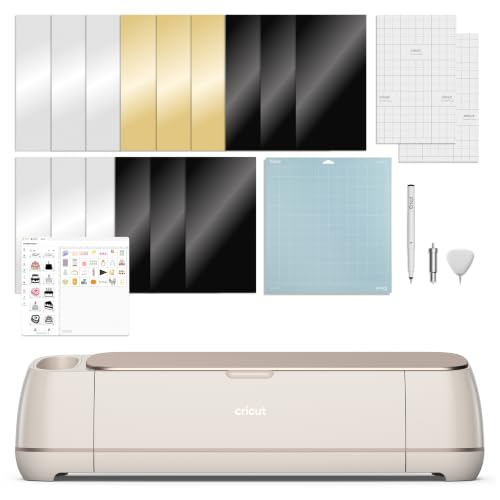
What We Like
- Cuts, draws, foils, scores, engraves, debosses
- Works with 300+ materials including leather and wood
- Print-Then-Cut compatible with most inkjet printers
- Includes bonus 30 premium images in Design Space
Trade-offs
- At 22.1 inches wide, needs dedicated desk space
- Requires Design Space app for all operations
- Light Grip Mat included, but no heavy-duty mat
Working with over 300 materials, from leather and wood to vinyl and cardstock, means this machine handles far more than just basic stencils. It also draws, foils, scores, engraves, debosses, and perforates, so one tool can replace a handful of specialty gadgets. The bundle includes a Fine-Point Blade, Fine Point Pen, Light Grip Mat, Weeder, and a Materials Sampler, plus 30 bonus images in the Design Space app. Anyone looking for a single versatile cutter for a wide range of projects will find this setup covers a lot of ground.
Cricut Explore 5 Essential Bundle
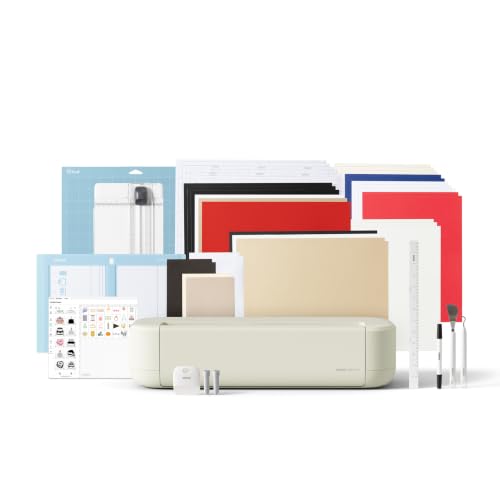
What We Like
- 30% more compact than previous models
- Precision-cuts 100+ materials
- Full-color print-then-cut capability
- Free Design Space app with 3,000+ images
Trade-offs
- Deep Cutting Tool for thicker materials sold separately
- Requires inkjet printer for full-color stickers
- Cricut Access subscription needed for full content library
The Explore 5 cannot cut thicker materials like foam or rubber unless you buy the Deep Cutting Tool separately. Compared to the Cricut Maker 4, which is designed for heavier fabrics and more tool options, the Explore 5 focuses on everyday versatility with vinyl, paper, and printable materials at a lower price point. For crafters who want a well-rounded kit for common projects without paying for professional features they may not need, this bundle offers practical value.
Silhouette Cameo 5 Alpha Cutting Machine
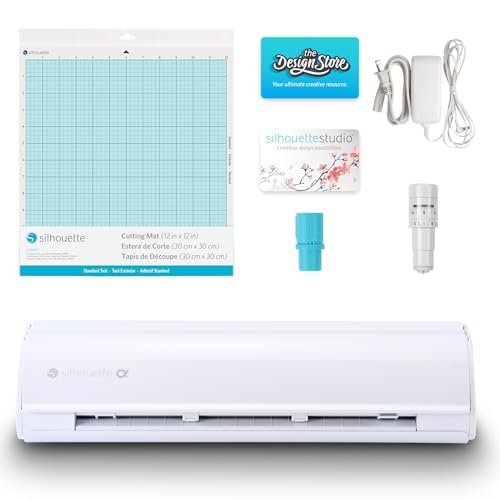
What We Like
- 4-point registration for precise alignment
- Fast Sketch Mode for quicker drawing
- Cuts materials up to 3 mm thick
Trade-offs
- 22.3-inch length needs dedicated workspace
- At 11.5 lb, heavier than some compact models
The 4-point registration system delivers precise alignment on printed images and stickers, so you can trust the cuts without redoing them. It handles materials up to 3 mm thick, from vinyl to fabric, and the Fast Sketch Mode speeds up drawing without losing detail. This is the cutter for late-night craft sessions or open-plan spaces where noise matters.
The trade-off is size and weight: at 22.3 inches long and 11.5 pounds, it needs a permanent spot on your desk rather than a tote bag. But if quiet operation is your priority, the Cameo 5 Alpha delivers that without sacrificing speed or material range. It is a focused tool for the maker who values peace as much as precision.
Product photos
Brother ScanNCut SDX125E Cutting Machine
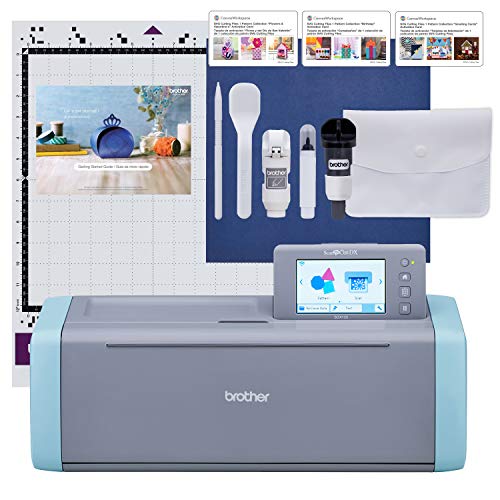
What We Like
- Built-in scanner converts drawings to cut files
- Auto blade detects material thickness automatically
- Cuts up to 3 mm thick materials
- 682 built-in designs plus 9 fonts
Trade-offs
- At 20.9 inches wide, needs dedicated desk space
- Requires trial cut before each project
The built-in scanner is the single feature that sets this machine apart from every other stencil cutter on the market. You can sketch a design on paper, scan it directly into the machine, and have it cut moments later, no computer, no design software, no file conversion. That same scanner also lets you cut precisely around printed stickers or artwork you’ve already made, which saves the frustration of misaligned cuts. For anyone who works from hand-drawn patterns or wants to digitize their own sketches without learning vector software, this is a genuinely different workflow.
The trade-off comes in size and speed. At 20.9 inches wide, it takes up more counter space than a Cricut Explore 5, and the auto blade system still asks you to run a trial cut before committing to your material. That extra step is a small price for never guessing blade depth, but it does slow you down on quick repeat jobs. If your work is mostly digital designs from a computer, the Cricut Explore 5 may feel more streamlined. If you want to bring your own hand-drawn ideas straight to the blade, the ScanNCut is the only machine that does it.
Siser Romeo 24" Professional Cutter
What We Like
- 24-inch cutting area for large designs
- Matless feeding uses full cutting width
- Up to 60% faster than desktop cutters
- Adjustable pinch rollers for pro control
Trade-offs
- At 22 lb, heavy to move frequently
- Large footprint needs dedicated workspace
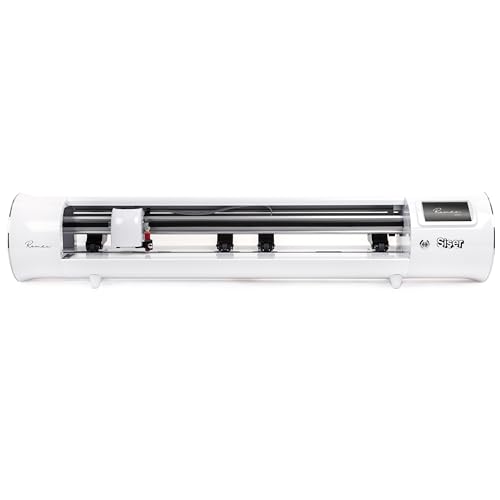
A full 24-inch cutting area lets you cut large stencils or run multiple smaller designs in a single pass, which can speed up production compared to smaller machines. The matless feed uses the entire cutting width without wasting material, and the motor is up to 60% faster than traditional desktop cutters while running quieter. This machine is built for anyone who needs volume or oversize designs, small business owners, sign makers, or crafters who want to skip piecemeal work.
At 22 pounds and over three feet wide, this isn’t a machine you stash on a closet shelf. It needs a permanent spot with room to load material from the back. Compared to the Silhouette Cameo 5 Alpha, which is half the weight and much more portable, the Romeo asks you to commit to a dedicated cutting station. But if your work regularly calls for big sheets or batch production, that commitment pays off in speed and efficiency.
Product photos
USCutter MH Series Vinyl Cutter
What We Like
- Free US-based lifetime phone support
- 3 fully adjustable pinch rollers for precision
- Includes vectorizing and cut software
Trade-offs
- At 47 pounds, needs a sturdy dedicated workspace
- 34-inch feed width limits very large banners
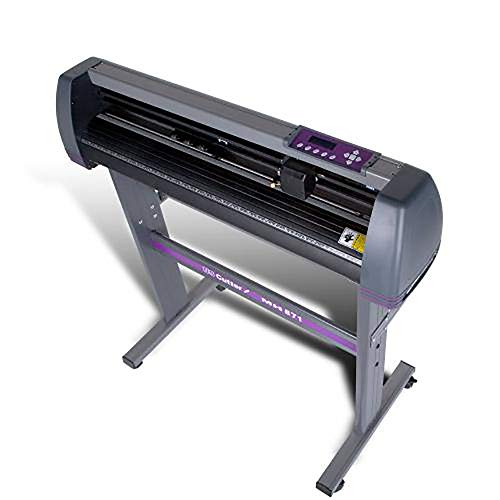
A 30-inch cut width on a 34-inch feed lets you produce full-size signs, banners, and decals without piecing panels together. The three fully adjustable pinch rollers hold material steady across the width, while adjustable speed and pressure let you dial in everything from delicate heat-transfer film to heavy-duty reflective vinyl. Free US-based lifetime phone support means help is available during business hours, not just a forum thread.
This is a heavy, dedicated machine. At 47 pounds, it sits on its included stand and stays there, unlike the Silhouette Cameo 5 Alpha which weighs 11.5 pounds and can be tucked into a closet. The 34-inch feed width handles most commercial jobs, but for oversized banners you would need the larger VEVOR 53-inch model. For a sign shop or a serious home business turning out graphics day after day, the MH Series delivers proven reliability and the support to keep you cutting.
Product photos
Silhouette Portrait 4 Cutting Machine
What We Like
- Quieter 50 db operation
- IPT prevents tearing on sharp angles
- New electric tool options expand creativity
- Belt-driven SNA chassis for precision
Trade-offs
- 9-inch width limits larger projects
- 1-year warranty is shorter than some rivals
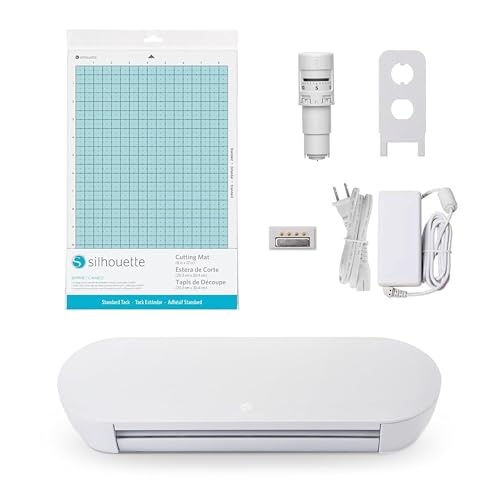
A 9-inch cutting width makes this a compact machine built for smaller-scale work like stickers, labels, and card details. The belt-driven Silhouette New Architecture chassis delivers precise cuts, while IPT technology optimizes cut order so multi-layered designs and sharp corners come out clean without tearing. At 50 decibels, it’s quiet enough to run in a shared space without disturbing others. This is the right pick for crafters who want professional-level accuracy on a budget, especially if you work with vinyl, paper, or fabric in standard sheet sizes.
With only 9 inches of cut width, this machine won’t handle full-page banners or large stencils the way a wider machine can. If your projects regularly exceed that span, the Silhouette Cameo 5 Alpha offers a wider cutting path for bigger designs. But for everyday stencil cutting, custom decals, and scrapbooking details, the Portrait 4 delivers the precision and quiet operation you need without the higher cost of a larger machine. The one-year warranty is standard for this price tier, so just keep that in mind if long-term coverage matters to you.
Product photos
VEVOR Vinyl Cutter Machine
What We Like
- Includes design software with pre-made library
- Accepts SVG, EPS, PLT, AI files
- Color touchscreen for intuitive operation
- Comes with 7 sample materials to start
Trade-offs
- At 16.4 lb, heavier than Silhouette Cameo 5 Alpha
- Max cut width of 13 in limits large stencils
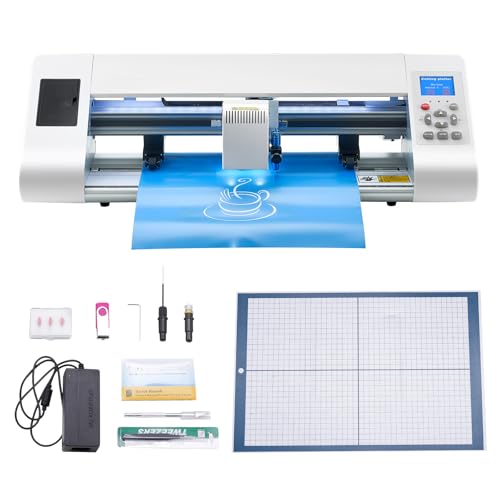
The included design software with a vast library of pre-made designs makes this VEVOR cutter a natural fit for someone just starting out with stencil making. It accepts SVG, EPS, PLT, and AI files, so you can bring in your own artwork without buying extra programs. The color touchscreen helps you navigate settings without needing a computer connected at all times, and the seven starter materials let you begin experimenting right away.
This machine comes with a noticeable size and weight penalty: at 16.4 pounds and a 13-inch maximum cut width, it is noticeably heavier than the Silhouette Cameo 5 Alpha and won’t handle large poster-sized stencils in one pass. For a dedicated beginner who wants an all-in-one software and material bundle to learn on, the VEVOR delivers strong value. More experienced crafters needing a lighter, wider cutter may prefer the Silhouette.
VEVOR 53" Vinyl Cutter Machine
What We Like
- 53-inch feed width for oversized projects
- Dual-blade design cuts and scores simultaneously
- ±0.1 mm contour detection accuracy
- Works with materials up to 1 mm thick
Trade-offs
- At 65.9 lb, needs a dedicated workspace or stand
- Large footprint: 61.4 inches long
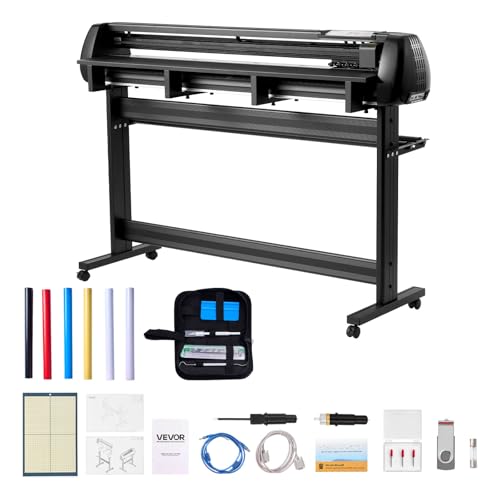
A 53-inch max feed width means you can work with full rolls of banner vinyl, long automotive decals, or floor graphics without splicing or trimming material down. This machine is built for people who need production-scale width, sign makers, wrap installers, and serious crafters tackling extra-large stencils or murals. The dual-blade design lets you cut and score in one pass, and the ±0.1 mm accuracy keeps contour cuts clean even on long runs, so you waste less material and spend less time redoing misaligned cuts.
At 65.9 pounds and over five feet long, this is not a machine you stash on a shelf or move between rooms easily. It demands a permanent spot with a sturdy stand or table. Compared to the Siser Romeo 24-inch cutter, the VEVOR gives you more than double the width for oversized projects, but the Romeo is lighter and more desktop-friendly if your work rarely exceeds 24 inches. For anyone who regularly cuts wide-format stencils or decals, the extra width here is worth the space it takes up.
Product photos
Likcut Mini Plotter Cutting Machine
What We Like
- Four creative functions in one compact unit
- Complete card-making bundle with supplies
- Portable storage bag for easy transport
Trade-offs
- Compact 4.5-inch machine limits large-format projects
- No Bluetooth or app connectivity for wireless design transfer
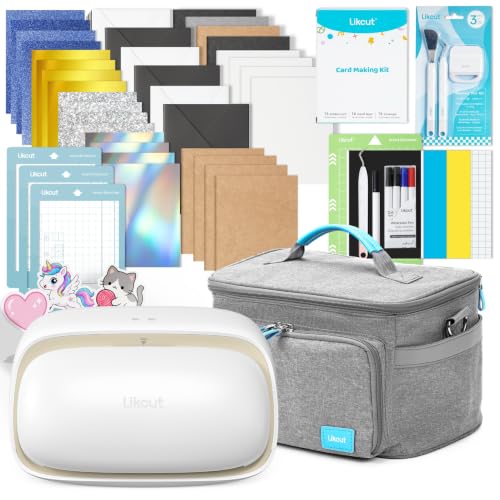
A compact 4.5-inch machine makes the Likcut Mini Plotter a true desktop companion for small-scale projects. It fits neatly on a crowded craft table or tucks into its included storage bag when you need to pack up. The four-in-one capability supports cutting, drawing, foil transfer, and scoring, letting you create personalized cards, vinyl designs, and paper crafts with one versatile cutting machine. This is a machine built for the crafter who values portability and variety over raw cutting size.
The Likcut Mini Plotter Cutting Machine’s compact size makes it easy to store in a drawer, but it won’t handle sheets wider than a standard notepad. For large decals or full-page designs, a machine like the Silhouette Cameo 5 Alpha, which measures 22.3 inches wide, would be a better fit. Card makers and sticker enthusiasts who want a versatile cutter that fits on a small desk will find the Likcut delivers four creative functions without taking over the workspace.
How We Evaluated Stencil Cutting Machines
We analyzed each machine’s published specifications, cut width, material thickness limits, and included tools, alongside manufacturer documentation to understand what each model can and cannot do out of the box. Expert round-ups from art and craft publications helped us identify which features matter most for stencil work specifically.
Our evaluation centered on four criteria: cut precision and material range, workspace footprint and noise level, software and connectivity, and overall value for the intended user. A machine that cuts perfectly but requires a permanent 22-inch desk space is excellent for a studio but wrong for a small apartment.
The honest limit of a research-led evaluation is that we cannot replicate the feel of a machine’s software interface or the real-world durability of its cutting blade over years of use. We rely on owner feedback patterns to flag common trade-offs, like the Cricut’s reliance on the Design Space app or the weight of professional-grade cutters.
What To Look For In Stencil Cutting Machines
Choosing a stencil cutting machine starts with matching its capabilities to your typical projects. The key factors are cut width, material thickness, software ease, and noise level.
Choose a machine with a cut width at least as wide as your largest stencil. For vinyl decals and cardstock, 12 inches is standard. For banners or signs, look for 24 inches or more.
Cut Width and Material Thickness
The cut width determines the maximum size of your stencil in one pass. Desktop models like the Silhouette Portrait 4 cut up to 9 inches wide, which works for cards and small decals. The Cricut Maker 4 cuts up to 12 inches wide, while the Siser Romeo 24 offers a 24-inch cutting area for larger designs.
Material thickness matters too: machines like the Silhouette Cameo 5 cut materials up to 3 mm thick, while the VEVOR 53″ handles materials up to 1 mm thick. If you plan to cut leather, wood veneer, or thick fabric, confirm the machine’s maximum thickness before buying.
Software and Connectivity
Every stencil cutting machine requires software to design or import your stencil files. The Cricut Maker 4 uses the Design Space app, which requires an internet connection for all operations. The Brother ScanNCut SDX125E includes a built-in scanner that converts hand-drawn designs to cut files without a computer.
The VEVOR Vinyl Cutter Machine accepts SVG, EPS, PLT, and AI files and includes a pre-made design library. Consider whether you prefer a cloud-based app, offline software, or no computer at all. Machines without Bluetooth or app connectivity, like the Likcut Mini Plotter, require a direct USB connection.
Noise Level and Workspace
Stencil cutting machines vary significantly in noise output. The Silhouette Portrait 4 operates at 50 dB, which is quieter than many competitors and suitable for shared spaces. The Silhouette Cameo 5 also earns praise for quiet operation.
Larger professional machines like the USCutter MH Series and the VEVOR 53″ are louder and need a sturdy, dedicated workspace. Measure your desk or table before buying: the Cricut Maker 4 is 22.1 inches wide, the Brother ScanNCut is 20.9 inches, and the VEVOR 53″ is 61.4 inches long. Heavy machines like the USCutter MH Series at 47 pounds are not portable.
- Measure your workspace width and depth before choosing a machine.
- Consider noise level if you share a home or workspace.
- Check the included accessories: some machines come with a starter mat or sample materials.
- Confirm whether the machine requires a subscription for full design access.
- Look at the warranty length, especially for budget models.
A machine that fits your desk and your ears is a machine you will actually use.
Stencil Cutting Machines Compared
The table below compares the key specifications of each stencil cutting machine side by side, including cut width, material thickness, weight, and standout features.
| Product | Cut Width | Weight | Connectivity |
|---|---|---|---|
| Cricut Maker 4 Cutting Machine | 22.1 inches | 7.1 inches tall | Bluetooth |
| Cricut Explore 5 Essential Bundle | 12 in (30.5 cm) | N/A | Bluetooth |
| Silhouette Cameo 5 Alpha Cutting Machine | N/A | 11.5 pounds | N/A |
| Brother ScanNCut SDX125E Cutting Machine | N/A | 1.0 pounds | N/A |
| Siser Romeo 24" Professional Cutter | 24 inches | 22.0 pounds | WiFi |
| USCutter MH Series Vinyl Cutter | 30 inches | 47 pounds | N/A |
| Silhouette Portrait 4 Cutting Machine | 9 inches | 1.0 pounds | N/A |
| VEVOR Vinyl Cutter Machine | 13 in / 330 mm | 16.4 lb | N/A |
| VEVOR 53" Vinyl Cutter Machine | 53 inches | 65.9 pounds | USB, U-disk, serial port |
| Likcut Mini Plotter Cutting Machine | N/A | N/A | N/A |
Frequently Asked Questions
What is the best stencil cutting machine for beginners?
The VEVOR Vinyl Cutter Machine is a strong choice for beginners because it includes design software, a pre-made design library, and seven sample materials to start. The Cricut Explore 5 Essential Bundle also works well for newcomers, with a free Design Space app and over 3,000 built-in images.
Can a stencil cutting machine cut fabric?
Yes, many stencil cutting machines can cut fabric. The Cricut Maker 4 cuts over 300 materials including fabric, leather, and wood. The Silhouette Cameo 5 cuts materials up to 3 mm thick, which covers most fabric types. Check the machine’s material thickness limit before cutting heavy fabrics.
Do I need a computer to use a stencil cutting machine?
Not always. The Brother ScanNCut SDX125E has a built-in scanner and 682 built-in designs, so you can create and cut without a computer. Most other machines require a computer or tablet for design creation, though some like the VEVOR Vinyl Cutter have a color touchscreen for basic operation.
How wide of a stencil can these machines cut?
Cut width varies by model. The Silhouette Portrait 4 cuts up to 9 inches wide, the Cricut Maker 4 cuts 12 inches, the Siser Romeo 24 cuts 24 inches, and the VEVOR 53″ cuts up to 53 inches wide. Choose a machine with a cut width at least as wide as your largest stencil.
What is the quietest stencil cutting machine?
The Silhouette Portrait 4 operates at 50 dB, making it one of the quietest options. The Silhouette Cameo 5 also earns praise for its quiet operation. Both are good choices for shared workspaces or homes where noise is a concern.
The Bottom Line
The Cricut Maker 4 Cutting Machine is the best overall pick for crafters who want one machine that handles leather, wood, vinyl, cardstock, and more without buying additional tools. It is ideal for dedicated crafters with a permanent workspace who do not mind using the Design Space app for all operations.
If your budget is tighter, the Silhouette Portrait 4 offers precise, quiet cutting for small to medium projects. For artists who draw their own stencils by hand, the Brother ScanNCut SDX125E eliminates the computer step entirely with its built-in scanner. For large-format stencils or small business production, the Siser Romeo 24 or VEVOR 53″ are worth the investment.
The single most important factor is cut width: measure your largest stencil before you buy, and choose a machine that can handle it in one pass. Everything else, software, noise, weight, is secondary to getting the size right.
