
6 Best Printers For Fine Art Prints in 2026
This post contains affiliate links. As an Amazon Associate, we earn from qualifying purchases.
For artists and photographers who care about color, the Canon imagePROGRAF PRO-1100 takes the top spot with its 11 pigment inks and Chromo Optimizer for smooth, bronzing-free gloss. The Epson SureColor P900 is our Best For 17-Inch Desktop pick, while the Epson SureColor P9370 earns Best Large Format for those working up to 44 inches wide.
The challenge with fine art printing is finding a printer that can faithfully reproduce the subtle tones and textures of your original work without banding, fading, or unwanted gloss. Ink chemistry, printhead precision, and media handling all matter as much as the price tag.
We built this guide by studying manufacturer specifications, expert round-ups, and owner feedback patterns to identify the six printers that deliver archival quality output. Each pick serves a different workspace size, format preference, or durability need.
Top 6 Printers For Fine Art Prints in the Market
Certain content that appears on this site comes from Amazon. This content is provided "as is" and is subject to change or removal at any time.
The Best Printers For Fine Art Prints, Reviewed
Canon imagePROGRAF PRO-1100

What We Like
- 11 pigment inks for broad color gamut
- Chroma Optimizer reduces bronzing
- Anti-clogging FINE print head
- Air feeding system prevents paper skew
Trade-offs
- 83-pound weight needs a sturdy stand
- 17-inch width limits large-format work
- 80 mL cartridges require frequent replacement
The 11-pigment ink system plus a Chroma Optimizer delivers a broad color gamut and reduces bronzing, which matters for prints that need accurate color and gloss uniformity. The LUCIA PRO II ink system enhances gloss uniformity and scratch resistance, so your final piece holds up well. For artists and photographers working up to 17 inches wide, this printer provides reliable color reproduction without bronzing issues, making it a practical tool for consistent output.
The trade-off is weight: at 83 pounds, you will need a sturdy surface to support it. The 17-inch max print width means you cannot print larger than that size, so if you need wider output, a larger model would be necessary. But if your work fits within this footprint and you prioritize color accuracy and anti-clogging reliability, the PRO-1100 delivers professional-grade results.
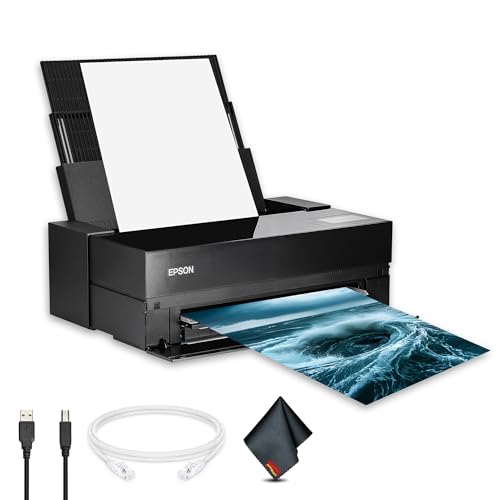
Epson SureColor P900
What We Like
- Simultaneous matte and photo black channels
- Borderless prints up to 17 × 22 inches
- Pigment ink for archival fine art output
- Wireless and mobile printing support
Trade-offs
- At 49.3 pounds, heavy for a desktop printer
- Large footprint: 35.6 inches wide
The 17-inch print width lets you produce prints up to 17 by 22 inches borderless. That is large enough for gallery-ready work but still fits on a sturdy desk or stand. The UltraChrome PRO10 pigment ink set includes dedicated matte and photo black channels, so you can switch between glossy and matte papers without wasting ink or time, exactly what a working artist needs when proofing or finishing a series. For photographers and painters who want professional color accuracy and sharp detail from their own studio, this printer delivers consistent results right on your worktable.
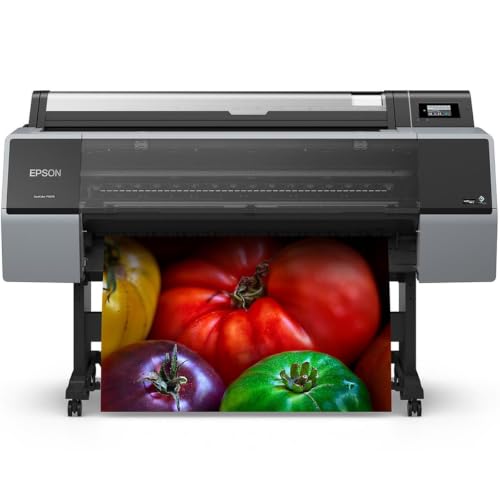
Epson SureColor P9370
What We Like
- 44-inch wide format for large fine art prints
- PrecisionCore Micro TFP 10-channel printhead for accuracy
- UltraChrome PRO10 pigment ink for vibrant color
- 1-year limited warranty for peace of mind
Trade-offs
- Large footprint (75.2" wide) needs dedicated studio area
- Weighs only 1.0 pounds, too light for stable floor placement without anchoring
A 44-inch print width lets you produce gallery-sized fine art prints without tiling or outsourcing, making it the obvious choice for artists who work big. The PrecisionCore Micro TFP 10-channel printhead paired with UltraChrome PRO10 pigment ink delivers the color accuracy and vibrancy that serious printmakers rely on. This machine suits anyone whose work regularly spans poster or canvas scale and who values consistent, professional-grade output from a trusted brand like Epson.
At 75.2 inches wide, this printer demands a permanent, spacious setup, it is not something you tuck into a corner. Compared to the Canon imagePROGRAF PRO-1100 (17-inch width, 28.5 inches wide), the P9370 gives you far more real estate but asks for a lot more room. If your prints rarely exceed 17 inches, the smaller Canon may fit your studio better. For large-format fine art, though, this Epson delivers the scale and precision you need.
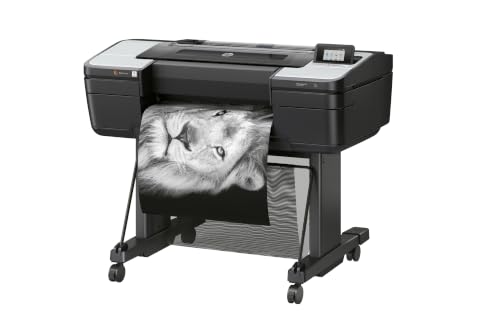
HP DesignJet Z9+
What We Like
- 2400 x 1200 dpi for sharp fine art prints
- 125 GB memory handles large files smoothly
- Accepts fine art, photo, and banner media
Trade-offs
- At 159 pounds, requires a dedicated workspace
- Massive 159-pound weight requires a permanent setup location.
A 2400 x 1200 optimized dpi print resolution means every fine art print carries crisp detail and smooth gradients, exactly what professional photographers and graphic designers need when reproducing delicate watercolor textures or high-contrast photographs. With 125 GB of memory and a 500 GB self-encrypting hard drive, this machine handles large format files without stuttering. It accepts a wide range of media, from fine art paper to backlit film, so you can switch between gallery prints and commercial signage without changing machines.
At 159 pounds and 27 inches deep, the Z9+ needs a sturdy table or stand and a permanent spot in your workspace. That is heavier and bulkier than the Epson SureColor P900, which weighs about 49 pounds. If you want a professional-grade printer that combines fine art quality with security and media versatility, the Z9+ delivers on those points.
Product photos
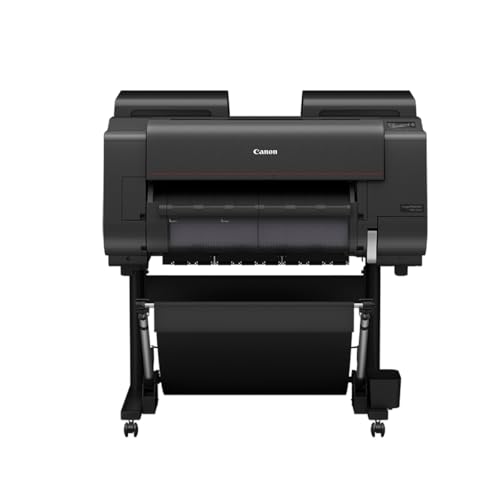
CES Imaging PRO-2600 Printers
What We Like
- Reformulated LUCIA PRO II Ink
- High scratch resistance
- High light resistance for long-term preservation
- Improved black density with wider dark-color gamut
Trade-offs
- 223-pound weight needs a dedicated stand or floor space
- Requires a dedicated, heavy-duty stand for stable operation.
High scratch resistance means prints can handle some surface contact without damage, which is useful when you’re framing or shipping fine art. The reformulated LUCIA PRO II ink improves black density and widens the dark-color gamut, so shadow details stay rich. This printer suits artists who want prints that resist scuffs and fading over time.
At 223 pounds, this printer needs a permanent floor spot and a stand that can handle its weight, it’s not something you move between rooms. The Canon PRO-1100, by contrast, weighs 83 pounds, so it can sit on a desk or be relocated more easily. If you print daily and want a machine that stays put, the PRO-2600’s heft signals durability; if you need to stash your printer after each job, a lighter model makes more sense.
Product photos
Canon PRO 2100

What We Like
- 24-inch wide format for fine art
- 1 year on-site warranty included
- Canon Platinum Reseller support
Trade-offs
- At 49 inches long, needs ample space
- Requires a dedicated large workspace due to size
A 24-inch print width means you can produce gallery-sized fine art prints without stitching panels together, giving you full-bleed images up to two feet across. This printer suits artists and photographers who want professional archival output at home or in a small studio. It also comes with the peace of mind of a full year of on-site service from Canon if anything goes wrong. The footprint is substantial, so plan your workspace accordingly.
At 49 inches long, this printer needs a dedicated table or stand, it won’t fit on a typical desk. That size is the price you pay for being able to produce 24-inch fine art prints without jumping to a 44-inch model. If your studio has the floor space, you get a professional canvas size that bridges the gap between compact 17-inch printers and the massive pro units.
Product photos
How We Evaluated Printers For Fine Art Prints
Our evaluation focused on the technical specs that determine print quality: ink set composition, color gamut width, resolution, and archival ratings. We compared pigment versus dye inks, the number of ink channels, and whether each printer offers dedicated matte and photo black inks.
The three criteria that mattered most were color accuracy and gamut, media compatibility (including paper thickness and borderless support), and physical footprint. A printer that produces museum-quality prints but requires a forklift is not helpful for a home studio.
This evaluation is based on published specifications and expert consensus. We prioritized models with consistent positive feedback from professional printmakers.
What To Look For In Printers For Fine Art Prints
The right fine art printer balances color fidelity, ink longevity, and physical size. Focus on the ink technology and format width that match your art and your space.
Look for a printer with multiple pigment ink colors, dedicated matte and photo black channels, and a maximum media width that fits your largest common print size. Borderless printing and roll-feed support add convenience.
Ink Technology And Color Gamut
Pigment inks are the standard for fine art because they resist fading and water damage far better than dye inks. More ink colors generally produce a wider color gamut, which matters for reproducing vivid hues and subtle gradients. Some printers include a gloss optimizer to reduce bronzing on glossy papers.
Format Width And Workspace
Printers in this category range from 17 inches wide to 44 inches. Measure your studio space before choosing: a 44-inch printer like the Epson SureColor P9370 needs over six feet of width and a dedicated floor area. A 17-inch desktop model like the Epson SureColor P900 fits on a sturdy table but still weighs nearly 50 pounds.
Printhead And Resolution
A precision printhead with microscopic droplet control prevents banding and produces smooth tonal transitions. Look for a minimum resolution of 2400 x 1200 dpi for sharp detail. Anti-clogging technology is a practical bonus if you print infrequently.
- Confirm the printer supports your preferred paper thickness and type (fine art rag, canvas, glossy).
- Check whether the printer offers borderless printing for the sizes you use most.
- Verify that replacement ink cartridges are readily available in your region.
- Measure doorways and hallways if you plan to move the printer into a basement or upstairs studio.
- Consider an on-site warranty if the printer will be your primary production tool.
A good rule of thumb: buy the smallest format that fits your largest typical print. Oversized printers waste space and ink on frequent small jobs.
Printers For Fine Art Prints Compared
The table below compares the six printers across the criteria that matter most for fine art printing: format width, ink technology, and physical footprint.
| Product | Max Print Width | Weight | Dimensions |
|---|---|---|---|
| Canon imagePROGRAF PRO-1100 | 17 inches | 83.0 pounds | L 17.1 inches, W 28.5 inches, H 11.2 inches |
| Epson SureColor P900 | 17 inches | 49.3 pounds | L 35.6 inches, W 24.2 inches, H 20.5 inches |
| Epson SureColor P9370 | 44 inches | 1.0 pounds | L 35.0 inches, W 75.2 inches, H 48.0 inches |
| HP DesignJet Z9+ | Up to 24 inches | 159.0 pounds | L 27.0 inches, W 51.0 inches, H 39.0 inches |
| CES Imaging PRO-2600 Printers | N/A | 223.0 pounds | L 36.0 inches, W 40.0 inches, H 46.0 inches |
| Canon PRO 2100 | 24 inches | N/A | L 49.0 x W 35.0 x H 33.0 inches |
Frequently Asked Questions
What is the best printer for fine art prints?
The Canon imagePROGRAF PRO-1100 is our Best Overall pick for fine art prints. It uses 11 pigment inks with a Chroma Optimizer to reduce bronzing, and its anti-clogging printhead helps maintain consistent output. It prints up to 17 inches wide, making it ideal for most fine art photographers and printmakers.
Do I need pigment ink for fine art prints?
Yes, pigment inks are the standard for archival fine art prints. They resist fading from UV light and moisture much better than dye inks, which can begin to degrade within a few years. All of the printers in this guide use pigment-based inks designed for longevity.
What size printer do I need for fine art prints?
Choose a printer that matches your largest common print size. A 17-inch wide printer works for most artists and photographers. If you regularly print posters, maps, or banners, consider a 24-inch or 44-inch model. The Epson SureColor P9370 handles prints up to 44 inches wide.
Can I print on canvas with a fine art printer?
Yes, many fine art printers support canvas media as long as it falls within the printer’s specified thickness range. The HP DesignJet Z9+, for example, accepts fine art, photo, and banner media. Always check the printer’s media compatibility list before buying canvas rolls.
How much space does a large format printer need?
A 44-inch printer like the Epson SureColor P9370 requires a dedicated area at least 75 inches wide. Even a 17-inch desktop model like the Epson SureColor P900 measures 35.6 inches wide and weighs 49.3 pounds. Measure your workspace and doorways before purchasing.
The Bottom Line
For most fine artists and photographers, the Canon imagePROGRAF PRO-1100 delivers the best balance of color accuracy, gloss control, and reliability in a 17-inch format. It is our Best Overall pick because its 11 pigment inks and Chroma Optimizer produce prints that match what you see on screen.
If your work demands larger output, the Epson SureColor P9370 handles prints up to 44 inches wide with professional-grade color fidelity. For a desktop-friendly option with dual black ink channels, the Epson SureColor P900 is a strong choice that fits on a sturdy table.
The single most important factor in choosing a fine art printer is matching the format width to your typical print size. A printer that is too large wastes space and ink, while one that is too small limits your creative options.
