
7 Best Printers For Canvas in 2026
This post contains affiliate links. As an Amazon Associate, we earn from qualifying purchases.
For canvas prints that do your art justice, the Epson EcoTank Photo ET-8550 All-in-One Printer leads the pack with its cartridge-free ink system and wide 13×19-inch support. For vivid color reproduction, the Canon PIXMA PRO-200S is a strong contender, while the Canon imagePROGRAF PRO-1100 offers an exceptional 17-inch color gamut for larger fine-art prints.
Printing on canvas is different from standard paper. The material’s texture and weight demand a printer with precise ink delivery and the ability to handle thicker media without jamming. You also need a wide color gamut to make your images pop on the absorbent canvas surface.
This guide is built from a careful review of manufacturer specifications, expert commentary on print quality and color accuracy, and patterns found in owner feedback. We focused on the features that matter most for canvas printing to help you choose with confidence.
Top 7 Printers For Canvas in the Market
Certain content that appears on this site comes from Amazon. This content is provided "as is" and is subject to change or removal at any time.
The Best Printers For Canvas, Reviewed
Epson EcoTank Photo ET-8550 All-in-One Printer

What We Like
- Cartridge-free ink bottles reduce waste
- 6-color inks for vibrant photo prints
- Wide-format 13×19-inch canvas support
- Up to 2 years of ink included
Trade-offs
- At 24.5 lb, it needs a sturdy table
- Nearly 30 inches wide requires a large workspace.
Printing a 4×6 photo costs about four cents with this printer, versus roughly forty cents with traditional ink cartridges, a difference that adds up fast when you’re cranking out test prints or proofs. The six-color Claria ET Premium inks and support for paper up to 13×19 inches mean you can produce lab-quality images, scan originals, and make copies without juggling multiple machines. For a home-studio creator who wants vibrant output without stopping to swap cartridges every few dozen prints, that per-sheet savings and wide-format capability make it a practical workhorse.
The trade-off is size and weight. At 24.5 pounds and nearly 30 inches wide, this printer demands a dedicated workspace, not a cramped desk corner.
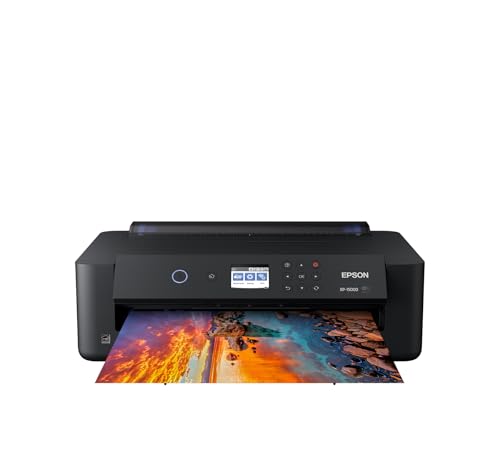
Epson Expression Photo HD XP-15000 Printer
What We Like
- Prints borderless up to 13×19 inches
- 6-color ink with red and gray
- 30% smaller than predecessor
- Auto 2-sided document printing
Trade-offs
- Requires Epson Genuine Cartridges only
- Slow print speed at 9.2 ppm
- No scan or copy functions
A 13×19-inch print area in a printer that is 30 percent smaller than its predecessor means you get wide-format prints without sacrificing your desktop. The six-color Claria Photo HD ink set, which includes dedicated red and gray cartridges, delivers an ultra wide color gamut and enhanced black-and-white prints. That makes this model a natural fit for photographers and home-studio creators who want professional photo quality in a compact size.
The trade-off for that small size is speed, at up to 9.2 pages per minute, this is not a high-volume printer. You also do not get scan-and-copy functions, unlike the Epson EcoTank Photo ET-8550 which adds those features at the cost of a larger footprint and higher weight. If your priority is fitting a wide-format photo printer on a desktop and you value photo quality over speed, the XP-15000 delivers where it counts.
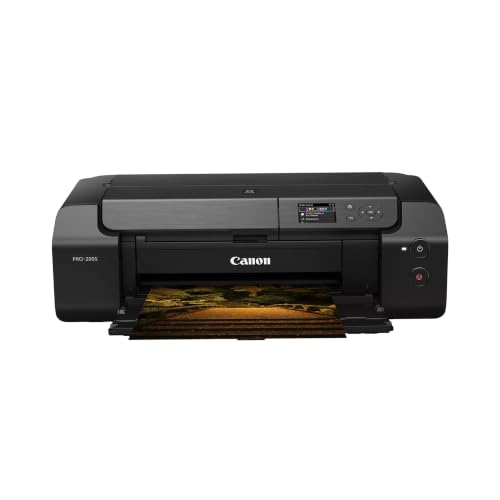
Canon PIXMA PRO-200S Photo Printer
What We Like
- 8-color dye ink for vivid prints
- Borderless printing up to 13" x 19"
- Fast A3+ print in 90 seconds
- 3-inch color LCD for easy monitoring
Trade-offs
- At 32 lbs, it needs a sturdy table
- No scanning or copying built in
For photographers who want their prints to pop with life, especially for display prints or portfolios, this machine is a natural fit. The 13″ x 19″ borderless printing means you can fill the whole sheet edge to edge, and a bordered A3+ print finishes in just 90 seconds, so you are not waiting around.
At 32 pounds, this printer is heavy enough to stay put on a dedicated desk or cart but still manageable to move if needed. The 3.0-inch color LCD monitor lets you check ink levels and printer status without connecting to a computer. Compared to the Canon imagePROGRAF PRO-310, which uses 9-color pigment ink, this model uses dye-based inks for a different color approach.
Canon imagePROGRAF PRO-310 Photo Printer

What We Like
- 9-color pigment ink with Chroma Optimizer
- Lucia Pro II ink for gloss uniformity
- Anti-Clogging and Skew Correction systems
- Matte Black ink for deep black density
Trade-offs
- At 31.6 lb, needs a sturdy dedicated table
- 13-inch max width limits large canvas formats
A nine-color pigment ink system with a dedicated Chroma Optimizer is what separates this printer from standard photo models. The Lucia Pro II inks deliver enhanced gloss uniformity and scratch resistance, so your canvas prints keep that gallery sheen without easily marring. The Matte Black ink also extends the dark area reproduction range, giving shadows real depth on fine-art canvas. This is the printer for anyone who sells or exhibits canvas prints and can’t afford a mismatch between screen and print.
This printer demands a dedicated spot due to its size and weight. If your work stays within 13-inch formats and you prize print permanence and color accuracy above all, this machine delivers exactly that.
Product photos
Canon imagePROGRAF PRO-1100 Printer

What We Like
- 11 pigment inks for wide color gamut
- Chroma Optimizer reduces bronzing and boosts gloss
- Anti-clogging print head for reliable output
- Air feeding system prevents paper skew
Trade-offs
- 83-pound weight demands a sturdy dedicated stand
- 17-inch width limits canvas to smaller rolls or sheets
- No scan or copy functions, printer only
The 11 pigment-based inks plus a Chroma Optimizer deliver a broad color gamut and improved gloss uniformity, which matters most when you’re printing fine-art works where every subtle shift in hue and shadow counts. The LUCIA PRO II ink system helps achieve improvement in color reproduction and enhanced darker areas, so your prints can approach gallery quality. This is the printer for the artist who prioritizes color accuracy and wants a wide palette without moving to a larger 24-inch or 36-inch machine.
At 83 pounds, this isn’t something you move from desk to shelf, it needs a permanent, sturdy home. And unlike the Epson EcoTank Photo ET-8550, there’s no scanner or copier built in, so if you need an all-in-one for mixed studio tasks, that Epson offers more flexibility. But if color fidelity on 17-inch canvas is your priority, the PRO-1100’s ink system and anti-clogging technology make it a focused, capable tool that rewards patience and precision.
Product photos
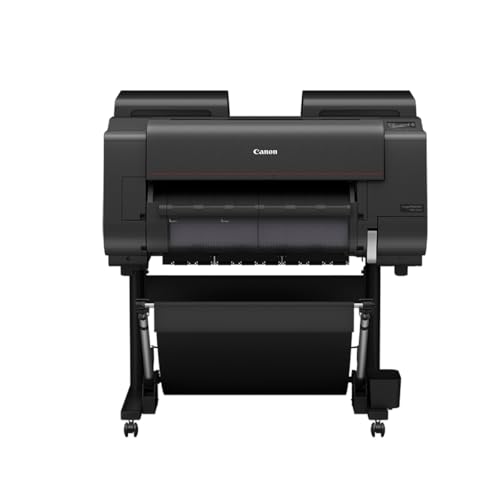
CES Imaging PRO-2600 Printers
What We Like
- 1-year on-site warranty included
- Improved black density and dark-color gamut
- High scratch resistance for prints
- High light resistance for long-term preservation
Trade-offs
- At 223 lb, requires permanent installation or heavy-duty stand
- Large footprint needs dedicated workspace
A 1-year on-site warranty means if this printer ever has trouble, a technician comes to you rather than you wrestling a 223-pound machine into a service center. That weight alone tells you the PRO-2600 is built for serious production work, not occasional desk use. The included printhead and ink get you started right away, and the improved black density with a wider dark-color gamut range helps prints hold deep, rich shadows. For artists and print shops that need consistent, gallery-ready output and want the peace of mind that a repair won’t mean shipping a monster, this is the kind of tool you set up once and rely on for years.
At 223 pounds, this printer demands a dedicated spot and a floor that can handle its weight. The Epson Expression Photo HD XP-15000, by contrast, sits at 18.7 pounds and fits on a desk, but it is a different class of printer with different capabilities. If you have the room and want a warranty that covers on-site service for a year, this printer is built for long-term use.
Product photos
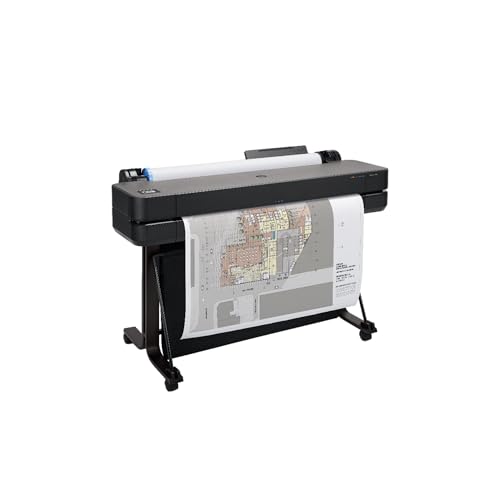
HP DesignJet T630 Large Format Printer
What We Like
- 36-inch roll support for large technical prints
- Auto sheet feeder for smaller media up to 13×19
- Gigabit Ethernet and Wi-Fi for easy networking
- HP Click software with PDF error checking and auto-nesting
Trade-offs
- At 123 lb, needs permanent floor space and a stand
- Targeted at line drawings, not fine-art photo canvas
A 36-inch wide roll feed and automatic horizontal cutter let you print full-size technical drawings, posters, and maps without stopping to trim. The included HP Click software checks PDFs for errors and nests multiple jobs automatically, cutting down on wasted paper and time. Architects, engineers, and construction professionals rely on this printer for precise line quality and crisp text on large-format blueprints and renders. The automatic sheet feeder also handles up to 13×19-inch sheets, giving you flexibility for smaller projects.
At 123 pounds, this printer requires a dedicated floor space and the included stand. It is designed for technical accuracy on line drawings and maps, not for photo-rich color work. If your work leans toward vibrant fine art, the Canon PIXMA PRO-200S with its eight dye inks is a better fit for color-critical prints. But for crisp CAD-style prints where every line matters, the HP DesignJet T630 is the right tool.
Product photos
How We Evaluated Printers For Canvas
Our evaluation began with a deep dive into each printer’s technical specifications, focusing on ink systems, maximum media width, and supported paper types. We cross-referenced manufacturer data with expert round-ups that analyze color gamut, print permanence, and handling of thick media like canvas sheets and rolls.
The four criteria that mattered most were color accuracy and vibrancy, media handling (especially borderless printing on canvas up to 13 or 17 inches), ink cost and efficiency, and physical footprint. Canvas printing demands rich, fade-resistant inks and a printer that can feed the material without curling or smudging.
Our conclusions are drawn from consistent feedback from professional users. This research-led approach helps narrow the field, but we always recommend checking a printer’s compatibility with your specific canvas brand before purchasing.
What To Look For In Printers For Canvas
Choosing a printer for canvas means balancing print quality, media size, and operating costs. Here is what to keep in mind.
Look for a printer with at least six ink colors for vibrant canvas prints. It should also support media up to 13 inches wide or more. A low-cost ink system like EcoTank keeps per-print expenses manageable.
Ink System and Color Gamut
Canvas absorbs ink differently than glossy photo paper, so a printer with a wide color gamut is essential. Models with six or more ink colors, especially those with dedicated photo black, gray, or red inks, produce smoother gradients and more lifelike skin tones. Pigment-based inks offer better scratch and light resistance for archival-quality canvas prints, while dye-based inks deliver vivid, saturated colors.
Media Handling and Size
The printer must reliably feed canvas sheets or rolls without jamming. Look for a straight paper path or a rear feed that handles thick media up to the maximum weight rating. Borderless printing is a must for edge-to-edge canvas wraps. The maximum print width determines your canvas size: 13 inches suits most standard frames, while 17 inches opens up larger gallery wraps.
Print Speed and Workflow
For small studios or occasional prints, speed is secondary to quality. However, if you print multiple canvases in a session, look for a model with a reasonable print time for A3+ or 13×19-inch prints. Features like automatic sheet feeders and networking (Wi-Fi or Ethernet) streamline your workflow, especially if you share the printer among multiple devices.
- Check if the printer supports roll media if you plan to print long banners or multiple canvas wraps from a roll.
- Verify the maximum media thickness in millimeters or gsm to ensure it matches your canvas brand.
- Look for a printer with a color LCD screen for easy monitoring of print jobs.
A general rule: more ink colors and a wider media path usually mean better canvas print quality, but also a larger and heavier machine.
Printers For Canvas Compared
The table below compares the key specifications of our top picks for canvas printing, from media width to ink type and weight.
| Product | Print Technology / Ink System | Max Print Size | Weight |
|---|---|---|---|
| Epson EcoTank Photo ET-8550 All-in-One Printer | Epson Claria ET Premium 6-color inks | 13 x 19 in. | 24.5 pounds |
| Epson Expression Photo HD XP-15000 Printer | 6-color Claria Photo HD | 13 x 19 inches | 18.7 pounds |
| Canon PIXMA PRO-200S Photo Printer | 8-color dye-based | 13" x 19" borderless | 32.0 pounds |
| Canon imagePROGRAF PRO-310 Photo Printer | 9 Color + Chroma Optimizer | 13 inches | 31.6 pounds |
| Canon imagePROGRAF PRO-1100 Printer | 11 pigment-based inks + Chroma Optimizer | 17 inches | 83.0 pounds |
| CES Imaging PRO-2600 Printers | LUCIA PRO II | N/A | 223.0 lb |
| HP DesignJet T630 Large Format Printer | N/A | 36 inches | 123 pounds |
Frequently Asked Questions
What type of printer is best for canvas prints?
Inkjet printers with pigment-based inks and at least six colors are generally best for canvas. They deliver vibrant colors, smooth gradients, and good fade resistance. Look for models that support borderless printing on thick media up to 13 inches wide or more.
Can I use a regular printer to print on canvas?
Most standard home printers cannot handle the thickness and texture of canvas sheets. They may jam or produce smudged results. You need a printer designed for photo or fine-art media, with a straight paper path and adjustable media thickness settings.
What is the difference between dye and pigment ink for canvas?
Dye inks produce very vibrant, saturated colors but are less resistant to fading and scratching. Pigment inks offer superior longevity, lightfastness, and scratch resistance, making them the preferred choice for canvas art prints intended for display or sale.
How wide of a printer do I need for canvas prints?
For standard 8×10 and 11×14 inch canvas prints, a printer that supports up to 13 inches wide is sufficient. For larger gallery-wrapped canvases or 16×20 inch prints, look for a model that can handle 17-inch wide media.
Do I need a printer with roll feed for canvas?
Roll feed is useful if you plan to print long banners or multiple canvas wraps from a continuous roll. For most artists printing single sheets, a printer with a rear sheet feeder that handles thick media is perfectly adequate.
The Bottom Line
For most home-studio creators and photographers, the Epson EcoTank Photo ET-8550 All-in-One Printer is the best overall choice. Its cartridge-free ink system dramatically lowers per-print costs, and its 13×19-inch canvas support handles everything from standard frames to larger gallery wraps.
If your budget is tighter or you need a more compact footprint, the Epson Expression Photo HD XP-15000 Printer delivers wide-format prints without the bulk. For those who demand the absolute widest color gamut and deep, archival blacks, the Canon imagePROGRAF PRO-1100 Printer is worth the investment in space and weight.
The single most important factor in choosing a printer for canvas is the ink system. More colors and pigment-based inks will always produce richer, more durable prints that do justice to your original work.
