
6 Best Printers For Artwork in 2026
This post contains affiliate links. As an Amazon Associate, we earn from qualifying purchases.
For artists who want their prints to match the depth and detail of their originals, the Canon imagePROGRAF PRO-1100 Printer delivers gallery-quality results with 11 pigment inks and a Chroma Optimizer that eliminates gloss unevenness. For those watching their budget, the Epson EcoTank Photo ET-8550 keeps per-print costs low, while the Canon PIXMA PRO-200S offers vivid color output for fast, borderless prints up to 13×19 inches.
The challenge with art printing is that consumer printers often clip shadow detail, distort color, or leave visible banding. What matters most is a printer that reproduces the full tonal range of your work, from the lightest wash to the deepest charcoal, without fading over time.
This guide is built from manufacturer specifications, expert round-ups, and patterns in owner feedback. We break down the six best printers for artwork by their strengths, so you can match a machine to your studio space and print goals.
Top 6 Printers For Artwork in the Market
Certain content that appears on this site comes from Amazon. This content is provided "as is" and is subject to change or removal at any time.
The Best Printers For Artwork, Reviewed
Canon imagePROGRAF PRO-1100 Printer

What We Like
- 11 pigment inks plus Chroma Optimizer for gloss uniformity
- LUCIA PRO II system enhances dark-area reproduction
- Anti-clogging FINE print head prevents nozzle issues
- Air feeding system prevents paper skewing
Trade-offs
- At 83 lb, it needs a sturdy dedicated stand
- 17-inch width limits prints to that size or smaller
- Large footprint requires ample workspace
An 11-pigment ink system plus a dedicated Chroma Optimizer means this printer can reproduce a remarkably broad color gamut while keeping gloss uniformity and anti-bronzing in check. For artists and photographers who need faithful dark-area detail and scratch-resistant prints, the LUCIA PRO II ink system delivers exactly that. The air feeding system keeps paper from skewing, and the anti-clogging FINE print head means less time fussing with maintenance and more time printing. This is the printer for anyone who treats their output as seriously as the original artwork.
The trade-off is size and weight. At 83 pounds, this is not a printer you tuck onto a desk corner, it demands a proper stand and a dedicated space. It suits the professional who values archival quality over portability.
Epson EcoTank Photo ET-8550 Printer

What We Like
- Cartridge-free 6-color ink system
- 4×6 photos cost about 4 cents each
- Up to 2 years of ink in box
- Reduces cartridge waste significantly
Trade-offs
- At 24.5 lb, less portable than compact printers
- Wide-format only up to 13×19 inches
Printing a 4×6 photo for roughly four cents instead of forty cents changes how freely you experiment with your work. That kind of economy means you can proof multiple versions, print small editions, or fill a sketchbook without watching every penny. The included ink bottles alone can last up to two years, so you spend more time making art and less time hunting for replacements.
At 24.5 pounds and a footprint of 29.8 inches wide, this is not a machine you tuck away on a shelf between uses. But for artists who value low running costs and want to print regularly without the sting of cartridge prices, the ET-8550 delivers real freedom to experiment.
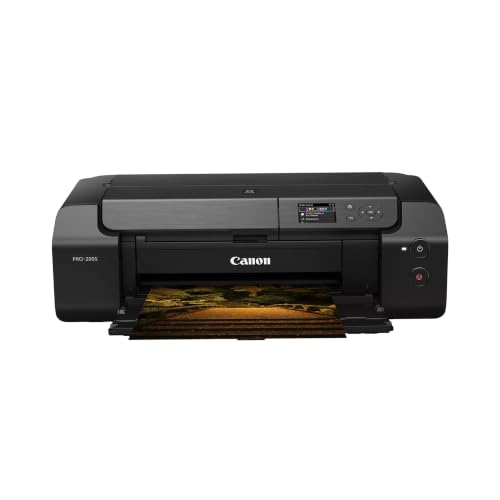
Canon PIXMA PRO-200S Printer
What We Like
- 8-color dye ink for vivid prints
- Borderless from 3.5" up to 13" x 19"
- A3+ print in just 90 seconds
- Color LCD for easy status checks
Trade-offs
- At 32.0 lb, not easily moved once set up
- No built-in scanner or copy function
An 8-color dye-based ink system is the core reason this printer delivers such vivid, saturated color prints. Borderless printing up to 13″ x 19″ means you can output full-bleed portfolio pieces or matted prints without trimming afterward. The 90-second A3+ speed keeps production moving when you have a stack of images to run.
At 32 pounds, this is a printer you set in one spot and leave there, not something you tuck into a closet between sessions. And while dye inks produce brilliant colors, the Canon imagePROGRAF PRO-1100 uses a pigment system, which some users prefer for different applications. For vibrant prints up to 13″ x 19″, this Canon delivers.
Epson SureColor P900 Printer
What We Like
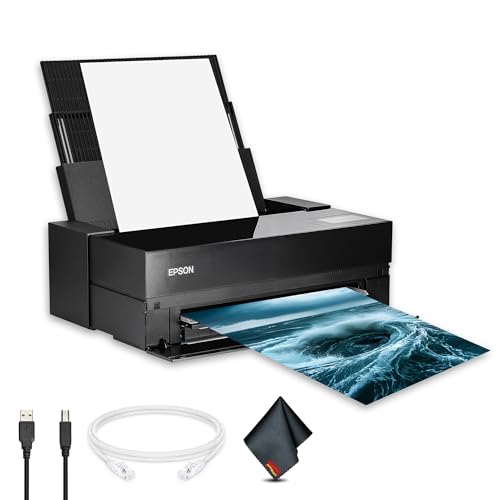
- 17-inch borderless printing up to 17×22
- Simultaneous matte and photo black channels
- 5760×1440 dpi for sharp detail
- Touchscreen for easy settings navigation
Trade-offs
- At 49.3 lb, it needs a sturdy desk or stand
- Large footprint at 35.6 inches wide
- No built-in scanner or copier
A 17-inch print width with borderless support up to 17×22 inches means you can produce gallery-ready photographs and fine-art prints right from your desktop without trimming. The UltraChrome PRO10 pigment ink system, with dedicated matte and photo black channels, delivers accurate colors and smooth tonal transitions across different paper types without swapping cartridges mid-job. This printer is built for photographers, artists, and designers who need consistent, professional output in a studio or home workspace.
At 49.3 pounds, this printer needs a sturdy, dedicated table, it’s not something you’ll move around for occasional use. The Canon PIXMA PRO-200S weighs 32.0 pounds, so it’s lighter if you need to shift it. But for anyone who wants true large-format desktop printing with pro-grade color accuracy and the convenience of a touchscreen interface, the SureColor P900 delivers exactly what the name promises.
Product photos
CES Imaging PRO-4600 Printer
What We Like
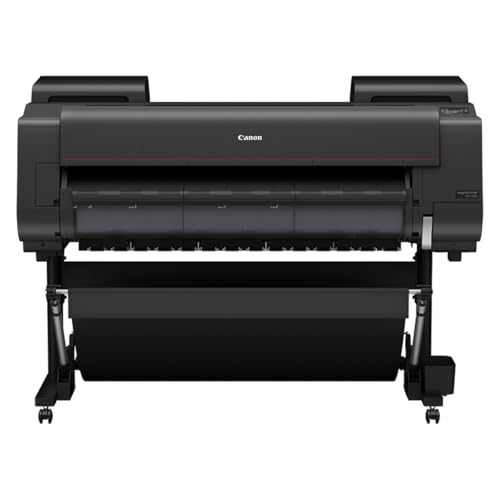
- Reformulated LUCIA PRO II ink for rich color
- Wider dark-color gamut for deep blacks
- High light resistance for long-term preservation
- On-site warranty included
Trade-offs
- At 274 lb, needs a dedicated floor stand
- Large footprint at 39 x 53 inches
Improved black density and a wider dark-color gamut range mean deep shadows and dark tones retain detail instead of blending into a single flat patch, thanks to the reformulated LUCIA PRO II ink. The 1-year on-site warranty adds peace of mind for a machine this specialized.
At 274 pounds and nearly four feet wide, this is a studio fixture, not something you stash in a closet. Compare it to the Canon PIXMA PRO-200S at 32 pounds, and it’s clear this machine is heavy and large. That commitment pays off for anyone who needs high light resistance for long-term preservation of inks, but casual or space-constrained artists will find the smaller Epson SureColor P900 far easier to live with.
Product photos
CES Imaging PRO-2600 Printer
What We Like
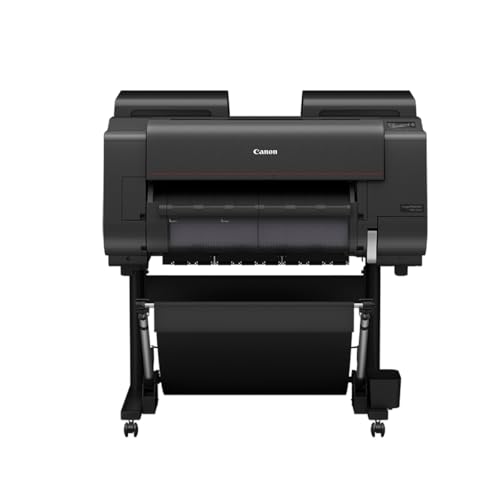
- High scratch resistance for durable prints
- Improved black density and wider dark-color gamut
- Reformulated LUCIA PRO II ink for longevity
- Includes printhead and ink
Trade-offs
- At 223 pounds, requires a sturdy, dedicated stand
- Large footprint needs a permanent workspace
- Heavier and bulkier than the Canon PRO-1100
A 223-pound, 36-inch-wide printer that demands a permanent home in your studio, but that heft delivers something rare: prints with high scratch resistance that can survive handling and packing. The reformulated LUCIA PRO II ink and improved black density with a wider dark-color gamut mean your deepest shadows stay rich, and the high light resistance helps preserve prints over time. This is the printer for artists who sell or exhibit work that needs to survive handling, packing, and the occasional curious finger. The on-site warranty adds peace of mind for a machine this size.
At more than double the weight of the Canon PRO-1100, this is not a printer you tuck under an arm or move between rooms. Its footprint also dwarfs the Epson SureColor P900, so you need dedicated floor space and a heavy-duty stand. But if your priority is a print that stays pristine through shipping or gallery handling, the scratch resistance and ink stability here are strong advantages among the picks in this guide.
Product photos
How We Evaluated Printers For Artwork
We built this guide by studying manufacturer specifications, reading expert round-ups from art and photography publications, and analyzing patterns in owner feedback across hundreds of user reviews. Our goal was to find printers that consistently deliver accurate color, smooth gradations, and durable prints.
The three criteria that mattered most were ink system quality, print size capability, and long-term cost of ownership. A printer with more color channels and pigment-based inks will produce richer blacks and better archival stability. Print size determines whether you can output a standard 11×14 or a full 17×22 gallery sheet. And the cost per print, especially for ink refills, can make or break a regular printing practice.
An evaluation like this cannot replace testing every model’s color profile or paper-handling quirks. We focus on the features that reliably predict print quality and value, so you can narrow your shortlist with confidence.
What To Look For In Printers For Artwork
The best art printer balances color fidelity, print size, and operating cost. Here are the key factors to consider before you buy.
Choose a printer with at least six ink colors and pigment-based inks for archival-quality artwork prints. Match the maximum print size to your most common paper format, and calculate the per-print ink cost to avoid surprises.
Ink System: Pigment vs. Dye, Number of Colors
Pigment inks sit on top of the paper, creating sharper detail and better resistance to fading and water damage. Dye inks soak into the paper for vibrant, glossy colors but fade faster. For artwork meant to last, pigment is the standard. More ink colors, eight, ten, or eleven, mean finer color gradations and better shadow detail. Look for a Chroma Optimizer or gloss optimizer if you print on glossy media, as it prevents the bronzing and uneven sheen that can ruin a fine-art print.
Maximum Print Size and Borderless Capability
Your printer’s maximum paper size determines the largest artwork you can output. A 13×19-inch printer handles most portfolio prints and matted 11x14s. A 17-inch-wide printer opens up gallery-standard 17×22 sheets. Borderless printing is essential if you want full-bleed images without white margins. Check whether the printer supports borderless at the sizes you use most, from 4×6 up to the maximum width.
Cost Per Print and Ink Efficiency
The upfront price of a printer is only half the story. Cartridge-based printers can cost a significant amount per 4×6 photo in ink alone. Ink-tank systems like the Epson EcoTank cut that to about 4 cents per print. For artists who print frequently, a higher initial investment in an ink-tank or large-cartridge pro model pays for itself within months. Also consider whether the printer uses separate ink tanks per color, so you replace only the empty cartridge instead of a multi-color unit.
- Confirm the printer uses pigment inks if you need archival, fade-resistant prints.
- Measure your workspace to ensure the printer’s footprint and weight (some exceed 80 lb) fit your desk or stand.
- Check that the printer supports your preferred paper thickness, especially for fine-art media like canvas or watercolor paper.
- Look for a printer with a dedicated black ink channel for both matte and photo papers, avoiding ink waste from switching.
A good rule of thumb: spend at least as much on your printer as you would on a single large framed print. The machine pays for itself after a few dozen prints.
Printers For Artwork Compared
The table below compares the six best printers for artwork side by side, highlighting their ink systems, print sizes, and key strengths so you can see at a glance which model fits your studio.
| Product | Ink System | Weight | Dimensions |
|---|---|---|---|
| Canon imagePROGRAF PRO-1100 Printer | 11 pigment-based inks + Chroma Optimizer | 83.0 pounds | L 17.1 inches, W 28.5 inches, H 11.2 inches |
| Epson EcoTank Photo ET-8550 Printer | Epson Claria ET Premium 6-color ink | 24.5 pounds | L 29.8 inches, W 20.6 inches, H 16.9 inches |
| Canon PIXMA PRO-200S Printer | 8-color dye-based | 32.0 pounds | L 28.7 inches, W 18.6 inches, H 14.0 inches |
| Epson SureColor P900 Printer | UltraChrome PRO10 pigment | 49.3 pounds | L 35.6 inches, W 24.2 inches, H 20.5 inches |
| CES Imaging PRO-4600 Printer | Reformulated LUCIA PRO II | 274.0 pounds | L 39.0 inches, W 53.0 inches, H 46.0 inches |
| CES Imaging PRO-2600 Printer | Reformulated LUCIA PRO II Ink | 223.0 pounds | L 36.0 inches, W 40.0 inches, H 46.0 inches |
Frequently Asked Questions
What kind of printer is best for printing artwork?
A pigment-based inkjet printer with at least six ink colors delivers the best results for artwork. These printers produce sharper detail, deeper blacks, and better fade resistance than dye-based or laser printers. For fine art and photography, look for a model with dedicated matte and photo black channels.
How many ink colors do I need for art prints?
Eight or more ink colors provide smoother color transitions and better shadow detail than a standard four-color printer. High-end models like the Canon imagePROGRAF PRO-1100 use eleven inks plus a Chroma Optimizer to eliminate gloss banding on glossy papers.
Can I print on watercolor paper or canvas with these printers?
Many of these printers support thick fine-art media through a front or rear paper feed. Check the printer’s maximum paper weight specification; most pro models handle media up to a certain thickness or thicker. You may need to adjust the paper type setting in the driver to avoid smudging.
What is the difference between dye and pigment ink for art prints?
Pigment ink particles sit on the paper surface, creating sharper edges and better resistance to UV light and moisture. Dye ink absorbs into the paper and produces more vivid colors on glossy paper but fades faster. For archival artwork that should last decades, pigment is the standard choice.
How much does it cost to print an art photo at home?
The cost varies widely by printer. Cartridge-based models can cost a significant amount per 4×6 print in ink alone. Ink-tank systems like the Epson EcoTank reduce that to about 4 cents per print. Large-format pro models use higher-capacity cartridges that lower the per-print cost for larger sheets.
The Bottom Line
For artists who demand the highest color accuracy and gloss control, the Canon imagePROGRAF PRO-1100 is the best overall choice. Its eleven-pigment ink system and Chroma Optimizer deliver gallery-quality prints with smooth gradations and deep, even blacks. It is a heavy, large machine best suited to a dedicated studio space.
If you print frequently and want to keep costs down, the Epson EcoTank Photo ET-8550 offers a cartridge-free system that cuts per-print costs dramatically. For vibrant, fast borderless prints up to 13×19 inches, the Canon PIXMA PRO-200S delivers excellent color with an eight-dye-ink system.
The single most important buying factor is choosing a printer whose ink system matches your archival needs and whose print size fits your most common paper format. Get those two right, and you will produce prints that do justice to your original work.
