
9 Best Pen Tablets For Artists in 2026
This post contains affiliate links. As an Amazon Associate, we earn from qualifying purchases.
For digital artists who need precise control and color accuracy, the HUION Kamvas 13 Gen 3 Drawing Tablet is the best overall pick, thanks to its 16384 pressure levels and factory-calibrated ΔE<1.5 display. The XPPen Artist 16 3rd offers a large anti-glare screen, while the Wacom Intuos Pro Medium provides a customizable grip for wireless freedom.
Every artist faces the same challenge: finding a tablet that translates hand movement into digital strokes without lag, parallax, or color distortion. The right pen tablet should feel as natural as a pencil on paper, with pressure sensitivity that responds to the lightest sketch and the boldest line.
This guide is based on a thorough analysis of manufacturer specifications, expert round-ups, and patterns in owner feedback. We’ve organized nine top pen tablets by their strengths to help you match a device to your specific workflow, whether you need a color-accurate display or a portable pad for sketching on the go.
Top 9 Pen Tablets For Artists in the Market
Certain content that appears on this site comes from Amazon. This content is provided "as is" and is subject to change or removal at any time.
The Best Pen Tablets For Artists, Reviewed
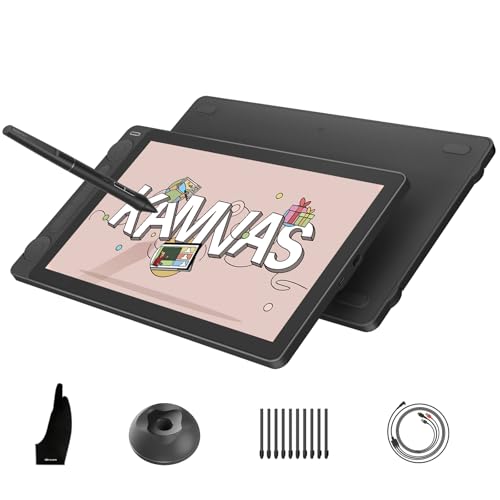
HUION Kamvas 13 Gen 3 Drawing Tablet
What We Like
- 16384 pressure levels for ultra-fine strokes
- Factory-calibrated ΔE<1.5 color accuracy
- Dual dials and 5 silent press keys
- Full-laminated anti-glare Canvas Glass 2.0
Trade-offs
- Requires connection to a computer or laptop
- At 4.2 pounds, heavier than pen-only tablets
The 16384 levels of pressure sensitivity in the PenTech 4.0 stylus mean every brush stroke, from the lightest sketch to the boldest line, registers exactly as you intend. The stylus starts at just 2 grams of actuation force, so even a feather touch leaves a mark. Factory calibration to ΔE<1.5 and 99% sRGB coverage ensure the colors on screen match your vision, critical for artists who work in digital painting or photo editing. The dual dials and five silent keys let you adjust brush size, zoom, or opacity without breaking your flow, keeping your attention on the canvas where it belongs.
The main trade-off is that this is a pen display, not a standalone tablet; it must be tethered to a computer or laptop to function. That makes it less portable than the Wacom Intuos Pro Medium, which weighs just 0.9 pounds. For artists who want a dedicated, color-accurate display with pro-grade pressure sensitivity and built-in controls, the Kamvas 13 Gen 3 delivers professional-grade precision for studio setups where color fidelity and responsive input matter most.
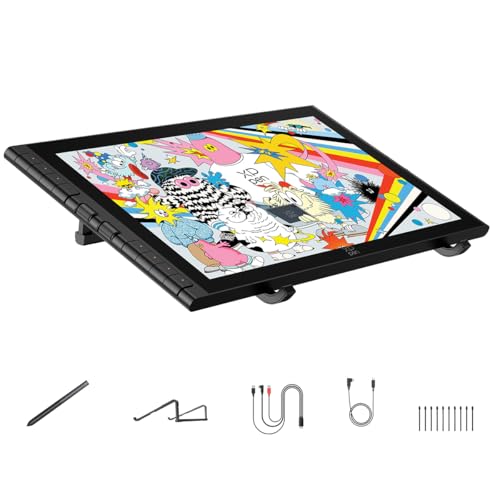
XPPen Artist 16 3rd Drawing Tablet
What We Like
- Fully laminated display with near-zero parallax
- Dual scroll wheels and 8 hotkeys
Trade-offs
- 3.0 pounds heavier than pen-only tablets
- Requires a computer or Android device to function
The 16K pressure sensitivity and 2g activation force catch the lightest sketch lines, so fine details in Clip Studio Paint or ZBrush come through cleanly. This is a display tablet built for artists who want a paper-like feel and true-to-life color across 99% sRGB and 98% Adobe RGB. It is a strong fit for illustration and animation work where accuracy matters.
The trade-off is size and weight: at 3.0 pounds, it’s heavier than a pen-only tablet like Wacom’s Intuos Pro Medium, and the 15.4-inch screen takes up desk space. If you work on a cramped surface or move between setups often, the extra bulk might slow you down. The included foldable stand provides ergonomic support, but you’ll still need a dedicated spot for this one. For artists who prioritize a large, glare-free canvas with precise color control, the extra heft is a fair price to pay.
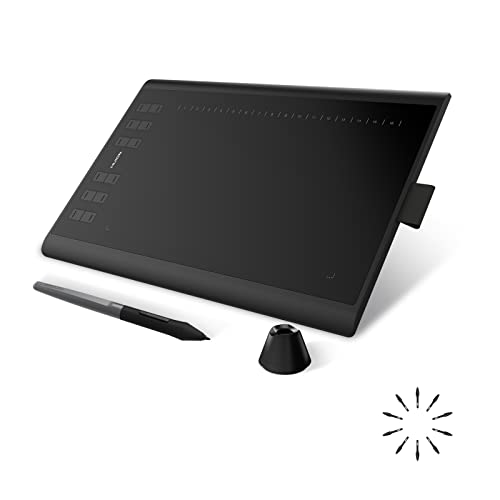
HUION Inspiroy H1060P Graphics Drawing Tablet
What We Like
- Battery-free stylus with tilt support
- Slim 10mm profile for portability
- Symmetrical design works for left- or right-handed
Trade-offs
- No Bluetooth or wireless connectivity
- iPhone, iPad, and Samsung Galaxy S series not supported
- Requires USB adapter for Mac connection
A 10 x 6.25-inch working area gives you plenty of room for sweeping strokes without crowding your desk, and the 10mm slim profile makes this tablet easy to slip into a bag between sessions. The 8192 levels of pressure sensitivity respond to the lightest pencil touch or a heavy brush press. The battery-free stylus with ±60° tilt support lets you shade and angle lines naturally, just like working with a real pencil. This is a straightforward, no-fuss tablet that suits artists who want a large drawing surface in a travel-friendly package.
The trade-off for that slim design is the lack of wireless connectivity, you’re tethered by a USB cable, which can feel restrictive if you like to lean back while you draw. And while Android phone support is possible with an OTG adapter, iPhone, iPad, and Samsung Galaxy S series users are out of luck, so check your device before buying. Compared to the Wacom Intuos Pro Medium, which offers Bluetooth and a smaller 8.1-inch depth, the Huion gives you more shortcut keys and a larger active area for a more affordable build. But you give up the freedom of going cordless. It’s a capable, no-nonsense tablet for artists who prioritize desk-based workflow and lots of programmable controls.
Wacom Intuos Pro Medium Bluetooth Tablet

What We Like
- Customizable Pro Pen 3 grip and balance
- 10 ExpressKeys and 2 mechanical dials
- Bluetooth wireless for multiple computers
- Magnesium body at only 4mm thin
Trade-offs
- No built-in screen requires monitor for drawing
- No screen means it's not for direct-drawing beginners.
The Pro Pen 3 pen delivers 8192 pressure levels and tilt support, so every line responds to how hard you press, whether you shade lightly or press hard for a bold line. You can choose between slim, straight, or flared grip and adjust the button layout to match your hand. The 10 ExpressKeys and two mechanical dials sit at the top, letting you assign shortcuts for quick access to zoom or scroll without reaching for your keyboard. Once you set those shortcuts, the workflow stays smooth.
Wacom’s Intuos Pro Medium is a pen tablet without a screen, so you look at your monitor while you draw. At 0.9 pounds and 4mm thin, the magnesium body is light enough to toss in a bag, and the 11.4 x 8.1-inch active area gives you plenty of room for detailed work without taking over your desk. For someone who prioritizes wireless freedom and customization over a built-in display, this is a durable, portable tool.
Product photos
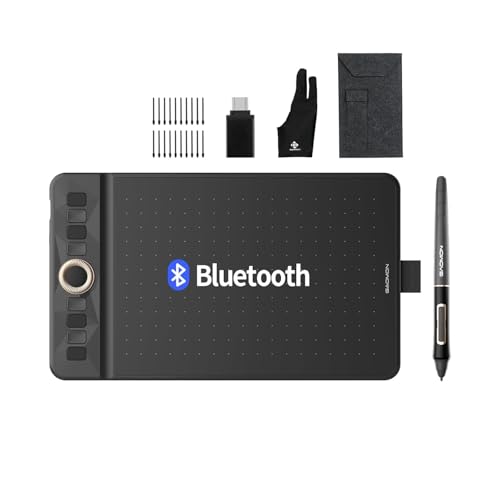
GAOMON WH851 Bluetooth Graphics Drawing Tablet
What We Like
- 18-hour battery for wireless drawing
- Dial and 8 customizable shortcut keys
- Battery-free pen with tilt detection
Trade-offs
- No built-in screen for direct drawing
- Active area smaller than some competitors
The 16,384 pressure levels on this pen detect the slightest differences in your touch, so a light stroke produces a fine line and a harder press gives you a bold mark. That sensitivity, combined with an 18-hour battery for wireless use, means you can draw for long periods without being tied to a cable. The dial and eight customizable shortcut keys let you zoom, scroll, or switch brushes without reaching for your keyboard, which keeps your focus on the canvas. It works with Windows, Android, and Mac, making it a practical choice for artists who move between operating systems.
At just 0.9 pounds, this pen tablet is light enough to toss in a bag without thinking twice. But because it has no screen you’ll have to get used to watching your computer monitor while your hand draws on the pad, a coordination that takes a bit of practice if you’re coming from a display tablet. The 16,384 pressure levels on the battery-free pen detect the slightest change in how hard you press, so you can switch from a faint sketch to a bold line without swapping tools. Bluetooth 5.0 lets you work wirelessly for up to 18 hours on a charge, which means you can sit on the couch or at a coffee shop without hunting for a USB port.
VEIKK VK850 Digital Drawing Tablet

What We Like
- 290 PPS reading rate for fast strokes
- 16384 pressure levels for fine control
- 10 customizable shortcut keys plus dial
- Battery-free pen with 20 replacement nibs
Trade-offs
- No Bluetooth: wired connection only
- Fixed USB cable limits portability
A 290 PPS reading rate means this tablet captures every quick flick and rapid brush stroke without lag, making it a strong choice for artists who work fast or play rhythm games like Osu. The 16384 pressure levels give you subtle control over line weight and opacity, and the battery-free P05 pen means you never stop to charge mid-sketch. With ten customizable shortcut keys and a quick dial, you can keep your hand on the tablet and your eyes on the canvas.
This is a wired tablet with a fixed Type-C cable, so you’re tethered to your computer. It also won’t work with Samsung phones when connected via OTG adapter with Android 6.0+ mobile phones. But if your priority is a responsive, no-nonsense pen tablet for desktop work, the VK850 delivers high-speed performance at a practical size.
Product photos
Wacom Intuos Small Wired Drawing Tablet
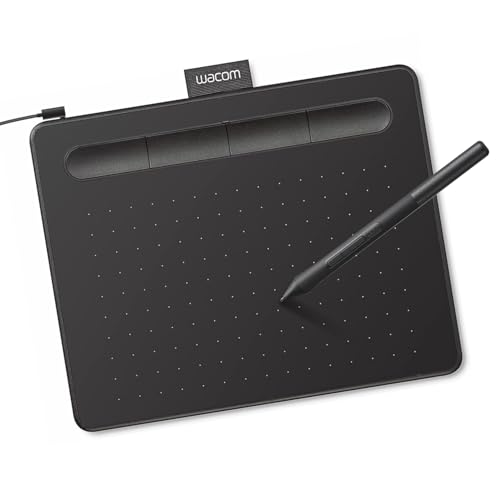
What We Like
- Battery-free pen feels like pen on paper
- 4 ExpressKeys for quick shortcuts
- Battery-free pen with EMR technology
Trade-offs
- Wired connection limits desk placement flexibility
- No screen means hand-eye coordination practice needed
A 0.5-pound tablet that slips into any bag and works with Mac, Windows, and Chromebook means you can sketch wherever inspiration hits without worrying about charging a pen. Wacom’s battery-free EMR technology gives that familiar pen-on-paper feel, so your strokes translate naturally into digital lines. This is the tablet for someone who wants a reliable, portable entry into digital art without extra complexity or cost.
Compared to the HUION Inspiroy H1060P offers a larger 10 x 6.25-inch drawing area, the Intuos Small asks you to sacrifice some flexibility for Wacom’s pen feel and software. If you prioritize a compact, no-fuss setup and don’t mind the cable, this is a focused tool that does its job well.
Product photos
VEIKK VK1200 Drawing Tablet with Screen

What We Like
- Two battery-free pens included
- 28 pen nibs for varied styles
- 6 shortcut keys for quick tools
- Artist glove reduces smudges
Trade-offs
- 11.6-inch screen smaller than 13-inch models
- 72% NTSC gamut is narrower than 99% sRGB
The 11.6-inch LED screen with 1920 x 1080 resolution gives you a crisp, clear canvas that fits comfortably on a desk without dominating your workspace. Two battery-free pens with 8192 levels of pressure sensitivity and tilt function mean you can switch between a fine liner and a brush without ever charging a stylus. The 28 included nibs let you experiment with different feels. This display suits beginners and students who want a reliable, no-fuss drawing setup that keeps the focus on making marks, not managing gear.
A smaller active area and a 72% NTSC color gamut mean this model won’t match the wider color coverage of the HUION Kamvas 13 Gen 3 with its 99% sRGB. If color-critical work or a larger canvas matters most, that model is worth considering. But for daily sketching, note-taking, or learning digital art, the dual-pen design and generous nib supply make the VK1200 a practical, ready-to-use companion.
Product photos
ienRon 10×6.25 Drawing Tablet

What We Like
- 22 customizable shortcut keys for keyboard-free workflow
- Adjustable stand (15°-60°) for neck and wrist comfort
- 30 replacement nibs with extractor included
- Battery-free pen with 60° tilt and 8192 pressure levels
Trade-offs
- Requires connection to a computer or Android device to function
- Not compatible with iPhone, iPad, or Chromebook
- At 1.1 pounds, lighter than some tablets but needs a stable desk surface
The 22 shortcut keys on this tablet let you switch brushes, undo, and zoom without ever reaching for a keyboard, a real time-saver when you’re in the middle of a sketch. With the included multi-angle stand that adjusts from 15 to 60 degrees, you can tilt the tablet to a position that keeps your neck and wrists relaxed during long drawing sessions. This setup is especially kind to beginners who haven’t yet built up endurance for hunched-over work, and the battery-free stylus means you never have to pause to charge a pen.
The ienRon is a pen tablet, not a screen tablet, so you draw on the pad while looking at your computer monitor, a common setup for digital artists. It works with Windows, Mac, and Android devices, but not with iPhone, iPad, or Chromebook. Compared to the Wacom Intuos Pro Medium (which weighs 0.9 pounds and includes Bluetooth), the ienRon is heavier at 1.1 pounds and uses a wired connection. Its bundled stand, 30 nibs, and accessories make it a more complete starter kit for beginners.
Product photos
How We Evaluated Pen Tablets For Artists
Our evaluation focuses on the technical specs that directly affect the drawing experience. We compared pressure sensitivity levels, report rates, color gamut, and display lamination across every model to see which deliver the most responsive and accurate strokes.
The three criteria that mattered most are pressure sensitivity (higher levels allow finer control), display quality (laminated screens reduce parallax), and shortcut customization (dials and express keys speed up workflow). For pen displays, we also prioritized color accuracy and anti-glare coating.
A research-led evaluation cannot replace personal testing, but it can reveal which tablets consistently meet professional standards. We rely on manufacturer data for specs and owner feedback for real-world reliability, then cross-reference both to find the best value for each use case.
What To Look For In Pen Tablets For Artists
Choosing a pen tablet starts with understanding the two main types: pen displays (you draw directly on a screen) and pen tablets (you draw on a pad while looking at a monitor). Your choice depends on whether you want direct eye-hand coordination or a larger drawing surface for less arm fatigue.
Focus on pressure sensitivity levels, report rate, display lamination, and shortcut customization. A battery-free pen saves hassle, and a higher report rate (measured in PPS) reduces stroke lag.
Pressure Sensitivity and Report Rate
Pressure sensitivity determines how finely the tablet detects changes in pen pressure. Models with 8192 levels are standard, but the HUION Kamvas 13 Gen 3 and VEIKK VK850 offer 16384 levels for ultra-fine strokes. The report rate, measured in points per second (PPS), affects how smoothly the tablet tracks fast movements. The VEIKK VK850 leads at 290 PPS, which helps for fast sketching and fast-paced games.
Display Quality and Parallax
For pen displays, a fully laminated screen eliminates the gap between the glass and the LCD, reducing parallax so your cursor appears exactly where you press. The XPPen Artist 16 3rd and HUION Kamvas 13 Gen 3 both use full lamination. Anti-glare coatings, like Canvas Glass 2.0 on the HUION, reduce reflections in bright studios. Color accuracy is measured by color gamut; 99% sRGB or 72% NTSC, higher is better for print and web work.
Shortcut Keys and Ergonomics
Customizable express keys, dials, and wheels let you map your most-used tools without reaching for a keyboard. The ienRon 10×6.25 offers 22 shortcut keys, while the Wacom Intuos Pro Medium has two mechanical dials. An adjustable stand can reduce neck and wrist strain; the ienRon includes one with a 15° to 60° tilt range.
- Check if the tablet supports your operating system (Windows, macOS, Android, or iOS).
- Verify whether the pen is battery-free (no charging needed) or requires a battery.
- Look for replacement nibs included, some models like the VEIKK offers 20 or more.
- Ensure the active area is large enough for your desk space; a 10×6-inch area is a good starting point.
The best pen tablet is the one that matches your primary device, a pen display for direct drawing or a pen tablet for a larger surface.
Pen Tablets For Artists Compared
The comparison table below compares the nine pen tablets side by side, organized by their primary strengths, from the best overall, and the key trade-offs.
| Product | Pressure Sensitivity | Pen Technology | Controls |
|---|---|---|---|
| HUION Kamvas 13 Gen 3 Drawing Tablet | 16384 levels | PenTech 4.0 | 2 dials, 5 silent keys |
| XPPen Artist 16 3rd Drawing Tablet | 16,384 levels | X4 smart chip stylus | 2 scroll wheels & 8 hotkeys |
| HUION Inspiroy H1060P Graphics Drawing Tablet | 8192 | Battery-free stylus PW100 | 12 press keys + 16 soft keys |
| Wacom Intuos Pro Medium Bluetooth Tablet | 8192 | Pro Pen 3 | 10 keys, 2 dials |
| GAOMON WH851 Bluetooth Graphics Drawing Tablet | 16,384 | Battery-free Pen AP519 | Dial + 8 keys |
| VEIKK VK850 Digital Drawing Tablet | 16384 | Battery-free (P05) | 10 shortcut keys and 1 quick dial |
| Wacom Intuos Small Wired Drawing Tablet | N/A | Battery-free EMR | 4 ExpressKeys |
| VEIKK VK1200 Drawing Tablet with Screen | 8192 | Battery-free pen | 6 shortcut keys |
| ienRon 10×6.25 Drawing Tablet | 8192 | Battery-free | 22 (12 physical + 10 soft-touch) |
Frequently Asked Questions
Do I need a pen display or a pen tablet for drawing?
Pen displays let you draw directly on a screen, which feels natural for beginners and natural for eye-hand coordination. Pen tablets are a pad that requires drawing while you look at a monitor, offering a larger surface for less arm fatigue. Most artists who choose a pen display for professionals, while a pen tablet for budget or for a portable sketching.
What does pressure sensitivity mean for artists?
Pressure sensitivity measures how many levels of pressure the tablet detects. Higher levels like 8192 or 16384 allow for finer control over line weight, opacity, and brush dynamics. For detailed illustration and natural media, a higher pressure sensitivity is better.
How important is a laminated display for drawing?
A laminated display eliminates the air gap between the glass and the LCD, reducing parallax so your cursor appears exactly where you press. This makes the drawing feel more natural and precise, especially for detailed work. Full lamination is a key feature for pen displays.
Can I use a pen tablet without a computer?
Most pen tablets require a connection to a computer or Android device to function. Some models, like the GAOMON WH851, offer Bluetooth, but they still need a computer for the software. Pen displays require a computer or laptop. There is no standalone tablet that works without a computer or a laptop.
What is the best pen tablet for a beginner artist?
For a beginner artist, a pen tablet with a battery-free pen and a reasonable pressure sensitivity is a good start. The Wacom Intuos Small Wired is a good entry-level Wacom tablet for beginners and students who want a lightweight, battery-free drawing tablet with Wacom’s pen technology.
The Bottom Line
The HUION Kamvas 13 Gen 3 Drawing Tablet is the best overall for artists who need a color-accurate, pressure-sensitive pen display with advanced controls for studio work. Its 16384 pressure levels and factory-calibrated ΔE<1.5 color accuracy make it ideal for professionals who want precise control for fine strokes.
If you need a large anti-glare display, the XPPen Artist 16 3rd offers a large anti-glare display with accurate color and ultra-sensitive response. For a budget or a portable drawing, the HUION Inspiroy H1060P provides a slim design for portability, while the Wacom Intuos Pro Medium provides a customizable grip and wireless freedom. The single most important factor choosing a pen tablet is the pen tablet that matches your primary device, a pen display for direct drawing or a pen tablet for a larger surface.
