
6 Best Paint For Projector Screen in 2026
This post contains affiliate links. As an Amazon Associate, we earn from qualifying purchases.
For a dedicated home theater wall, Paint on Screen Projector Screen Paint wins as the best overall for its single-coat application that works with short throw, 1080 HD, and 4K UHD projectors. The Digital Image Screen Paint Projector Paint is our pick for large coverage, while the Mollor Projector Screen Paint is best for small rooms needing just a modest wall surface.
The challenge with projector screen paint is balancing gain, contrast, and coverage for your specific room lighting and projector type. A paint that works in a dark dedicated theater may wash out in a living room with windows, and a high-gain paint can make blacks look gray.
This guide is research-based, drawing from manufacturer specifications, expert round-ups, and patterns in owner feedback to help you match the right paint to your projector and room conditions. We break down the key factors so you can choose with confidence.
Top 6 Paints For Projector Screens in the Market
Certain content that appears on this site comes from Amazon. This content is provided "as is" and is subject to change or removal at any time.
The Best Paints For Projector Screens, Reviewed
Paint on Screen Projector Screen Paint

What We Like
- Single-coat application saves time
- Works with short throw projectors
- Compatible with 1080 HD and 4K UHD
- Covers any indoor flat surface
Trade-offs
- 1 gallon covers only one coat
- No ambient light rejection mentioned
- Indoor use only, not outdoor rated
A single-coat formula means you can cover a wall in one pass, not multiple, so a dedicated screen surface is ready the same day you start. Paint on Screen works with both 1080 HD and 4K UHD projectors, which covers the vast majority of home setups. For someone who wants a clean, theater-ready wall without the fuss of multiple coats or specialized tools, this gallon is the most straightforward path.
The trade-off is that one gallon covers a single coat, and if your wall needs a second pass, you will have to buy more. Compared to the Mollor projector paint, which covers 50-60 square feet per coat, Paint on Screen does not list its coverage, so you are guessing how far it goes until you open the can. It also lacks the ambient light rejection that the COATEZ paint offers, which matters if you watch movies with the lights on. Still, for a dedicated dark room, this is the easiest route to a crisp, vivid picture.
Digital Image Screen Paint Projector Paint

What We Like
- Covers 160 sq ft with two coats
- Washable and repairable finish
- Non-toxic, low VOC formula
- 1.5 gain for brightness and contrast
Trade-offs
- Requires two coats for full coverage
- Gallon size is heavy at 13 pounds
A single gallon covers 160 square feet with two coats, enough for a 10 by 16 foot screen. That size works well for home theaters, media rooms, classrooms, or office projection walls without needing multiple cans. The finish is washable and repairable, so the surface stays bright and vibrant over time. Non-toxic and low VOC, it is safe for indoor use in any setting. Water-based cleanup with standard painting tools reduces mess and setup time. Apply it with a roller or sprayer; for best results use a 1/4 inch nap high-quality roller for smooth, even coverage.
You need to apply two coats for the full coverage, which adds some time to the project. And at 13 pounds, the gallon jug is heavier than some smaller options, but if you are covering a large area, this paint gives you a durable, DIY-friendly finish that cleans up with water.
Product photos
Mollor Projector Screen Paint

What We Like
- 1.5 gain boosts brightness for sharper images
- Covers 50-60 sq ft per coat in one bottle
- Dries in 4 hours with smooth finish
- Works with standard, short throw, and UST projectors
Trade-offs
- Second coat coverage drops to 25-30 sq ft
- Only 16 oz bottle limits large wall projects
- No ambient light rejection feature mentioned
A single 16 oz bottle covers 50 to 60 square feet per coat, so you can transform a modest wall into a projection surface without buying a gallon you will never finish. That small quantity makes this an easy entry point for a bedroom, game room, or temporary setup where you want brighter, sharper images than plain wall paint delivers.
A second coat, which boosts contrast, only covers half the area, so a larger home theater wall will need two bottles. For someone who wants to try projector paint without committing to a large quantity, this is a practical way to see the difference a proper screen surface makes.
Product photos
COATEZ Projector Screen Paint
What We Like
- 1.5 gain reflective finish boosts visibility
- Water-based, low odor, ultra low VOC
- Covers 100-120 sq ft per coat
Trade-offs
- Two coats recommended, doubling time and paint use
- Requires two coats for best durability and coverage
The water-based, low-odor formula also keeps the application pleasant indoors, and the ultra low VOC rating matters if you’re painting a room you use daily.
Product photos
SmarterSurfaces 3D Projector Screen Paint
What We Like
- Silver coating boosts 3D brightness
- Works with 4K and 8K projectors
- 140° viewing angle for group viewing
- Spray application for smooth finish
Trade-offs
- Requires projector above 3000 lumens
- Indoor use only, not for outdoors
- Needs 24-hour cure before use
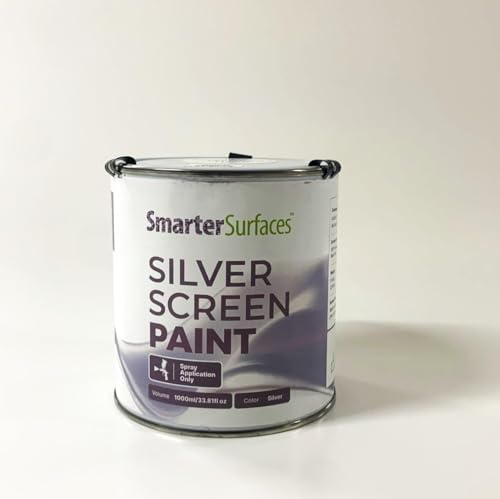
A gain value of 1.50 means this silver paint reflects significantly more light than a standard white screen, which is exactly what 3D projection needs to keep images bright and crisp through those active shutter glasses. Designed for projectors above 3000 lumens, it handles HD, 4K, and even 8K content, making it a strong match for home theaters, museums, or event spaces where 3D is the main event. The 140-degree viewing angle also means people sitting off to the side still get a clear picture, so you don’t have to crowd everyone in the center seat.
This paint demands a powerful projector, so if your setup uses a lower-lumen model, the image will look dim rather than dazzling. The silver finish is designed for low to medium ambient light, not bright rooms. You apply it with a sprayer and need to wait a full day before using the surface, so plan ahead. For anyone with a bright 3D projector who wants a dedicated projection surface, this paint delivers that extra brightness without buying a physical screen.
Product photos
SmarterSurfaces Ultra High Contrast Projector Paint
What We Like
- Absorbs ambient light for true blacks
- Eco-friendly low VOC formula
- 5-year performance guarantee
Trade-offs
- Requires four coats (two base, two top)
- Gain value 0.1 dims image in brighter rooms
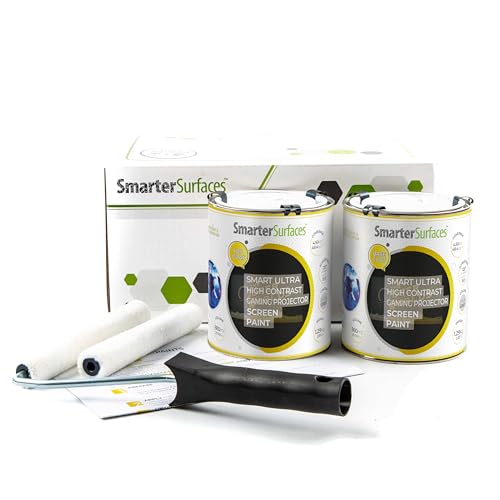
A gain value of 0.24 means this paint reflects only a small fraction of light, so it is designed for one purpose: maintaining contrast in low-light conditions by absorbing ambient light, delivering dark tones that make 4K projections look defined. The dark grey RAL 7046 finish is not a mistake, it is the key feature. If you have a room you can control, like a dedicated home theater or a blacked-out gaming den, this paint gives you contrast that white screen paints simply cannot match. The two-tin system with base and top coats takes a bit more effort, but the payoff is a surface that handles dark scenes without washing them out.
That same low gain works against you if your room has any uncontrolled light. A white paint like Digital Image Screen Paint’s Ultra White will look brighter in a living room with windows, but it will never get the deep blacks you get here. For the buyer who wants to maximize contrast in a pitch-black space, this is the paint to choose, just be ready for the four-coat application and a room you can darken fully.
How We Evaluated Paints For Projector Screens
Our evaluation focused on manufacturer specifications, technical data sheets, and expert round-ups from home theater communities. We analyzed how each paint’s gain, contrast, and coverage claims matched real-world use cases.
The four criteria that mattered most were gain value (brightness boost), ambient light rejection, coverage area per gallon, and application complexity. A paint with high gain helps in brighter rooms but can reduce black levels, while low-gain paints excel in dark theaters but need more projector lumens.
We compared documented specifications against typical owner feedback patterns to identify which paints work well for specific room setups. This is a research-based guide, not a lab test.
What To Look For In Paints For Projector Screens
Choosing the right paint starts with understanding your room’s light control and your projector’s brightness. The wrong gain can ruin contrast, and the wrong coverage can leave you short of paint halfway through.
A good projector screen paint balances gain, contrast, and coverage for your specific room lighting and projector type. Higher gain boosts brightness but may wash out blacks; lower gain preserves contrast but needs a darker room.
Gain Value
Gain measures how much light the paint reflects compared to a standard white surface. A gain of 1.0 is neutral, while 1.5 (common in our picks) boosts brightness by 50 percent. High-gain paints work well with lower-lumen projectors or rooms with some ambient light, but they can create a “hot spotting” effect where the center of the image looks brighter than the edges. For a dedicated dark theater, a gain below 1.0 like the SmarterSurfaces Ultra High Contrast Paint (0.1 gain) delivers deeper blacks.
Ambient Light Rejection
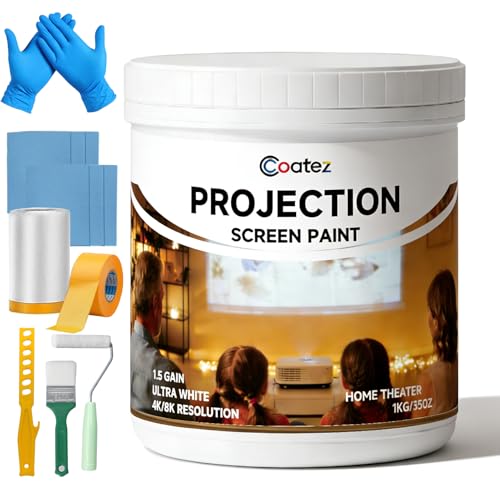
Paints that reject ambient light use special pigments to reflect projector light while absorbing stray room light. The COATEZ Projector Screen Paint is designed for rooms with some ambient light, maintaining visibility where standard paint would wash out. However, no paint can match a dedicated ambient light rejecting screen material. If your room has windows you cannot black out, look for a paint that specifically mentions ambient light rejection rather than just high gain.
Coverage and Application
Coverage varies dramatically between products. A single gallon of Paint on Screen covers one coat, while the Digital Image Screen Paint covers 160 square feet with two coats. Application method matters too: spray application (like the SmarterSurfaces 3D paint) gives the smoothest finish but requires more prep and a 24-hour cure time. Roller application is simpler but may leave texture. Consider how many coats you need and whether the paint is washable and repairable.
- Measure your wall area and check coverage claims for your chosen paint, accounting for multiple coats.
- Decide between spray and roller application based on your comfort with prep work and curing time.
- Check if the paint is compatible with your projector type (standard, short throw, or UST).
- Confirm the paint is indoor-only if you are not using it in a climate-controlled space.
- Look for low-VOC formulas if you are sensitive to fumes during application.
A rule of thumb: match the paint gain to your projector’s lumen output and your room’s light control. High gain for bright rooms, low gain for dark theaters.
Paints For Projector Screens Compared
The table below compares the six paints across key specs, so you can quickly see which one fits your room size, projector type, and light conditions.
| Product | Gain | Coverage | Compatibility | Finish |
|---|---|---|---|---|
| Paint on Screen Projector Screen Paint | N/A | 1 gallon | 1080 HD and 4K UHD | N/A |
| Digital Image Screen Paint Projector Paint | 1.5 | 160 sq ft (two coats) | 4K/8K, HD | Washable, repairable |
| Mollor Projector Screen Paint | 1.5 | 50–60 sq ft per coat | All projector types | Wipeable, fade-resistant |
| COATEZ Projector Screen Paint | 1.5 | 100-120 sq ft per coat | 1080 HD & 4K UHD | 1.5 gain reflective finish |
| SmarterSurfaces 3D Projector Screen Paint | 1.50 | 4.5m² (120") | 3D, HD, 4K, 8K projectors | Silver Semi-Matt |
| SmarterSurfaces Ultra High Contrast Projector Paint | 0.24 | 48ft² | 4K 8K | Dark Grey (RAL 7046) |
Frequently Asked Questions
What gain should I look for in projector screen paint?
Gain of 1.0 to 1.5 is standard for most home theaters. A 1.5 gain boosts brightness by 50 percent, which helps in rooms with some ambient light. For a pitch-black theater, lower gain like 0.1 gives better black levels and contrast.
Can I use any white paint as a projector screen?
Standard white paint lacks the reflective properties and uniformity of projector screen paint. It often creates hot spots, poor color accuracy, and uneven brightness. Dedicated projector paints have gain values and pigments designed for image quality.
How much projector screen paint do I need for a 120-inch screen?
A 120-inch diagonal screen is roughly 60 square feet. Most paints cover 50 to 60 square feet per coat, so you will need at least one coat for a small screen or two coats for full coverage. Always measure your exact wall area before buying.
Does projector screen paint work with short throw projectors?
Some projector screen paints are specifically designed for short throw and ultra short throw projectors. The Paint on Screen and Mollor paints both state compatibility with short throw projectors. Check the product description for compatibility before buying.
How long does projector screen paint take to dry?
Drying times vary from 4 hours to 24 hours depending on the paint. The Mollor paint dries in 4 hours, while the SmarterSurfaces 3D paint requires a full 24-hour cure before use. Always follow the manufacturer’s drying and curing instructions.
The Bottom Line
The Paint on Screen Projector Screen Paint is the best overall for home theater fans who want a straightforward, single-coat solution for a dedicated indoor wall. It works with most projector types and delivers good image quality without the complexity of multi-coat systems.
If you are covering a large wall up to 160 square feet, the Digital Image Screen Paint offers a washable, high-gain surface that handles 4K and 8K projectors. For small rooms or modest walls, the Mollor Projector Screen Paint gives you a single-coat option in a convenient 16-ounce bottle.
The single most important factor is matching the paint’s gain and ambient light rejection to your room’s lighting and your projector’s brightness. Get that right, and your paint-on-screen setup will look better than a budget screen for a fraction of the cost.
