
10 Best Digital Art in 2026
This post contains affiliate links. As an Amazon Associate, we earn from qualifying purchases.
For most digital artists, the XP-Pen Artist 15.6 Pro V2 Drawing Tablet is the best overall choice. It wins with its 16K pressure sensitivity for hyper-nuanced strokes, a full laminated anti-glare glass that eliminates parallax, and a Red Dial for brush size and zoom control. For portable sketching, the XP-Pen Artist 12 3rd is the best portable pick, and the Wacom Cintiq 16 leads for color accuracy.
The real challenge is finding a tablet that fits your actual workspace and skill level without overpaying for features you won’t use. A graphic designer needs a large, color-accurate screen with shortcut keys. A beginner just needs something that works out of the box.
This guide is research-based, built from manufacturer specs, expert round-ups, and patterns in owner feedback. We break down the top ten tablets for everything from studio work to drawing on the couch.
Top 10 Digital Art Tablets in the Market
Certain content that appears on this site comes from Amazon. This content is provided "as is" and is subject to change or removal at any time.
The Best Digital Art Tablets, Reviewed
XP-Pen Artist 15.6 Pro V2 Drawing Tablet
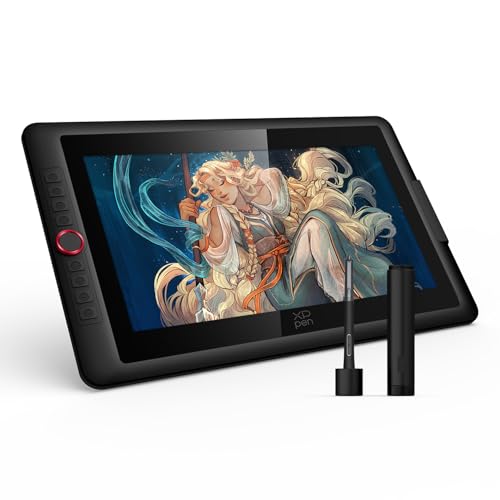
What We Like
- 16K pressure sensitivity for hyper-nuanced strokes
- Full laminated anti-glare glass eliminates parallax
- Red Dial for brush size and zoom control
- 8 customizable express keys for shortcuts
Trade-offs
- Requires a computer to function, no standalone use
- At 8.1 pounds, it's heavy for lap or travel use
- 3-in-1 cable adds desk clutter
With 16384 pressure levels, this tablet captures the lightest touch and the heaviest stroke, so fine details in pencil or brush work come through exactly as you intend. The full-laminated anti-glare glass places the cursor right where the nib meets the screen, eliminating the offset that can throw off your aim on non-laminated displays. For illustrators and designers who spend hours on detailed pieces, that precision means fewer corrections and a more natural feel.
At 8.1 pounds, this is a desk-bound tool, not something you’ll toss in a bag for a coffee shop session. The 3-in-1 cable means you’re tethered to a computer, so plan for a permanent setup. But for studio work where every detail matters, the 99% sRGB color accuracy and 15.4-inch full-laminated screen give you a canvas that shows exactly what you’re drawing. There is no parallax between the pen tip and cursor.
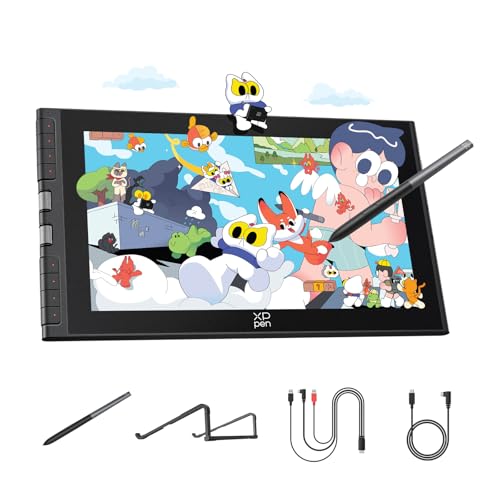
XP-Pen Artist 12 3rd Drawing Tablet
What We Like
- Ultra-portable 1.58 lb with dual X-Dial wheels
- AG etched glass reduces glare and fingerprints
- 16K pressure sensitivity with magnetic X4 pen
- Factory-calibrated ΔE<1.5 color accuracy
Trade-offs
- 11.9-inch screen is small for detailed multi-window work
- Requires connection to a computer or device
- No built-in battery for standalone use
Weighing only 1.58 pounds with an 11.9-inch display, this pen display is easy to carry in a bag alongside a laptop. The dual X-Dial wheels let you adjust brush size and zoom without reaching for keyboard shortcuts, and the AG etched glass reduces glare while feeling like real paper under the pen. For artists who sketch in cafes or take notes between classes, the size and weight make it genuinely portable.
The trade-off is that small screen real estate. If you work with multiple palettes, layers, and reference images open at once, the 11.9-inch canvas will feel cramped compared to the XP-Pen Artist 15.6 Pro V2’s larger display. You also need a computer, phone, or tablet to drive it, it is not a standalone device like the Wacom MovinkPad Pro 14. But for portable sketching where every ounce matters, the combination of 16K pressure sensitivity, factory-calibrated color, and that paper-like screen is hard to beat at this size.
Wacom Cintiq 16 Drawing Tablet

What We Like
- 99% DCI-P3 and 100% sRGB color coverage
- 2.5K QHD resolution for crisp detail
- Pro Pen 3 with 8192 pressure levels
- Built-in fold-out legs for 20-degree angle
Trade-offs
- 4.5 pounds makes it less portable for travel
- No adjustable stand included for varied angles
At 4.5 pounds, this tablet is heavier than the 2.0-pound Huion Kamvas 13 Gen 3, so it stays put on a desk but isn’t something you’ll toss in a backpack without thinking. The fold-out legs give you a fixed 20-degree angle, which works well for a studio setup. But if you prefer to tilt the screen up for long sessions, you’ll want to budget for an optional adjustable stand.
Product photos
Huion Kamvas 13 Gen 3 Drawing Tablet

What We Like
- Factory-calibrated color (ΔE<1.5)
- 16384 pressure levels with 2g IAF
- Dual dial and 5 shortcut keys
Trade-offs
- Requires connection to a computer or laptop
- 2.0 pounds adds weight for portable use
A factory calibration report and an average Delta E under 1.5 mean the colors you see on this 13.3-inch screen are remarkably close to what prints or clients will see. That level of accuracy makes it a natural fit for illustrators and designers who need consistent, reliable color from screen to final output. The 16384 levels of pressure sensitivity and a very light 2g initial activation force let you transition from a faint sketch line to a bold stroke without fighting the pen.
Because this is a tethered device, it needs a computer or laptop to function, so it won’t replace a standalone tablet for working on a train or in a café. If your priority is getting hues right without spending extra time tweaking, this display earns its place in your bag.
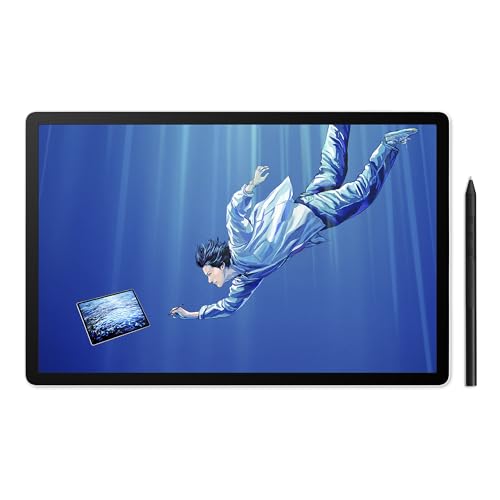
Wacom MovinkPad Pro 14 Tablet
What We Like
- Standalone Android tablet, no computer needed
- OLED display with 100% DCI-P3 color
- Pen-on-paper feel with etched glass
- Pen never needs charging
Trade-offs
- Does not support Windows ARM or Intel Macs
- At 1.6 lb, still needs a lap or stand for long sessions
Compatibility is the main catch: this MovinkPad does not support Windows ARM-based systems or Intel Macs. So if your workflow depends on those, a tethered tablet like the Wacom Cintiq 16 (which connects to a supported PC) may be a better fit. At 1.6 pounds it is easy to carry, but you will still want a surface or stand for desk sessions. For creators who want a standalone OLED canvas with professional pen feel, this tablet delivers what it promises.
Product photos
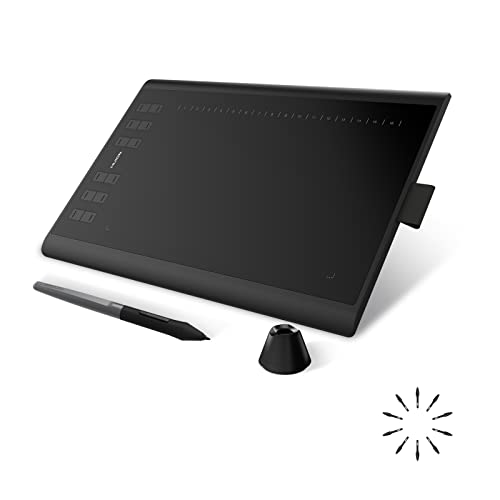
Huion Inspiroy H1060P Graphics Drawing Tablet
What We Like
- Battery-free stylus for uninterrupted drawing
- Symmetrical design works for left- and right-handed users
- Large 10 x 6.25 inch active area
Trade-offs
- No built-in screen requires separate monitor for work
- Not compatible with iPhone or iPad
An active area of 10 by 6.25 inches gives you plenty of room for sweeping strokes and detailed linework without feeling cramped. That matters when you’re spending hours on a single illustration. The battery-free stylus means you never have to pause to charge a pen, and with 8192 levels of pressure sensitivity plus ±60° tilt support, you get the kind of expressive control that helps pencil sketches and ink lines feel natural.
This is a pen tablet without a display, so you’ll be drawing while looking at your computer or Android screen rather than directly on the drawing surface. That takes some getting used to if you’re coming from a screen-based tablet like the XP-Pen Artist 15.6 Pro V2. For anyone comfortable with an off-screen drawing setup and willing to learn the hand-eye coordination, this is a capable tool that keeps the focus on your computer monitor and your art.
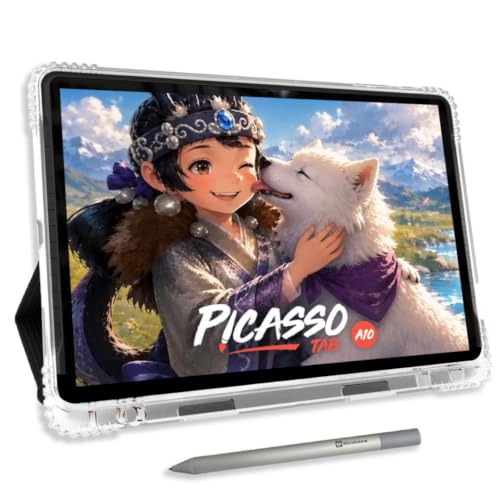
Simbans A10 Digital Art
What We Like
- No computer needed, fully standalone
- Lifetime VIP tutorials for beginners
- Paper-like laminated screen reduces glare
Trade-offs
- 10-inch screen is smaller than desktop tablets
- 4096 pressure levels, not the highest available
You don’t need a computer to start creating with this standalone tablet. Everything runs directly on the 10-inch device, which comes preloaded with five creative apps and a lifetime VIP upgrade for the Artixo tutorials app. For someone who wants to pick up digital art without wrestling with drivers or software setup, this is a welcoming package. The paper-like laminated screen reduces glare and parallax, and the 4096-level stylus delivers accurate strokes for sketching and illustration.
The 10-inch display feels compact compared to a desktop model like the XP-Pen Artist 15.6 Pro V2, which offers more screen real estate for detailed work. If you’re an absolute beginner who wants a self-contained device with training wheels built in, this tablet removes every barrier to getting started.
GAOMON PD1161 Drawing Tablet
What We Like
- Battery-free stylus with 8192 pressure levels
- Anti-glare matte film reduces reflection
- 8 programmable shortcut keys
- 72% NTSC (100% sRGB) color gamut
Trade-offs
- Requires connection to a computer to function
- 11.6-inch screen is smaller than some alternatives
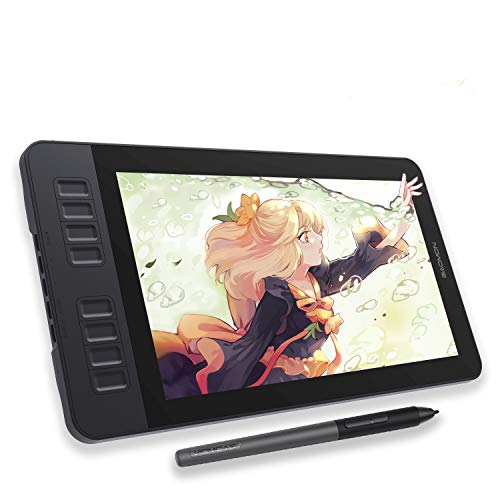
The GAOMON PD1161 requires a connection to a laptop or desktop computer to function, so it won’t replace a standalone device for sketching on the go. Its 11.6-inch full HD IPS screen with a matte film reduces glare and feels like paper under the pen, while the battery-free stylus offers 8192 pressure levels and tilt for natural control. The eight programmable shortcut keys and two pen buttons speed up repetitive actions in apps like Photoshop or Krita, and the 72% NTSC color gamut keeps colors vivid with smooth gradations.
Because the PD1161 must be tethered to a computer running Windows or macOS, it works best at a desk rather than on a couch or in a coffee shop. The included battery-free stylus never needs charging, which removes one more hassle from your workflow. Reviewers note that the anti-glare screen makes long drawing sessions more comfortable by cutting down reflections.
Product photos
Frunsi RubensTab T11 Pro Standalone Tablet
What We Like
- No computer needed for use
- Pre-installed drawing apps and tutorials
- 5800mAh battery for 5-hour sessions
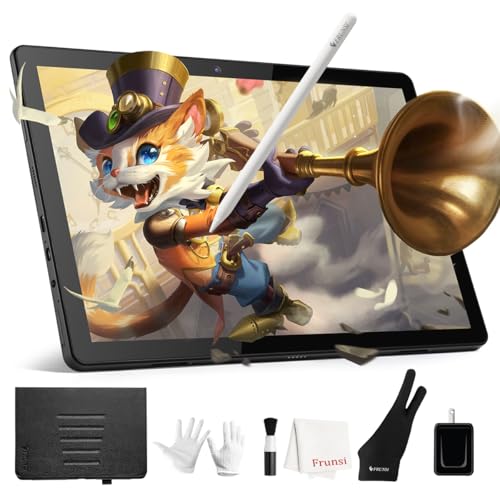
- Includes adjustable stand case
Trade-offs
- Charger not included; must be purchased separately
- 5-hour battery life limits all-day outdoor sessions
A standalone tablet that works without a computer means you can sketch in a park, on a train, or at a coffee shop without hauling a laptop. The 10.1-inch FHD screen and battery-free pen give beginners a straightforward way to start drawing digitally, and the pre-installed apps remove the hassle of hunting for software. This is a grab-and-go tool for anyone who wants to learn digital art without the complexity of a full desktop setup.
Battery life is the main limitation: five hours is fine for a day of casual sketching, but it won’t get you through an all-day workshop without a power bank. Compared to the Wacom Cintiq 16, which needs a computer and a wall outlet, the Frunsi is far more portable but offers a smaller screen and no option to upgrade its hardware. For a beginner who values simplicity and mobility over raw performance, this tablet hits a sweet spot.
Product photos
PicassoTab X11 Standalone Drawing Tablet
What We Like
- Standalone, no computer needed
- Preloaded with 5 creative apps
- Lifetime VIP tutorials included
- Expandable storage up to 1TB
Trade-offs
- Screen smaller than many desktop tablets
- Pen has 4096 pressure levels, not 16K
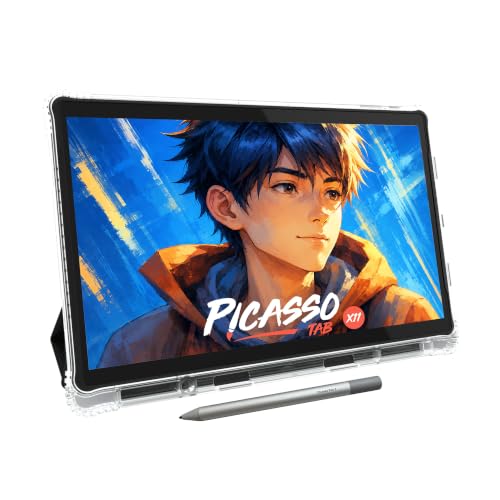
A fully standalone tablet that needs no computer means you can draw anywhere, on the couch, in a coffee shop, or during a commute, without lugging a laptop. The 11-inch laminated 2K screen cuts glare and parallax, giving a paper-like feel that helps beginners focus on strokes, not screen reflections. With 6GB of RAM and 128GB of storage (expandable to 1TB), it handles drawing apps, tutorials, and even schoolwork without slowing down. The six bonus items, including lifetime Pro upgrades for Concepts and Artixo, turn this into a complete starter kit for someone who wants to open the box and start sketching immediately.
The 11-inch display is compact compared to many desktop drawing tablets, which offer larger canvases for sweeping arm movements. And while 4096 pressure levels are plenty for shading and line variation, some artists may prefer higher sensitivity for ultra-light strokes. For a beginner who values portability and a ready-to-go setup over absolute precision, though, this bundle removes the guesswork of buying separate accessories and apps. It is a focused, thoughtful package for starting digital art without a computer.
Product photos
How We Evaluated Digital Art Tablets
Our evaluation focused on the three specs that matter most: pressure sensitivity, screen quality, and portability. We combed through manufacturer documentation and expert round-ups to understand how each tablet performs in real studio and travel conditions.
The four criteria that carried the most weight were pressure sensitivity levels (8192 to 16K), color accuracy (sRGB and DCI-P3 coverage), screen size and lamination, and whether the tablet is standalone or requires a computer. A tablet with high pressure sensitivity but poor color accuracy would not rank well for professional illustration. A portable tablet with a small screen was judged fairly against other portable options.
The honest limit of a research-led evaluation is that we cannot claim to have tested these tablets side by side. Instead, we rely on the collective data from the industry and the experiences of thousands of artists to guide our recommendations.
What To Look For In Digital Art Tablets
Choose a tablet that matches your computer setup (or none at all), your preferred screen size, and the pressure sensitivity your art demands. The right tablet makes drawing feel natural, not like a chore.
Look for a tablet with at least 8192 pressure levels for realistic brush response. If you need color accuracy, aim for 100% sRGB or 99% DCI-P3. For portability, consider a tablet under two pounds with a laminated, anti-glare screen.
Pressure Sensitivity
Pressure sensitivity determines how naturally your strokes vary from light to heavy. The standard is 8192 levels, which is enough for most illustrators and hobbyists. Higher-end tablets, like the XP-Pen Artist 15.6 Pro V2, offer 16K levels for hyper-nuanced control. Beginners can start with 4096 levels, but professional work benefits from the finer gradation.
Screen Size and Portability
A 15.6-inch screen gives you room for multi-window work and detailed compositions but weighs around 8 pounds, making it a desk-only device. An 11.9-inch screen is lighter and easier to carry but can feel cramped for complex projects. For travel, look for a tablet under two pounds with a laminated, anti-glare screen to reduce glare and fingerprints.
Standalone vs. Computer-Required
Standalone tablets, like the Simbans A10 and the Wacom MovinkPad Pro 14, work without a computer, making them ideal for travel and travel. Computer-required tablets, like the Huion Kamvas 13 Gen 3, are often more affordable and offer higher specs for the price, but they need a laptop or desktop to function.
- Check if your computer is compatible: some tablets don’t support Windows ARM or Intel Macs.
- Look for shortcut keys or dials on the tablet to speed up your workflow.
- For beginners, consider a tablet with built-in tutorials or preloaded apps.
A good rule of thumb: buy the largest screen and highest pressure sensitivity your budget allows, then prioritize portability only if you plan to draw away from a desk.
Digital Art Tablets Compared
The table below compares the key specs and trade-offs of the top digital art tablets we reviewed.
| Product | Screen Size | Pressure Levels | Weight |
|---|---|---|---|
| XP-Pen Artist 15.6 Pro V2 Drawing Tablet | 15.4 inches | 16384 | 8.1 pounds |
| XP-Pen Artist 12 3rd Drawing Tablet | 11.9 inches | 16,384 | 1.58 lb |
| Wacom Cintiq 16 Drawing Tablet | 16 inches | 8192 levels | 4.5 pounds |
| Huion Kamvas 13 Gen 3 Drawing Tablet | 13.3 inches | 16384 | 2.0 pounds |
| Wacom MovinkPad Pro 14 Tablet | 14" OLED 3K | 8,192 levels | 1.6 pounds |
| Huion Inspiroy H1060P Graphics Drawing Tablet | N/A | 8192 | 1.7 pounds |
| Simbans A10 Digital Art | 10 inches | 4096 | 3.3 pounds |
| GAOMON PD1161 Drawing Tablet | 11.6 inches | 8192 | 1.9 pounds |
| Frunsi RubensTab T11 Pro Standalone Tablet | 10.1 inches | N/A | N/A |
| PicassoTab X11 Standalone Drawing Tablet | 11" 2K Laminated | 4096 Levels | N/A |
Frequently Asked Questions
What is the best digital art tablet for beginners?
The Simbans A10 is our pick for absolute beginners because it is fully standalone, includes lifetime VIP tutorials, and has a paper-like laminated screen. It requires no computer setup, so you can start drawing immediately.
Do I need a computer to use a drawing tablet?
It depends on the tablet. The XP-Pen Artist 15.6 Pro V2 and Wacom Cintiq 16 require a computer. Standalone options like the Wacom MovinkPad Pro 14, Simbans A10, and PicassoTab X11 work on their own with preloaded apps.
What is the difference between a pen display and a pen tablet?
A pen display has a built-in screen you draw on directly, like a monitor with a stylus. A pen tablet, like the Huion Inspiroy H1060P, is a flat pad without a screen that you draw on while looking at your computer monitor. Pen displays feel more natural but cost more.
How many pressure levels do I need for digital art?
8192 pressure levels is the standard for professional work and offers great control. 4096 levels is fine for beginners or casual sketching. The 16K levels on the XP-Pen Artist 15.6 Pro V2 provide the finest nuance for detailed strokes.
Is a standalone tablet better than one that connects to a computer?
A standalone tablet is better if you want to draw anywhere without a laptop or desktop. It is also simpler for beginners. A computer-connected tablet is better if you need maximum power, a larger screen, or higher pressure sensitivity for professional work.
The Bottom Line
The XP-Pen Artist 15.6 Pro V2 Drawing Tablet is our best overall pick for artists who want a large, color-accurate screen with ultra-fine pressure control for long studio sessions. It is not for travelers or those who need a standalone device.
If you are on a tight budget, the Huion Inspiroy H1060P offers a large active area and a battery-free stylus without a screen, making it a great value. Beginners should look at the Simbans A10 for its standalone design and built-in tutorials.
The single most important buying factor is choosing a tablet that fits your workspace and computer setup. A tablet that is too heavy to carry or too small to see will end up unused. Match the tablet to your actual drawing habits, not your ideal ones.
