
10 Best Digital Art Frames in 2026
This post contains affiliate links. As an Amazon Associate, we earn from qualifying purchases.
For displaying your digital paintings or a rotating gallery of masterpieces, the FANGOR Uhale 21.5″ Digital Picture Frame is a strong choice. It has a matte anti-glare screen that mimics the look of real canvas and 64GB of built-in storage. For those who prefer a touchscreen, the BIGASUO Frameo 21.5″ offers a responsive touchscreen, while the Pexar 11″ 2K delivers the sharpest resolution for smaller setups.
The challenge with digital art frames is finding one that honors the original image quality. Glare, low resolution, and limited storage can all ruin the effect of a carefully crafted piece. You need a screen that looks like paper, enough space for a full portfolio, and controls that don’t get in the way.
This guide is based on a thorough review of specifications, manufacturer documentation, and patterns in owner feedback. We focused on screen quality, storage capacity, connectivity, and ease of use to help you find the right frame for your studio or home.
Top 10 Digital Art Frames in the Market
Certain content that appears on this site comes from Amazon. This content is provided "as is" and is subject to change or removal at any time.
The Best Digital Art Frames, Reviewed
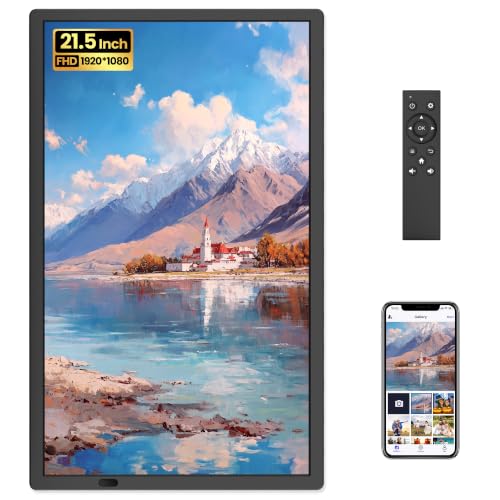
FANGOR Uhale 21.5" Digital Picture Frame
What We Like
- Matte anti-glare screen mimics real artwork
- 64GB built-in storage holds 160,000+ photos
- Remote control for wall-mounted placement
- Free app sharing with no subscription
Trade-offs
- Non-touch screen requires remote for all controls
- SD/USB limited to 32GB FAT32 for best compatibility
- Videos capped at 2 minutes via app
A 21.5-inch matte display at 1920×1080 resolution means your digital art or family photos look like actual gallery prints, not glowing screens. The anti-glare surface cuts reflections so images stay crisp even in bright rooms or near windows. Owners mention the large size makes it feel like a real framed piece, not a gadget, so it blends into living rooms or offices without looking out of place. The non-touch screen keeps fingerprints off the display, which is a practical benefit when the frame is mounted on a wall or placed on a shelf. Remote control handles all adjustments, so you never have to reach up and smudge the surface.
The non-touch screen means you control everything with the included remote, which is handy when the frame is mounted high on a wall and you don’t want to reach up or leave fingerprints. Compared to the BIGASUO Frameo 21.5″, which has a touch screen, the FANGOR relies solely on the remote for adjustments. If you mount the frame high and rarely change settings, the remote works well; if you prefer tapping the screen, the touch model offers that option.
Product photos
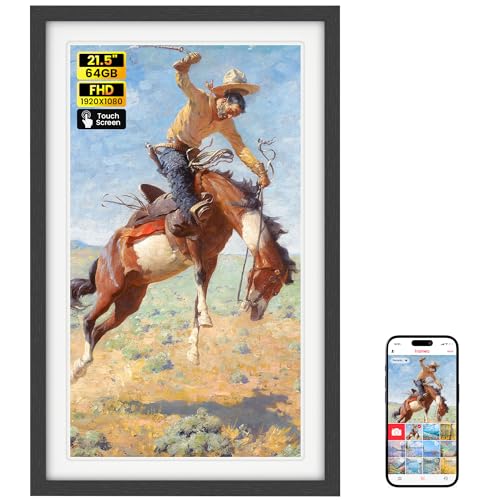
BIGASUO Frameo 21.5" Digital Picture Frame
What We Like
- Large 21.5-inch IPS FHD touchscreen
- 64GB built-in storage holds ~100,000 photos
- Supports both 2.4GHz and 5GHz WiFi
- Plays videos with sound via app or SD/USB
Trade-offs
- App limits video uploads to 15 seconds
- USB port does not support computer photo transfer
- SD/USB must be FAT32 format for compatibility
A 21.5-inch IPS FHD touchscreen with 1920×1080 resolution means every photo shows crisp detail and vivid color, letting you spot tiny ripples in a lake or the subtle curve of a smile. That generous display size makes this frame feel like a living gallery wall, perfect for anyone who wants their memories to command attention in a room. The 64GB onboard storage holds roughly 100,000 images, so you can load years of family snapshots without hunting for a memory card.
The trade-off comes with video sharing: the Frameo app clips uploads to 15 seconds, so longer home movies need to go onto an SD card or USB drive instead. That extra step is worth it for the large screen and touch interface. If you want a big, easy-to-navigate display that makes sharing photos from anywhere feel effortless, this frame delivers.
Pexar 11" 2K WiFi Digital Picture Frame

What We Like
- 2K anti-glare touch screen
- 32GB storage holds 40,000 photos
- Supports SD card and USB-A
- Easy app-based sharing with reactions
Trade-offs
- 11-inch screen is small for wall display
- Requires Wi-Fi for remote sharing
- Only one finish option (black)
A 2000×1200 2K resolution on an 11-inch anti-glare touch screen means every photo stays crisp and vibrant, even when light hits the frame from the side. That clarity, paired with 32GB of built-in storage that can hold around 40,000 photos, makes this an excellent choice for someone who values sharp detail over sheer size. The touch screen and app-based sharing with photo reactions keep the experience simple and social, perfect for gifting to family members who want to stay visually connected without fiddling with complicated menus.
The trade-off is the 11-inch screen itself. While the resolution is high, the display area is smaller than many larger frames on the market, so it won’t dominate a room or replace a wall-mounted art piece. If your priority is a frame that feels like a personal photo album on a desk or nightstand, the Pexar delivers stunning detail.
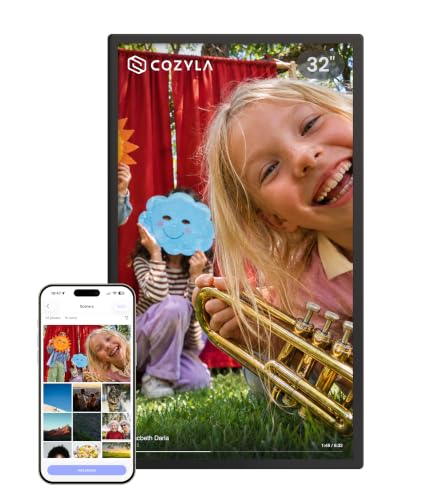
Cozyla 32" Digital Picture Frame
What We Like
- No subscription fees for unlimited cloud storage
- 32-inch display for life-size viewing
- AI restoration for blurry or damaged photos
- Voice memories add sound to images
Trade-offs
- At 28.9 inches wide, needs ample wall or table space
- Heavier than smaller frames at unspecified weight
A 32-inch screen transforms a digital frame into a near-life-size window for your photos, making it the largest option in this guide by a wide margin. That size matters most for someone who wants to display full graduation speeches or a baby’s first steps in long video clips. The unlimited cloud storage and no-subscription model let you upload freely without worrying about filling up space. The AI restoration and voice-memory features add a layer of storytelling that smaller frames simply cannot match, turning a slideshow into a shared experience for distant family or aging parents who value simplicity.
At 28.9 inches tall and 16.9 inches wide, this frame demands a dedicated spot on a wall or a sturdy table. That is unlike the more compact Pexar 11-inch 2K frame that fits on a nightstand. If you are short on wall space or prefer a frame that can sit on a crowded desk, the Cozyla will feel oversized. For anyone with the room to hang it, though, the life-size viewing and full-length video support make it the clear choice for a central display in a living room or den.
Skyrhyme 15.6" Digital Picture Frame

What We Like
- Full HD 1080p IPS touchscreen
- 32GB storage holds 30,000+ photos
- Frameo app with GDPR privacy compliance
- Displays time and weather during slideshow
Trade-offs
- Wi-Fi limited to 2.4 GHz networks
- No built-in battery for portable use
- No wall-mount hardware included
A 15.6-inch IPS touchscreen with 1920×1080 resolution means every photo you load onto this frame shows crisp details and rich color, whether it’s a close-up portrait or a wide landscape. The 32GB internal storage lets you upload thousands of images, so you can fill it with years of memories without needing to swap cards. This frame suits anyone who wants a simple, app-driven way to share photos with family. It especially works for older relatives or non-techies because the Frameo app is designed to be straightforward and secure, with GDPR and CCPA compliance protecting privacy.
For those who do not need to store tens of thousands of images, the built-in 32GB capacity supports up to 30,000 photos, so most users will never need extra memory. A micro SD card slot or USB port allows direct playback or easy transfer of files, making it simple to load a few favorites without connecting to Wi-Fi. The responsive IPS touchscreen delivers full 1080p HD resolution with twice the clarity of standard HD frames, so photos look crisp and colors remain vibrant from any viewing angle. Owners report the Frameo app is straightforward enough for non-techies to start sharing photos within minutes.
Product photos
BIGASUO 15.6" Frameo Digital Picture Frame

What We Like
- 64GB built-in stores ~100,000 photos
- Expandable via SD card or USB drive
- Full HD IPS touchscreen with 178° viewing angle
- Supports video with sound up to 15 seconds via app
Trade-offs
- USB port cannot transfer photos from a computer
- Type-C power connector can be damaged if angled incorrectly
With 64GB of built-in storage and support for SD cards and USB drives, this frame holds roughly 100,000 photos without breaking a sweat. That kind of capacity means you can load up years of memories and never worry about running out of space. It is a natural fit for families who want to keep a massive, ever-growing collection on display. The 15.6-inch IPS touchscreen delivers sharp 1920 x 1080 resolution and wide 178-degree viewing angles, so everyone gathered around the table sees the same vivid colors. Setup is straightforward through the Frameo app, and friends or relatives can send photos and short videos from anywhere, keeping the frame constantly fresh with new moments.
That’s a minor hassle compared to the storage advantage, but worth noting if you’re used to the faster band. Compared to the Skyrhyme 15.6-inch frame, which offers the same screen size but only 32GB of storage, the BIGASUO gives you double the built-in memory for the same form factor. Just be mindful of the Type-C power port, inserting the plug at an awkward angle can damage the connector, so handle it gently. For anyone who wants to store and display thousands of photos without constantly managing space, this frame delivers exactly that.
Product photos
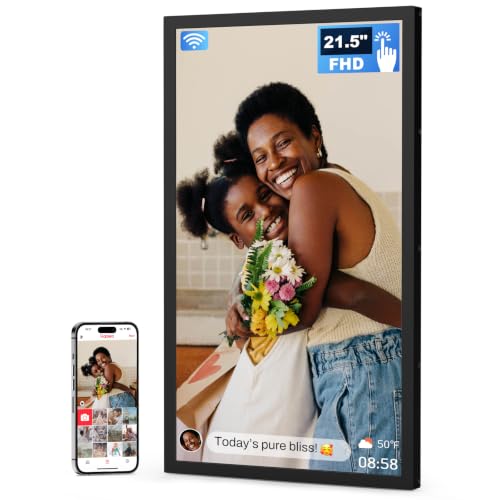
Arktronic Frameo 21.5" Digital Picture Frame
What We Like
- Calendar sync turns frame into family hub
- 64GB storage holds thousands of photos
- Responsive touchscreen for easy browsing
- Collage Mode shows 2-6 photos at once
Trade-offs
- Weighs more than some smaller frames at 7.4 pounds
- Requires a power outlet, no built-in battery for portable use
A 21.5-inch touchscreen with calendar syncing turns this frame into a family hub for photos and daily schedules. The 64GB built-in storage plus microSD support up to 64GB holds thousands of images, and the free Frameo app lets multiple family members send photos from anywhere. This is the pick for households that want a central screen for both pictures and planning.
Product photos
Divoom Times Frame 10.1" Digital Picture Frame
What We Like
- Customizable widgets for weather, stocks, calendar
- Adjustable RGB backlighting and screen brightness
- Supports photos, GIFs, videos, and pixel art
- No subscription required
Trade-offs
- Requires constant wall power; no built-in battery
- Smaller screen limits viewing from across a room
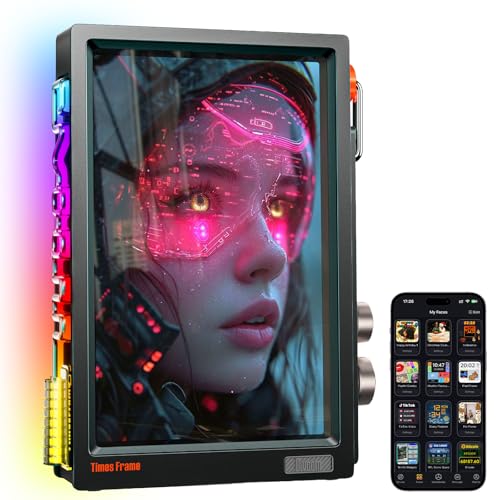
A 10.1-inch IPS display with 64GB of onboard storage means you can load hundreds of photos, GIFs, short videos, and pixel art without ever paying a subscription fee. That storage, paired with WiFi for app-based uploads, makes this frame a natural fit for a desk or gaming setup. You can have your memories and art cycling alongside live widgets like weather, stocks, and calendar. The adjustable RGB backlighting and screen brightness let you dial in the mood, for sketching late at night or for a subtle glow during a video call.
This frame is designed to stay plugged in; there is no battery, so you cannot move it easily from room to room or take it on a trip. At 3.3 pounds, it is a tabletop piece that stays put once placed. If your priority is a compact, always-on desk companion that blends art display with practical info widgets, the Divoom delivers that combination better than most larger frames can.
SwitchBot AI Art Frame 13.3"
What We Like
- Paper-like e-ink display with no glare
- Wireless design with long battery life
- AI-generated art via subscription
- Alexa compatible for voice control
Trade-offs
- Coarse pixels; best viewed from 3 ft away
- AI art requires/month subscription
- Only stores 10 images locally
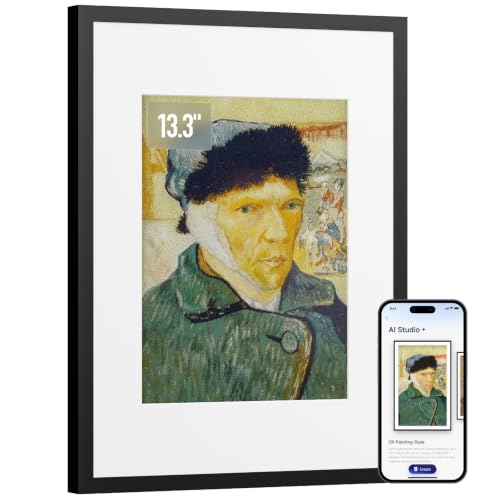
A 13.3-inch electronic ink screen that stays visible even when the battery dies means this frame lives on your wall or desk like a real painting, not a glowing gadget. The paper-like finish cuts glare and blue light, so it fits naturally in a bedroom or reading nook where a backlit screen would feel harsh. SwitchBot leans into the quiet side of digital art: you can generate custom pieces using AI prompts, then schedule them to change with the season or your mood, all through the SwitchBot app. For someone who wants art that feels calm and intentional, this is a genuinely different approach from the usual bright LCD frames.
Up close, the 13.3-inch screen looks grainier than the Pexar 11-inch 2K frame, which uses a sharper backlit panel. That is a direct result of the electronic ink technology inside this model. The pixels are larger and the resolution is lower by design, so the image has a coarser structure than a typical LCD or OLED display. Owners report that viewing from about three feet or more gives the best impression, as the paper-like surface eliminates glare and blue light entirely. The trade-off is a display that remains visible even when the battery runs out, which is something no backlit competitor can match.
Aluratek 13.3" WiFi ePaper Digital Photo Frame
What We Like
- ePaper display for low energy consumption
- Wall-hangs like a traditional picture frame
- Interchangeable white and black mattes
Trade-offs
- 13.3-inch ePaper screen is smaller than LCD frames
- Push-button controls instead of touchscreen
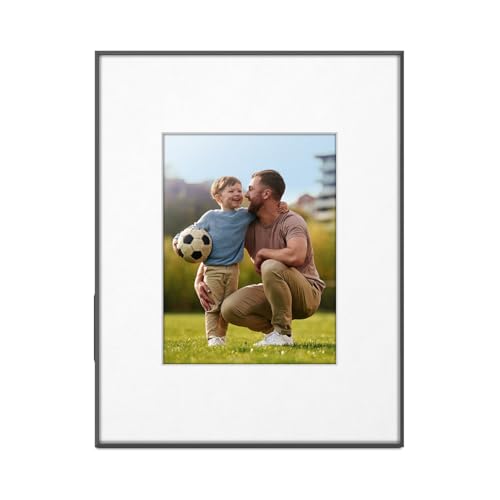
A built-in battery means this frame can hang on the wall without needing to be plugged in, so there are no power cables to hide. The 13.3-inch ePaper display uses low energy, which helps it operate like a traditional picture frame. You can swap photos from your phone through the eFrame app and schedule when each image appears. For anyone who wants a wall-hanging digital frame without the need for a nearby outlet, this design fits that need.
EPaper displays are different from LCD screens, so if you want a frame with a touchscreen or larger display, a model like the BIGASUO 21.5-inch with its 1920×1080 IPS touch screen offers a different experience. The Aluratek uses side push buttons instead of a touch interface. Still, for battery-powered placement and a frame that hangs like a traditional picture frame with no power cables, this is a practical choice.
Product photos
How We Evaluated Digital Art Frames
To find the best digital art frames, we started with the technical specifications that matter most for displaying artwork: screen resolution, panel type, and anti-glare properties. We also compared storage capacities, supported file formats, and Wi-Fi connectivity options from each manufacturer.
The four criteria that mattered most were display quality (resolution and anti-glare), storage capacity (both built-in and expandable), ease of sharing (app functionality and Wi-Fi bands), and physical design (mounting options and size). A frame that looks great on paper but requires a complex setup or has poor viewing angles is not a good fit for an art display.
Because we do not physically test these products, our evaluation is research-led. We rely on published specs, expert round-ups, and the reported experiences of long-term owners to identify which frames consistently perform well and which have common pitfalls.
What To Look For In Digital Art Frames
Choosing a digital art frame is different from picking one for family snapshots. The screen must accurately reproduce color and detail, and the frame should blend into your space rather than dominate it.
Look for a matte or anti-glare display to avoid reflections, at least 1080p resolution for sharpness, and built-in storage of 32GB or more to hold a substantial portfolio. Ensure the frame supports your preferred sharing method, whether via app, SD card, or USB.
Display Quality and Resolution
The most important feature is the screen itself. A glossy LCD will show distracting reflections that wash out your artwork, while a matte or anti-glare panel mimics the look of paper or canvas. For resolution, 1080p Full HD is the minimum for a 15-inch frame; larger screens benefit from higher resolutions like 2K to keep individual pixels invisible at normal viewing distances. E-ink displays offer a truly paper-like look but with lower resolution and no color, making them best for monochrome work.
Storage Capacity and Expandability
Digital art files can be large, especially if you work in high resolution. Look for at least 32GB of built-in storage, which can hold tens of thousands of photos. Some frames offer 64GB, which is even better for a full portfolio. Expandable storage via SD card or USB drive is useful for swapping collections, but note that many frames require FAT32 formatting for compatibility, which limits individual file sizes.
Connectivity and Sharing
Most modern frames use a companion app for Wi-Fi sharing. This allows family or collaborators to send images directly from their phones. Check whether the frame supports both 2.4GHz and 5GHz Wi-Fi; 2.4GHz offers better range, while 5GHz is faster. Some frames also accept direct uploads via SD card or USB, which is helpful if you work from a computer. Avoid frames with mandatory subscription fees for cloud storage if you plan to use your own files.
- Check the screen type: matte/anti-glare for art, glossy for photos.
- Verify the resolution: 1080p minimum, 2K or higher for larger screens.
- Confirm storage: 32GB minimum; 64GB preferred for large portfolios.
- Look at Wi-Fi bands: dual-band (2.4 + 5GHz) offers the most flexibility.
- Review the app: ensure it is free and has good user reviews.
A good rule of thumb: the frame should make your art look better, not worse, so prioritize screen quality above all else.
Digital Art Frames Compared
The table below compares the top digital art frames across key specs like display size, resolution, storage, and connectivity to help you narrow down your choice.
| Product | Screen Size | Resolution | Storage |
|---|---|---|---|
| FANGOR Uhale 21.5" Digital Picture Frame | 21.5" | 1920×1080 FHD | 64GB |
| BIGASUO Frameo 21.5" Digital Picture Frame | 21.5" | 1920 x 1080 FHD | 64GB |
| Pexar 11" 2K WiFi Digital Picture Frame | 11" | 2000×1200 (2K) | 32GB |
| Cozyla 32" Digital Picture Frame | 32" | N/A | Unlimited cloud |
| Skyrhyme 15.6" Digital Picture Frame | 15.6" | 1920×1080 IPS | 32 GB |
| BIGASUO 15.6" Frameo Digital Picture Frame | 15.6" | 1920 x 1080 FHD | 64GB |
| Arktronic Frameo 21.5" Digital Picture Frame | 21.5" | 1920×1080 FHD | 64GB |
| Divoom Times Frame 10.1" Digital Picture Frame | 10.1" | N/A | 64GB |
| SwitchBot AI Art Frame 13.3" | 13.3" | N/A | 10 images |
| Aluratek 13.3" WiFi ePaper Digital Photo Frame | 13.3" | N/A | N/A |
Frequently Asked Questions
What is the best screen type for displaying digital art?
A matte or anti-glare IPS panel is best because it reduces reflections and maintains color accuracy from wide viewing angles. Glossy screens create distracting glare that washes out the image, especially in bright rooms.
How much storage do I need in a digital art frame?
At least 32GB of built-in storage is recommended, which holds roughly 30,000 to 40,000 photos. If you work with high-resolution files or want to store a full portfolio without frequent file management, consider a frame with 64GB or expandable storage via SD card.
Can I share art to a digital frame from my phone?
Yes, most modern digital frames use a dedicated app that lets you send images directly from your smartphone. Look for frames with a free app and good user reviews, as some require a subscription for cloud storage or advanced features.
Do digital art frames require a subscription?
Some frames offer free cloud storage, while others require a monthly or yearly subscription for features like unlimited uploads or AI-generated art. Always check the fine print before buying, especially if you plan to share images frequently.
What is the difference between an LCD and an e-ink digital art frame?
LCD frames are bright, colorful, and great for photos and digital paintings, but they can have glare and require constant power. E-ink frames look like real paper, use very little power, and are readable in direct sunlight, but they are usually black-and-white or limited color and have a slower refresh rate.
The Bottom Line
For most artists and collectors, the FANGOR Uhale 21.5″ Digital Picture Frame is the best overall choice. Its matte anti-glare screen makes digital art look like it belongs on a wall, and the 64GB of storage is enough for an entire portfolio without needing to swap files. It is ideal for anyone who wants a large, wall-mountable display controlled by remote.
If you prefer a touchscreen for direct interaction, the BIGASUO Frameo 21.5″ is an excellent alternative with the same large size and ample storage. For those who value image sharpness above all else, the Pexar 11″ 2K delivers the highest resolution in a compact, touch-friendly package.
The single most important factor when buying a digital art frame is the screen quality. A high-resolution, matte display will honor your work, while a glossy or low-resolution screen will diminish it. Choose the frame that makes your art look its best.
