
6 Best Art Tablets in 2026
This post contains affiliate links. As an Amazon Associate, we earn from qualifying purchases.
The Wacom Cintiq 16 Drawing Tablet earns our Best Overall award for its sharp QHD resolution and wide 99% DCI-P3 color gamut, paired with the precise Pro Pen 3. For those who prioritize factory-calibrated color, the HUION Kamvas 13 Gen 3 is our Best Color Accuracy pick, while beginners will appreciate the straightforward Wacom One 14.
Choosing an art tablet means balancing screen size, color fidelity, and portability against your workspace and budget. A studio artist needs different specs than a student sketching in a coffee shop. Weight, pressure sensitivity, and whether the tablet needs a computer connection all shape the right fit.
We evaluated six top models by studying manufacturer specifications, expert round-ups, and patterns in owner feedback. This guide breaks down the key features that matter most, so you can match a tablet to your style of making art.
Top 6 Art Tablets in the Market
Certain content that appears on this site comes from Amazon. This content is provided "as is" and is subject to change or removal at any time.
The Best Art Tablets, Reviewed
Wacom Cintiq 16 Drawing Tablet

What We Like
- QHD resolution for sharp detail
- Pro Pen 3 with 8192 pressure levels
- Wide color gamut (99% DCI-P3)
- Built-in fold-out legs for 20-degree angle
Trade-offs
- At 4.5 pounds, heavier than portable models
- No adjustable stand included
A 16-inch QHD display with 2560 x 1600 resolution gives you crisp, detailed visuals that let you see every fine line and texture in your work. The Pro Pen 3 responds to the lightest touch with 8192 pressure levels, so subtle shading and delicate strokes feel natural and immediate. This is a tool built for serious artists who want a dedicated creative canvas that shows colors accurately, thanks to 99% DCI-P3 and 100% sRGB coverage. The built-in fold-out legs set it at a comfortable 20-degree working angle right out of the box.
Product photos
HUION Kamvas 13 Gen 3 Drawing Tablet

What We Like
- Factory color calibration report included
- Anti-glare Canvas Glass 2.0 reduces glare
- 16384 pressure levels for fine control
- Dual dial and 5 shortcut keys
Trade-offs
- Requires a computer or laptop to function
- 2.0 pounds adds weight for portable use
A factory calibration report guaranteeing an average Delta E under 1.5 means the colors you see on this 13.3-inch screen are remarkably true to life. For illustrators and designers who need consistent, accurate hues for print or client work, that level of precision is a real advantage. The fully laminated anti-glare glass cuts down reflections, so you can focus on your linework without fighting glare, and the 16384 pressure levels give you a light, responsive feel from the very first stroke.
The trade-off is that this is not a standalone device, you will need a computer or laptop to power it, which limits its use for on-the-go sketching without a laptop nearby. Compared to a larger model like the Huion Kamvas Pro 16, the 13.3-inch canvas feels more compact, which suits a desk with limited space but may feel cramped for artists who prefer sweeping arm movements. The dual dial and shortcut keys help streamline your workflow, making this a strong pick for color-critical work in a dedicated studio setup.
Wacom One 14 Drawing Tablet

What We Like
- Battery-free pen with pressure sensitivity
- 98% sRGB color accuracy
- Includes software trials and training
Trade-offs
- Devices without USB-C need extra adapter kit
- No built-in shortcut keys or dials
The trade-off is that this is a pure pen display, there are no shortcut keys or dials on the tablet itself, so you’ll rely on keyboard shortcuts or on-screen menus. Also, if your laptop or computer lacks a USB-C port with video output, you’ll need to buy a separate adapter, cable, and power kit. Compared to the HUION Kamvas 13 Gen 3, which includes dual dials and a slightly higher sRGB rating, the Wacom One 14 keeps things simpler and more beginner-friendly. But power users may miss those extra controls.
Product photos
XPPen Artist 12 3rd Drawing Tablet
What We Like
- Ultra-light 1.58 lb with 11.9" screen
- Dual X-Dial wheels for brush and zoom
- AG etched glass reduces 85% glare
- Magnetic X4 pen with 16K pressure
Trade-offs
- 11.9" screen is smaller than 13-16" models
- 1920×1080 resolution, not QHD or 4K
- No built-in stand; foldable stand included
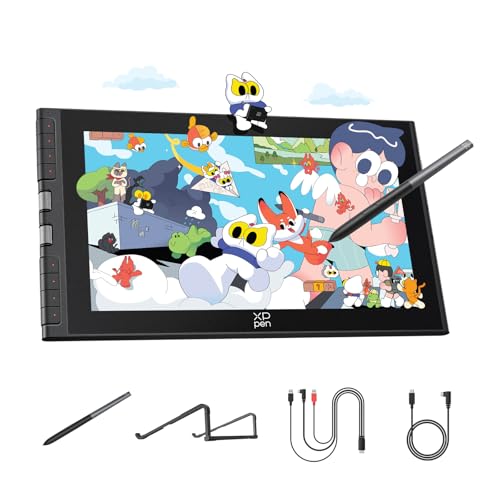
At just 1.58 pounds with an 11.9-inch screen, this tablet is built to move. That weight means you can toss it in a bag with your laptop and sketch in a café or between classes without feeling loaded down. The dual X-Dial wheels let you adjust brush size and zoom on the fly, which cuts fumbling through menus during a flow state. For digital artists who work on the go, this is a genuinely portable setup that doesn’t skimp on pen feel. The AG etched glass gives a paper-like texture, and the 16K pressure pen responds to the lightest touch.
The trade-off for that portability is screen real estate. The 11.9-inch display is smaller than many competing models, so if you prefer sprawling compositions or work with lots of tool palettes open, you’ll feel the squeeze. The 1920×1080 resolution is sharp enough for most illustration, but some other tablets offer higher-resolution screens for finer detail work. Still, if your priority is a lightweight, travel-friendly drawing tablet that keeps color accurate with 99% sRGB and includes a magnetic pen that won’t roll off your desk, this one earns its spot in your bag.
HUION Kamvas Pro 16 Drawing Tablet
What We Like
- 120% sRGB color gamut volume
- Fully laminated anti-glare glass
- Adjustable stand 20-60 degrees
- Touch bar and 6 express keys
Trade-offs
- Requires connection to a computer to work
- 8-bit color depth limits gradation smoothness
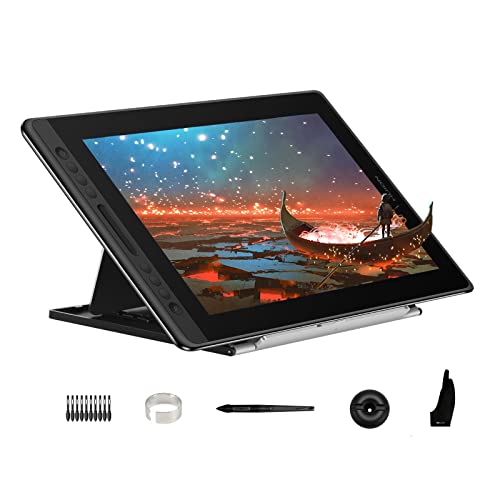
A 120% sRGB color gamut volume means this display can show more vivid reds, greens, and blues than standard monitors, making it a strong match for artists who work in rich, saturated palettes or need accurate AdobeRGB coverage for print. The fully laminated anti-glare glass reduces parallax between the pen tip and the cursor, so your strokes land exactly where you intend them. With a 15.6-inch screen and an adjustable stand that tilts from 20 to 60 degrees, it suits both desk-bound illustrators and those who prefer a more upright drawing angle.
This display delivers exceptional color vibrancy for the price, but you have to keep it plugged into a Windows, Mac, or Linux computer, it’s not a standalone sketchpad. At three pounds, it’s light enough to reposition easily, and noticeably lighter than the Wacom Cintiq 16 at 4.5 pounds, so it won’t weigh down your desk setup.
Product photos
XP-PEN Artist 13.3 Pro V2 Drawing Tablet
What We Like
- 16K pressure with X3 Pro chip
- Fully laminated anti-glare display
- Dual USB-C for clutter-free setup
- Foldable stand and pen holder included
Trade-offs
- At 6.8 lb, heavier than most 13-inch tablets
- 3-in-1 HDMI cable sold separately for legacy ports
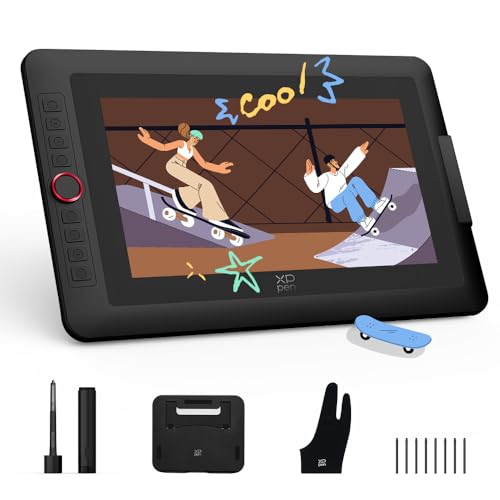
The fully laminated 13.3-inch screen eliminates the gap between glass and LCD, which means your cursor sits exactly where the tip touches. The 95% P3 color gamut keeps your exports true to what you see.
How We Evaluated Art Tablets
Our research began with a careful look at each tablet’s published specifications: screen resolution, color gamut coverage, pressure sensitivity levels, weight, and connectivity. We cross-referenced these specs with expert round-ups from established art and tech sources to see which features professionals and serious hobbyists consistently prioritize.
The three criteria that mattered most were display quality (resolution and color accuracy), pen performance (pressure levels and lag), and build practicality (weight, stand options, and whether the tablet requires a computer). A tablet with excellent color but a heavy, non-adjustable body might suit a studio but frustrate a traveler. We weighed every trade-off against its intended use case.
Because this is a research-based guide, our conclusions come from comparing specs, reading what long-term owners report in forums and reviews, and noting which models earn repeated praise from experienced digital artists. This approach helps you shortlist confidently before you buy.
What To Look For In Art Tablets
The right art tablet balances display quality, pen feel, and portability with your typical working setup. Here are the key specs to compare.
Focus on resolution, color gamut, pressure sensitivity, and whether the tablet works standalone or must connect to a computer. Weight and included accessories matter for how you actually move and use the tablet.
Display Resolution and Color Accuracy
A higher resolution like QHD gives you sharper lines and more detail for close-up work, while Full HD is perfectly fine for most sketching and painting. Color gamut matters if you intend to print your work or sell digital files: look for a tablet covering at least 98% sRGB or 99% DCI-P3 for reliable color. Some models ship with a factory calibration report, which saves you the hassle of manual adjustment.
Pen Pressure Sensitivity and Feel
Pressure sensitivity is measured in levels, with 8192 being a common professional standard and 16384 or 16K becoming more common in newer models. Higher levels give you finer control over line weight and opacity, but the feel of the pen on the screen surface matters just as much. A battery-free pen with a textured or etched glass screen reduces glare and gives a more natural paper-like drag.
Portability and Connectivity
Weight ranges from about 1.5 pounds for ultra-portable 12-inch models to over 6 pounds for larger 16-inch displays. If you travel or work in different spots, a lighter tablet with a slim profile is worth the trade-off in screen size. Check whether the tablet uses a single USB-C cable or requires a 3-in-1 HDMI setup, and whether a stand is included or must be bought separately.
- Compare the resolution: QHD for detail work, Full HD for general sketching
- Check if the color gamut matches your output needs (sRGB for screen, DCI-P3 for print)
- Look for a battery-free pen with good pressure levels and a textured screen
- Weigh the tablet and note whether a stand is included or optional
- Confirm the cable type and whether your computer or laptop supports it
A tablet that feels good in your hand and fits your desk is the one you will actually use every day.
Art Tablets Compared
The table below compares each tablet’s key specs side by side, so you can see how resolution, weight, pressure sensitivity, and connectivity stack up at a glance.
| Product | Screen Size | Color Gamut | Weight |
|---|---|---|---|
| Wacom Cintiq 16 Drawing Tablet | 16 inches | 99% DCI-P3 / 100% sRGB | 4.5 pounds |
| HUION Kamvas 13 Gen 3 Drawing Tablet | 13.3 inches | 99% sRGB | 2.0 pounds |
| Wacom One 14 Drawing Tablet | 14 inches | 98% sRGB | 1.7 pounds |
| XPPen Artist 12 3rd Drawing Tablet | 11.9 inches | 99% sRGB | 1.58 lb |
| HUION Kamvas Pro 16 Drawing Tablet | 15.6 inches | 120% sRGB | 3.0 pounds |
| XP-PEN Artist 13.3 Pro V2 Drawing Tablet | 13.3 inches | 95% P3 / 99% sRGB | 6.8 pounds |
Frequently Asked Questions
What is the best art tablet for beginners?
The Wacom One 14 is our Best for Beginners pick. It offers a battery-free pen with reliable pressure sensitivity, 98% sRGB color accuracy, and includes software trials and training. Its straightforward design and stable driver support make it easy to learn on, though it lacks programmable shortcut keys.
Do art tablets work without a computer?
Most pen displays in this guide require a connection to a computer or laptop to function. They are not standalone devices. If you need a tablet that works independently, look for a standalone drawing tablet with its own operating system, which is a different category from the models covered here.
What is the difference between 8192 and 16384 pressure levels?
Pressure levels measure how finely the pen responds to changes in force. 8192 levels are already very sensitive and suit most professional work. 16384 or 16K levels offer even finer gradation, which can help with ultra-delicate line work and subtle shading. The difference is noticeable mainly in very detailed or light-touch drawing.
How important is color gamut for an art tablet?
Color gamut matters if you create work for print or for clients who need accurate color reproduction. A tablet covering 99% DCI-P3 or 120% sRGB volume gives you a wider, more vibrant range than one with 98% sRGB. For casual sketching and social media posting, standard sRGB coverage is sufficient.
What size art tablet should I buy?
Screen size depends on your workspace and drawing style. A 12- to 13-inch tablet is portable and fits small desks, while a 16-inch display gives you more canvas room for broad strokes and multi-window work. Consider how much you move the tablet: a lighter 12-inch model is easier to carry, while a larger 16-inch one stays put in a studio.
The Bottom Line
The Wacom Cintiq 16 Drawing Tablet is our Best Overall pick for digital artists and illustrators who want a large, color-accurate display with professional pen precision in a studio setting. Its QHD resolution and wide 99% DCI-P3 gamut deliver sharp detail, though the 4.5-pound weight and lack of an adjustable stand make it less suited for travel.
If you need factory-calibrated color in a compact size, the HUION Kamvas 13 Gen 3 offers excellent accuracy with a glare-reduced screen. For beginners, the Wacom One 14 provides a reliable, no-fuss introduction to pen displays. Those who prioritize ultra-light portability should look at the XPPen Artist 12 3rd, while the HUION Kamvas Pro 16 delivers the widest color gamut for vibrant digital work.
The single most important factor is matching the tablet to your actual drawing habits. A heavy, high-resolution display is wasted if you never use it at a desk, and a small portable screen will frustrate if you need a large canvas every day. Choose the one that fits your space and your style.
