
7 Best Art Printers in 2026
This post contains affiliate links. As an Amazon Associate, we earn from qualifying purchases.
For artists and photographers who need gallery-quality prints, the Canon imagePROGRAF PRO-4100 Large Format Printer is our Best Overall pick for its exceptional 2400×1200 dpi detail and 12 individual LUCIA PRO pigment ink tanks. The HP DesignJet Z9+ Postscript Graphics Printer is our Best Professional Wide Format choice, while the Epson SureColor P900 Photo Printer wins for Best Color Accuracy.
The challenge with art printers is balancing print quality, color accuracy, and physical footprint. A printer that delivers museum-grade archival prints may require dedicated floor space and a permanent installation, while a desktop model might limit your maximum print size.
This guide is based on manufacturer specifications, expert round-ups, and patterns in owner feedback. We evaluated seven art printers across professional, studio, and home use cases to help you match the right machine to your workspace and output needs.
Top 7 Art Printers in the Market
Certain content that appears on this site comes from Amazon. This content is provided "as is" and is subject to change or removal at any time.
The Best Art Printers, Reviewed
Canon imagePROGRAF PRO-4100 Large Format Printer
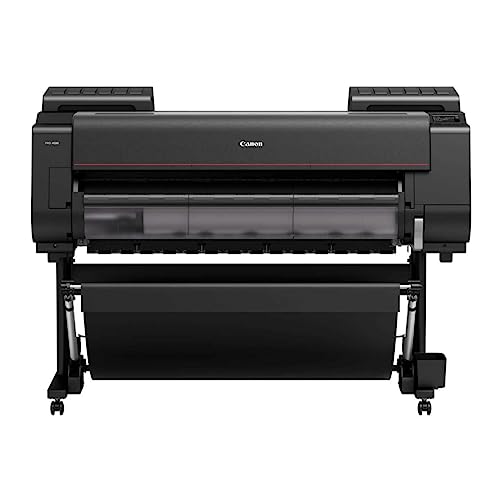
What We Like
- 2400×1200 dpi for exceptional detail
- 12 individual LUCIA PRO pigment ink tanks
- Automatic calibration via Color Density Sensor
- Speedy L-COA PRO Image Processing Engine
Trade-offs
- Weighs 345 pounds, needs permanent installation
- Large footprint at 68 inches wide
The trade-off is size and weight: at 345 pounds and 68 inches wide, the PRO-4100 is not something you tuck into a corner or move between rooms. It demands a dedicated space and a sturdy floor. Compared to the HP DesignJet Z9+, which is about half the weight and 17 inches narrower, the Canon is far more stationary but rewards that commitment with deeper color depth and a wider print width.
HP DesignJet Z9+ Postscript Graphics Printer
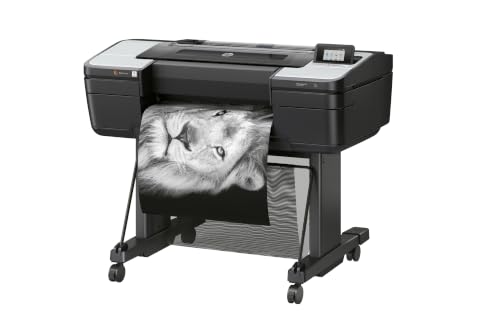
What We Like
- 2400×1200 dpi for fine art detail
- 125 GB memory handles large files
- 500 GB self-encrypting storage
- Supports photographic and fine art media
Trade-offs
- 159 pounds needs dedicated floor space
- 24-inch max width limits oversized prints
With a 2400 x 1200 optimized dpi resolution and 125 GB of memory, this printer is built to handle the dense file sizes and fine detail that professional fine art prints demand. It accepts photographic and fine art media up to 24 inches wide, making it a natural fit for photographers, graphic designers, and print service providers who need accurate, gallery-quality output. Security features like PIN printing and secure boot also mean sensitive work stays private in shared studio environments.
The main drawback is its footprint: at 159 pounds, this machine needs a permanent spot on a sturdy floor, not a desk. It also maxes out at 24-inch width, so if you regularly print larger than that, the Canon imagePROGRAF PRO-4100 offers a 44-inch capacity for similar professional work. For anyone whose work fits within that width and who values color precision and data security, the Z9+ delivers exactly what a pro studio needs.
Epson SureColor P900 Photo Printer
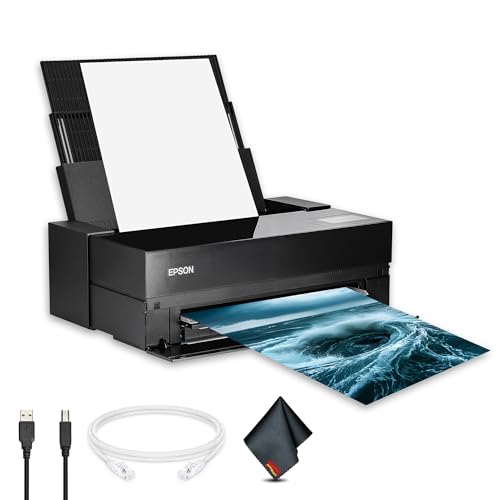
What We Like
- UltraChrome PRO10 for accurate color
- Dedicated matte and photo black channels
- Borderless printing up to 17×22 inches
- Touchscreen simplifies media and maintenance
Trade-offs
- At 49.3 lb, needs a sturdy table or stand
- 17-inch width limits large-format output
Resolution tops out at 5760 × 1440 dpi with precision droplet control, so fine details and subtle textures come through clearly on every print. Borderless output is supported up to 17 × 22 inches, meaning gallery-ready pieces can be produced directly from the desktop without trimming or mounting. That combination of high resolution and full-bleed capability makes it practical for photographers and artists who need consistent, professional results on larger formats.
Space is the main consideration here: at 49.3 pounds and over three feet long, this printer demands a dedicated workspace, not something you tuck on a corner desk. Compared to the Canon PIXMA PRO-200S, which is lighter and more compact, the P900 is a heavier commitment for a studio or office. Reviewers note that its 4.3-inch touchscreen simplifies navigation of settings and media options, and the pigment-based system is built for consistent output on fine-art media.
CES Imaging PRO-2600 Art Printer
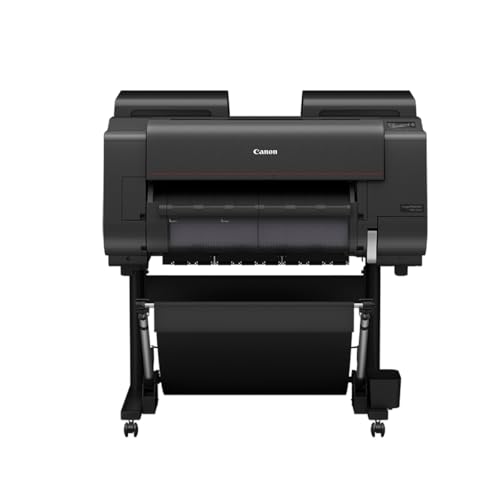
What We Like
- Improved black density for deeper darks
- Wider dark-color gamut range
- High scratch resistance for print durability
- Reformulated LUCIA PRO II ink
Trade-offs
- At 223 lb, requires dedicated floor space
- Large footprint at 36 × 40 × 46 inches
The reformulated LUCIA PRO II ink and improved black density deliver a wider dark-color gamut, so deep shadows and rich blacks print with more depth than standard wide-format printers can manage. This makes it a strong fit for anyone who needs the darkest possible tones without losing detail in the shadows, especially on papers where ordinary inks can look flat.
At 223 pounds, this printer demands a permanent, sturdy setup, not something you move between jobs. The HP DesignJet Z9+ is 159 pounds, so if weight is a concern, that model is lighter. For users who need the improved black density and wider dark-color gamut range that the reformulated LUCIA PRO II ink delivers, the PRO-2600 offers that capability.
Product photos
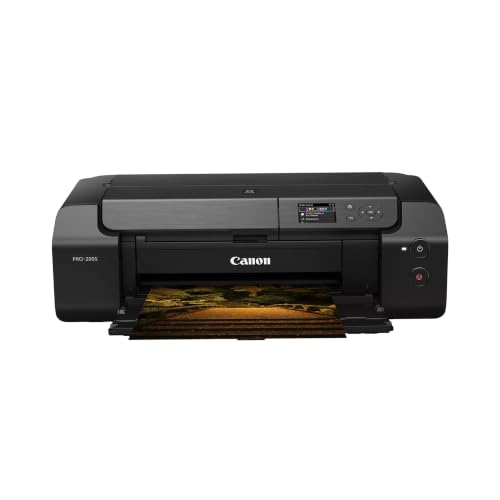
Canon PIXMA PRO-200S Wireless Photo Printer
What We Like
- A3+ borderless print in 90 seconds
- 8-color dye ink for vibrant prints
- Wireless connectivity for flexible placement
- Borderless printing from 3.5" to 13" x 19"
Trade-offs
- At 32 lb, it is heavy to move frequently
- No built-in scanner or copy functions
The 3-inch color LCD lets you check ink levels and settings without connecting to a computer, so you can stay focused on your workflow rather than fiddling with menus.
At 32 pounds, this printer is not something you will want to move from desk to shelf each day; it needs a dedicated spot. If you need a wider print, the Epson SureColor P900 prints up to 17 inches wide. For speed and color pop on A3+ paper, this Canon delivers exactly what the name promises.
Product photos
Epson EcoTank Photo ET-8550 All-in-One Printer

What We Like
- Cartridge-free design reduces waste
- 4-cent cost per 4×6 photo print
- Up to 2 years of ink in box
- Wide-format 13×19 inch printing
Trade-offs
- At 24.5 pounds, not easily portable
- 29.8-inch length needs desk space
- 6-color ink limits professional color gamut
Printing a 4×6 photo for about four cents each, versus forty cents with traditional cartridges, is the headline here. It changes how often you think twice before hitting print. The Epson EcoTank Photo ET-8550 uses a cartridge-free six-color ink system with bottles that ship with up to two years of ink in the box, so you can run through dozens of projects without a single frantic trip to buy replacements. That makes it a natural fit for home studios, crafters, and any artist who wants to experiment freely with color proofs, greeting cards, or 13×19 inch prints without watching the ink budget.
The trade-off comes in size and color depth. At nearly thirty inches wide and twenty-five pounds, this isn’t a tuck-it-on-a-shelf printer; it needs a dedicated spot on a sturdy desk. And while its six-color Claria ET inks deliver vibrant results for most photo and graphic work, professionals who need the wider gamut of an eleven-color system like the Canon imagePROGRAF PRO-4100 will find the ET-8550’s palette more limited for fine-art reproduction. For everyday creative printing that won’t empty your wallet, though, the EcoTank system makes a compelling case.
Product photos
CES Imaging PRO-4600 Art Printer
What We Like
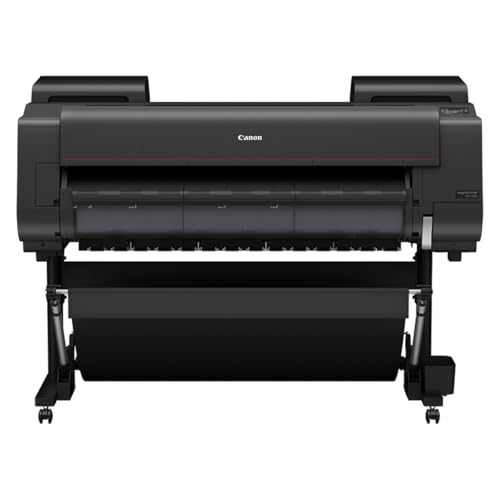
- High light resistance for longevity
- Improved black density and gamut
- Printhead and ink included
- 1 Year on-site warranty
Trade-offs
- At 274 lb, needs a dedicated floor space
- Large footprint: 53 inches wide
The reformulated LUCIA PRO II ink in this printer delivers high light resistance, which means prints can hold up well under typical display conditions for a long time. The improved black density and wider dark-color gamut give you deep, rich shadows that make monochrome and moody pieces stand out. For gallery artists or photographers selling archival prints, this printer is built for longevity right out of the box. Ink and printhead are included, and the 1-year on-site warranty adds peace of mind for a machine this serious.
The main drawback is its sheer size: at 274 pounds and 53 inches wide, this isn’t something you tuck into a corner desk. It demands a dedicated spot with sturdy flooring. It’s a specialist tool for the pro who prioritizes archival quality above all else.
Product photos
How We Evaluated Art Printers
Our evaluation focused on technical specifications from manufacturer documentation and patterns reported by experienced users in professional print communities. We cross-referenced resolution capabilities, ink systems, color gamut claims, and media handling to understand what each printer delivers in real-world conditions.
Four criteria mattered most for art printers: print resolution and detail, color accuracy and gamut, maximum print width, and physical footprint for studio placement. We also considered ink cost efficiency and archival qualities like light resistance.
An evaluation based on specifications and user feedback can help identify the right trade-offs. We present what the data and common usage patterns suggest so you can make an informed choice based on your priorities.
What To Look For In Art Printers
Choosing an art printer means understanding how print size, color fidelity, and workspace constraints interact. The right machine for a large-format fine art studio is very different from what a home crafter needs.
Prioritize print resolution (2400×1200 dpi or higher), pigment-based ink for archival quality, and a maximum print width that matches your largest intended output. Consider ink cost per print and whether the printer fits your available floor or desk space.
Print Resolution and Detail
Resolution determines how fine details and smooth gradients appear in your prints. Professional art printers typically offer 2400×1200 dpi, which renders sharp lines and subtle tonal transitions. Lower-resolution printers may show banding or softness in detailed areas, especially at larger sizes.
Ink System and Color Gamut
Pigment-based inks offer better light resistance and archival stability than dye-based inks. The number of ink channels affects color gamut, 12-channel systems like those in the Canon imagePROGRAF PRO-4100 provide wider color reproduction than 6- or 8-channel systems. Some printers include dedicated matte and photo black channels to optimize for different paper types.
Maximum Print Width and Media Handling
Consider the largest print you plan to make. Wide-format printers handle rolls up to 44 inches, while desktop models max out at 13 or 17 inches. Borderless printing is useful for photo prints without white margins. Check whether the printer handles fine art paper, canvas, and thick media without jamming or curling.
Physical Footprint and Installation
- Measure your available floor or desk space including clearance for paper feed and output trays
- Check weight specifications; printers over a certain weight may require a reinforced floor or permanent installation
- Verify that doorways and hallways can accommodate the printer’s width during delivery
- Consider whether you need a dedicated stand or can use a sturdy table
A printer that cannot fit through your studio door or sit safely on your floor will never produce a single print, no matter how good its specs are.
Art Printers Compared
The table below compares the seven art printers across key specifications to help you see the differences in resolution, ink systems, and physical requirements at a glance.
| Product | Max Print Width | Ink System | Weight |
|---|---|---|---|
| Canon imagePROGRAF PRO-4100 Large Format Printer | 44 inches | 12 individual pigment tanks | 345.0 pounds |
| HP DesignJet Z9+ Postscript Graphics Printer | Up to 24 inches | N/A | 159.0 pounds |
| Epson SureColor P900 Photo Printer | 17 inches | UltraChrome PRO10 pigment | 49.3 pounds |
| CES Imaging PRO-2600 Art Printer | N/A | Reformulated LUCIA PRO II | 223.0 lb |
| Canon PIXMA PRO-200S Wireless Photo Printer | 13" x 19" (A3+) | 8-color dye-based ink | 32.0 pounds |
| Epson EcoTank Photo ET-8550 All-in-One Printer | 13 x 19 inches | Epson Claria ET Premium 6-color ink | 24.5 pounds |
| CES Imaging PRO-4600 Art Printer | N/A | LUCIA PRO II | 274 pounds |
Frequently Asked Questions
What is the best art printer for large format prints?
The Canon imagePROGRAF PRO-4100 is the best choice for large format prints up to 44 inches wide with exceptional 2400×1200 dpi detail and 12 individual pigment ink tanks. It is a professional-grade machine that requires dedicated floor space and permanent installation.
How many ink colors do I need for fine art printing?
Professional art printers typically use 10 to 12 ink channels for the widest color gamut and smoothest gradations. Printers with 6 or 8 colors can produce good results for home studios but may have a narrower gamut, especially in dark tones and shadows.
Do art printers use pigment or dye ink?
Most professional art printers use pigment-based inks for archival quality, light resistance, and longevity. Dye-based inks, like those in the Canon PIXMA PRO-200S, produce vibrant colors but are less resistant to fading over time. Pigment inks are preferred for fine art prints intended for sale or display.
What size art printer do I need?
Choose a printer that supports your largest intended print size. Desktop printers handle up to 13 or 17 inches wide, while wide-format models go up to 24 or 44 inches. If you sell prints, consider offering sizes up to your printer’s maximum to avoid outsourcing larger jobs.
How much space does a professional art printer need?
Professional wide-format printers can be 53 to 68 inches wide and weigh between 159 and 345 pounds. They require dedicated floor space with clearance for paper rolls and output trays. Desktop models like the Epson SureColor P900 are more compact but still need a sturdy table.
The Bottom Line
For artists and printmakers who need professional-grade large-format output up to 44 inches wide, the Canon imagePROGRAF PRO-4100 is the best choice. Its 2400×1200 dpi resolution, 12-channel LUCIA PRO pigment ink system, and automatic color calibration deliver exceptional detail and color accuracy for museum-quality prints.
If your work fits within 24 inches and you need secure file handling, the HP DesignJet Z9+ is a strong professional alternative. For desktop users who want gallery-quality color on a smaller scale, the Epson SureColor P900 offers excellent color accuracy with dedicated matte and photo black channels.
The single most important factor in choosing an art printer is matching the maximum print width and physical footprint to your studio space and output needs. A printer with perfect color gamut is useless if it cannot fit through your door or produce the print sizes your work demands.
