
8 Best Android Tablets For Sketching in 2026
This post contains affiliate links. As an Amazon Associate, we earn from qualifying purchases.
For digital artists seeking an Android tablet, the Samsung Galaxy Tab S10 Lite is our best overall pick because its included S Pen, expandable 2TB storage, and 16-hour battery make it a versatile studio companion. Artists who demand the most natural pen-on-paper feel should consider the Best Premium Drawing Experience, the Wacom MovinkPad 11. Those who need the highest pressure sensitivity for nuanced strokes will want the XPPen Magic Drawing Pad.
The challenge with Android tablets for sketching isn’t finding a screen, it’s finding one that feels natural under the stylus. Screen texture, pressure sensitivity, and palm rejection matter more than raw specs. You need a device that keeps up with your hand without lag, glare, or battery anxiety.
This guide is built from manufacturer specifications, expert round-ups, and patterns in owner feedback. We evaluated eight tablets across the criteria that matter most for sketching: pressure sensitivity, screen quality, stylus performance, and portability. Our goal is to help you find the right canvas for your art.
Top 8 Android Tablets For Sketching in the Market
Certain content that appears on this site comes from Amazon. This content is provided "as is" and is subject to change or removal at any time.
The Best Android Tablets For Sketching, Reviewed
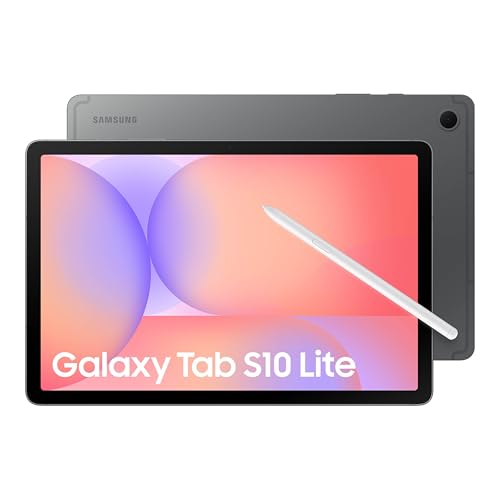
Samsung Galaxy Tab S10 Lite
What We Like
- S Pen included for drawing
- Expandable storage up to 2TB
- 16-hour battery for long sessions
- Vision Booster adjusts screen brightness
Trade-offs
- LCD screen lacks deep contrast of OLED
- Only 6GB RAM for heavy multitasking
- No anti-glare or matte screen coating
A 10.9-inch screen with an included S Pen means you can start sketching right out of the box without buying extra gear. The Exynos 1380 processor handles note-taking, drawing apps, and web browsing without stutter, while 128GB of built-in storage gives you room for plenty of projects. If you need more space, the microSD slot accepts up to 2TB, so you can store hundreds of high-resolution sketches and reference photos. The 16-hour battery easily lasts through a full day of studio work or travel, and Vision Booster automatically adjusts the display to keep your canvas visible in bright sunlight or dim rooms. This tablet suits anyone who wants a versatile Android device that doubles as a capable sketchpad, especially if you already use other Galaxy devices for easy file sharing and note syncing.
The 10.9-inch LCD display with Vision Booster adjusts brightness to your environment, making it easy to read in bed or catch up on content while cooking breakfast. The 6GB RAM handles most drawing apps smoothly, though the XPPen Magic Drawing Pad offers 8GB for heavier multitasking. For everyday sketching, note-taking, and media consumption, this tablet balances performance with a long-lasting battery that can run up to 16 hours on a charge.
Wacom MovinkPad 11

What We Like
- Paper-like matte etched glass screen
- 8,192 pressure levels with Pro Pen 3
- Instant launch of Wacom Canvas
- Lightweight at 1.3 pounds
Trade-offs
- 128GB storage cannot be expanded
- Smaller 11.45" screen than some rivals
The Pro Pen 3 captures 8,192 pressure levels, so every subtle change in your stroke, from a whisper-light sketch to a bold line, is registered with precision. This makes the pen feel like a natural extension of your hand. The anti-glare matte etched glass mimics the texture of paper, giving your pen just enough friction to keep control. The quick-draw feature launches Wacom Canvas the instant you tap the screen, which is handy for jotting down an idea fast. This is a tool for the artist who values feel and responsiveness over raw screen size, and who wants a dedicated drawing companion that doesn’t need a computer to get started.
The Wacom MovinkPad 11 has an 11.45-inch display, which is smaller than the XPPen Magic Drawing Pad’s 12.2-inch screen, so if you like broad, sweeping strokes, you might find it a bit tight. Storage is 128GB, meaning you’ll need to manage files or use cloud services for large projects. For artists who value pen precision and a paper-like feel above all else, this premium tablet delivers where it counts.
Product photos
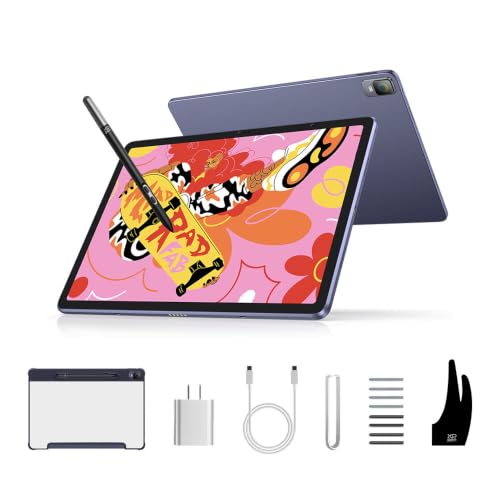
XPPen Magic Drawing Pad
What We Like
- Industry-leading 16K pressure sensitivity
- Paper-like AG-etched screen with 97% sRGB
- TÜV Rheinland eye comfort certified
Trade-offs
- At 1.3 lb, heavier than some portable tablets
- No included keyboard or kickstand for desk use
This model offers 16,384 pressure levels in its stylus, which is double what many competitors provide. That means fine brushstrokes and hard presses register with precision, making it a strong choice for artists who work in detailed shading. The 12.2-inch AG-etched screen delivers a paper-like feel and 97% sRGB color coverage for accurate hues. With up to thirteen hours of battery life, you can sketch through a long session without needing to recharge.
The trade-off is weight: at 1.3 pounds it’s noticeably heavier than the Huion Kamvas Slate 11, so it won’t disappear into a small bag. The 8GB of RAM is enough for drawing apps but might feel tight if you run several programs at once.
Product photos
Huion Kamvas Slate 11

What We Like
- Full-laminated anti-glare screen reduces glare
- 90Hz refresh rate for smooth drawing
- 8GB RAM and 128GB storage expandable to 1TB
- Pre-installed drawing app on Android 14
Trade-offs
- 10.95-inch screen is smaller than some drawing tablets
- Only 4096 pressure levels, lower than some competitors
Its 10.95-inch full-laminated anti-glare screen with a 90Hz refresh rate gives you a paper-like surface that cuts glare and keeps strokes precise, so sketching outdoors or under a desk lamp feels natural. With 8GB of RAM and 128GB of storage expandable to 1TB, plus Android 14 and a pre-installed drawing app, it’s ready to go right out of the box, no computer needed.
The trade-off for that lightweight build is a smaller canvas compared to the XPPen Magic Drawing Pad’s 12.2-inch screen, so if you prefer sprawling compositions or work with lots of layers, you might feel cramped. The 4096 levels of pressure sensitivity are standard for this class, though some competitors offer higher levels. Still, the 8000mAh battery supports long sessions, and the anti-fingerprint matte surface helps keep the screen clean. For sketchers who want a portable companion over maximum screen real estate, this is a focused option.
Product photos
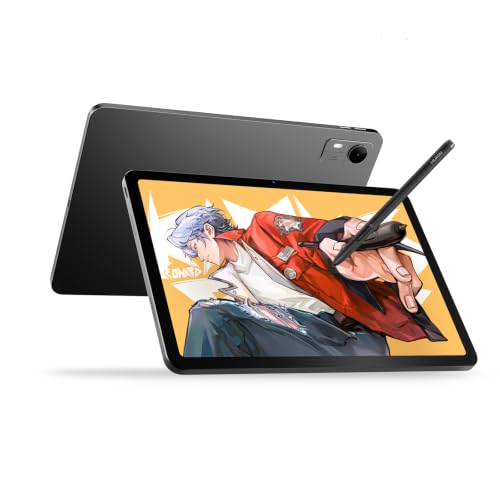
Huion Kamvas Pad 12
What We Like
- 12.2-inch 3:2 screen for vertical space
- 16384 pressure levels with tilt alignment
- 90Hz refresh rate for fluid strokes
- Pre-calibrated 99% sRGB color accuracy
Trade-offs
- Weighs 1.5 pounds, heavier than some portable tablets
- 0.31-inch thickness means no built-in kickstand for hands-free use
A 12.2-inch 3:2 screen with 2K+ resolution gives you noticeably more vertical room than standard 16:9 tablets, so you can keep your toolbar on the side without shrinking your canvas. That extra space matters when you’re sketching full compositions or reading reference images alongside your work. With 16384 pressure levels and a 90Hz refresh rate, every stroke feels immediate and responsive, and the factory-calibrated 99% sRGB coverage means colors look right straight out of the box. This is a tablet built for artists who want a dedicated drawing surface that doesn’t compromise on screen real estate or pen precision.
Portability comes with a cost. At 1.47 pounds, it’s slim enough for a backpack, but reviewers note it’s noticeably heavier than the Wacom MovinkPad 11. If you’re constantly drawing on the go or switching between a coffee shop and a studio, that extra weight adds up over a full day. But if your priority is a larger, more spacious canvas with the latest Android 16 for full app access, the Kamvas Pad 12 delivers where it counts.
Product photos
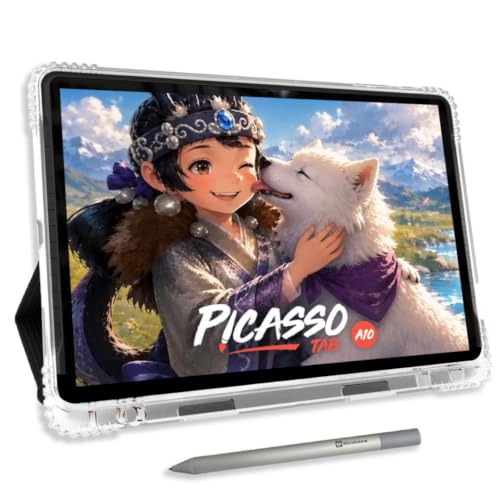
Simbans A10 Android Tablet
What We Like
- Paper-like laminated screen reduces glare
- 4096-level pressure-sensitive active pen
- Preloaded with 5 creative apps and tutorials
- Expandable storage up to 1TB
Trade-offs
- At 3.3 pounds, heavier than most drawing tablets
- No expandable storage beyond 1TB limit
The 10-inch paper-like laminated screen cuts glare and parallax, so your pen tip lands exactly where you expect, a huge help when you’re learning control and line weight. With 4096 levels of pressure sensitivity, the included active pen gives you enough subtlety to vary strokes from faint sketch marks to bold outlines. The octa-core processor and 6GB of RAM keep drawing apps responsive, and the 64GB of storage (expandable up to 1TB via microSD) means you won’t run out of room for projects or tutorials. This tablet comes preloaded with five creative apps plus lifetime upgrades for Concepts and Artixo, which means you can start drawing the moment you unbox it, no computer or extra purchases required.
At 3.3 pounds, the Simbans A10 is noticeably heavier than most standalone drawing tablets, so it’s less comfortable to hold for long sketching sessions without a table or lap support. The 4096 pressure levels are perfectly fine for a beginner, delivering natural-feeling strokes, but if you later want the 16384 levels found on the XPPen Magic Drawing Pad, you’d need to upgrade. For someone just starting their drawing journey, though, that’s not a limitation; it’s a forgiving tool that lets you focus on fundamentals without overwhelming you with options.
Callsky-Tab 12 Drawing Tablet
What We Like
- 16GB RAM for heavy multitasking
- 4096 pressure stylus with tilt support
- Large 8000mAh battery for long sessions
- 256GB storage expandable to 2TB
Trade-offs
- 6-hour battery is short for all-day sketching
- Display resolution lower than some competitors
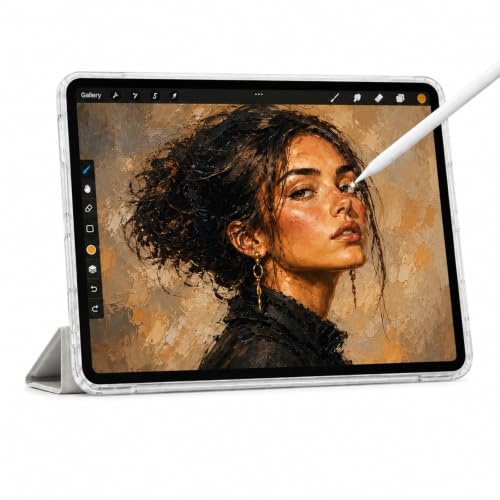
The 16GB of RAM is the biggest memory you’ll find among the tablets in this guide. That means you can keep multiple layers, a reference image, and a heavy art app open without the system stuttering. For sketchers who jump between apps or work with complex files, this memory headroom makes a real difference. The included stylus with 4096 pressure levels and tilt support gives you the precision you need for natural strokes. The 256GB internal storage (expandable to 2TB) means you won’t run out of room for your projects. It’s the right pick if you value performance and storage capacity over ultra-light portability.
Battery life is the main compromise: at 6 hours of video playback, you’ll want to keep the charger nearby for a full day of outdoor or café sketching. The 2000×1200 display is crisp and anti-glare, which helps reduce reflections while you work. If you need a tablet that handles heavy apps and lots of storage without slowing down, this model delivers where it counts.
Lenovo Idea Tab Plus
What We Like
- Weighs just over a pound
- 12.1″ 2.5K 90Hz display
- Includes Tab Pen and folio case
Trade-offs
- IPS screen reflects light more than matte displays
- No anti-glare coating for outdoor use
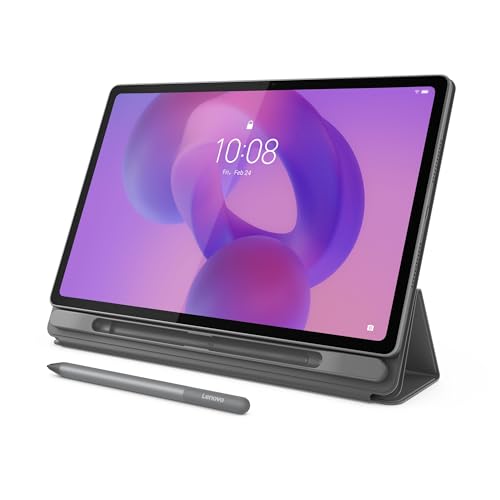
Weighing just over a pound and thin enough to slip between notebooks, this tablet is light enough to carry from morning to night without feeling weighed down. The 12.1-inch 2.5K display delivers rich color and sharp detail, and the 90Hz refresh rate keeps scrolling and drawing smooth. The included Tab Pen lets you circle text for instant search results or translate languages without switching apps. Lenovo Notepad, Squid, Nebo, and MyScript Calculator are built to help you write, organize, sketch, and calculate.
If you work mostly indoors under controlled lighting, the brightness up to 800 nits helps, but for outdoor sketching you might find the glare distracting.
Product photos
How We Evaluated Android Tablets For Sketching
Our evaluation method is research-based. We studied manufacturer specifications and documentation, analyzed expert round-ups from art and tech publications, and identified patterns in thousands of owner reviews. Instead, we synthesized what the data and the community report.
The four criteria that mattered most were pressure sensitivity levels (from 4,096 to 16,384), screen technology (LCD vs. OLED, matte vs. Glossy, anti-glare coatings), stylus quality and latency, and ergonomic factors like weight and battery life. For sketching, a tablet that feels like paper and responds instantly is worth more than the highest resolution display.
A research-led evaluation has limits. Owner feedback can be subjective, and individual drawing styles vary widely. We prioritized features that consistently receive praise across multiple sources and that match the needs of different artist workflows.
What To Look For In Android Tablets For Sketching
Choosing the right sketching tablet means balancing screen feel, pen performance, and portability. Here’s what to focus on.
Look for a tablet with at least 4,096 levels of pressure sensitivity. It should also have a laminated or etched screen that reduces the gap between pen tip and pixels, plus a stylus that feels balanced in your hand. Battery life should last through a full drawing session.
Pressure Sensitivity and Pen Performance
Pressure sensitivity determines how your strokes respond to hand pressure. Basic tablets offer 4,096 levels, while premium models reach 8,192 or even 16,384 levels for finer control. Higher sensitivity allows for more natural transitions between light sketches and bold lines. Also consider tilt support, which lets you shade like a real pencil by angling the stylus.
Screen Technology and Surface Feel
The screen surface affects how your stylus glides. Matte or etched glass screens (like those on the Wacom MovinkPad 11 and XPPen Magic Drawing Pad) reduce glare and provide paper-like friction. Laminated displays eliminate the air gap between the glass and LCD, making your pen tip appear to touch the artwork directly. Full-laminated anti-glare screens, as seen on the Huion Kamvas Slate 11, are ideal for reducing reflections.
Portability and Battery Life
A sketching tablet should travel with you. Weight ranges from just over a pound (Lenovo Idea Tab Plus) to over three pounds (Simbans A10). Battery life varies significantly, some tablets last 16 hours, while others need a charge after six. Consider how long your typical drawing sessions run and whether you’ll be working away from an outlet.
- Check if the stylus is included and whether it charges wirelessly or uses a battery.
- Verify that the tablet supports your preferred drawing apps (like Clip Studio Paint or Infinite Painter).
- Look for expandable storage if you work with large layered files.
- Confirm the screen size and aspect ratio, 3:2 offers more vertical space for portraits.
- Test the weight in a store if possible; a tablet that’s too heavy will tire your wrist.
A good rule of thumb: the tablet should disappear in your hands, leaving only you and your drawing.
Android Tablets For Sketching Compared
The table below compares key specs across our top picks, including pressure sensitivity, screen size, weight, and storage options.
| Product | Screen Size | Storage | Weight |
|---|---|---|---|
| Samsung Galaxy Tab S10 Lite | 10.9" LCD | 128GB | 1.2 pounds |
| Wacom MovinkPad 11 | 11.45" anti-glare matte screen | 128GB | 1.3 pounds |
| XPPen Magic Drawing Pad | 12.2 inches | 256GB (expandable to 1TB) | 1.3 pounds |
| Huion Kamvas Slate 11 | 10.95 inches | 128GB (expandable to 1TB) | 1.1 pounds |
| Huion Kamvas Pad 12 | 12.2 inches | 256GB (expandable to 1TB) | 1.5 pounds |
| Simbans A10 Android Tablet | 10" paper-like laminated | 64GB (expandable to 1TB) | 3.3 pounds |
| Callsky-Tab 12 Drawing Tablet | 12-inch 2000×1200 FHD IPS | 256GB + 2TB expandable | 0.9 pounds |
| Lenovo Idea Tab Plus | 12.1" 2.5K IPS 90Hz | 128GB | 1.2 pounds |
Frequently Asked Questions
What pressure sensitivity level do I need for digital sketching?
For most artists, 4,096 levels of pressure sensitivity is perfectly adequate for expressive sketching. Professional illustrators who need finer nuance will benefit from 8,192 or 16,384 levels, which allow for more subtle transitions between light and heavy strokes.
Can I use any stylus with an Android tablet for drawing?
No, not all styluses work with every tablet. Some tablets include a proprietary pen (like the Samsung S Pen or Wacom Pro Pen 3), while others use universal active stylus technology. Always check compatibility before purchasing a separate stylus.
Do I need a matte screen protector for drawing on a tablet?
A matte screen protector can improve the drawing feel by adding paper-like friction and reducing glare. Some tablets, like the Wacom MovinkPad 11 and XPPen Magic Drawing Pad, already have etched glass screens that provide this texture without an extra protector.
How much RAM do I need for drawing apps on an Android tablet?
For basic sketching and note-taking, 4GB to 6GB of RAM is sufficient. If you work with large layered files in apps like Clip Studio Paint or use multiple apps simultaneously, aim for 8GB or more. The Callsky-Tab 12 offers 16GB for heavy multitasking.
What screen size is best for digital art on a tablet?
A 10- to 12-inch screen is the sweet spot for most artists, large enough to see detail but portable enough to carry. The Huion Kamvas Pad 12 offers a 12.2-inch 3:2 screen with extra vertical space, ideal for portrait-oriented work.
The Bottom Line
For most artists, the Samsung Galaxy Tab S10 Lite is the best overall Android tablet for sketching. Its included S Pen, massive 16-hour battery, and expandable storage give you a complete drawing setup without compromise. It’s the tablet that balances performance with practicality.
If your budget is tighter, the Simbans A10 is our Best For Beginners pick, offering a paper-like screen and preloaded tutorials for getting started. For professionals who demand the highest pressure sensitivity, the XPPen Magic Drawing Pad delivers 16K levels for the most nuanced strokes.
The single most important factor in choosing a drawing tablet is how it feels in your hand. A tablet that’s too heavy, too glossy, or too laggy will frustrate you. Find the one that feels natural, and the art will follow.
