
7 Best Graphics Tablets For Artists in 2026
This post contains affiliate links. As an Amazon Associate, we earn from qualifying purchases.
For digital artists who need precise control and vibrant color, the HUION Kamvas 13 Gen 3 Drawing Tablet is our best overall pick, thanks to its exceptional 16384 pressure levels and factory color calibration. The XPPen Artist 13.3 Pro V2 offers the widest color gamut for vivid hues, while the Wacom Cintiq 16 delivers a premium studio-grade build.
Choosing a graphics tablet means balancing screen size, pressure sensitivity, and whether you prefer a standalone device or one that connects to a computer. A tablet that feels natural with your stylus and matches your workspace can improve your drawing flow immediately.
This guide is based on manufacturer specifications, expert round-ups, and patterns in owner feedback. We focused on the features that matter most to artists: pen performance, display quality, and build reliability.
Top 7 Graphics Tablets For Artists in the Market
Certain content that appears on this site comes from Amazon. This content is provided "as is" and is subject to change or removal at any time.
The Best Graphics Tablets For Artists, Reviewed
HUION Kamvas 13 Gen 3 Drawing Tablet

What We Like
- 16384 pressure levels with 2g IAF
- Dual dial and 5 programmable shortcut keys
- Factory color calibration report included
Trade-offs
- Requires connection to a computer or laptop to function
- No built-in battery for standalone use
- Screen size smaller than some desktop-oriented models
With 16384 levels of pressure sensitivity and a 2g initial activation force, every featherlight stroke registers without hesitation, making this a natural fit for illustrators and designers who want precise control. The dual dial and five programmable shortcut keys keep your most-used tools at your fingertips, and the included adjustable stand lets you tilt the display to a comfortable angle.
The main trade-off is that this is a pen display, not a standalone tablet: you must connect it to a PC, Mac, or compatible Android device to draw. So it won’t work on its own like the Simbans A10 standalone tablet. At just 2.0 pounds, it’s light enough to slip into a bag, but the 13.3-inch screen is smaller than the Wacom Cintiq 16’s display, which might feel cramped if you’re used to working on a larger canvas. For artists who already have a laptop or desktop and want a portable, color-accurate drawing monitor with responsive pen feel and handy controls, this hits a sweet spot between capability and affordability.
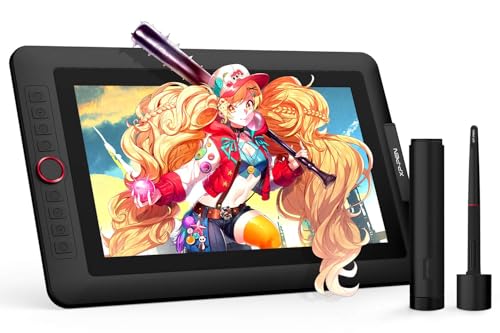
XPPen Artist 13.3 Pro V2 Drawing Tablet
What We Like
- 123% sRGB color gamut for vivid hues
- Full-laminated screen eliminates parallax
- Battery-free stylus with 16384 pressure levels
- 8 customizable shortcut keys plus Red Dial
Trade-offs
- Requires connection to a computer to function
- At 4.4 pounds, heavier than some portable tablets
A color gamut of at least 123% sRGB means this display can show richer reds, greens, and blues than many standard monitors. So your digital art retains more of its intended vibrancy when you share it online or print it. The fully-laminated construction nearly eliminates the gap between the pen tip and the on-screen cursor, which reviewers say makes strokes feel more direct and reduces the disorienting offset common on non-laminated screens. For artists who want accurate, punchy color and a responsive drawing surface, this tablet delivers those qualities without the price tag of professional-tier models.
Wacom Cintiq 16 Drawing Tablet

What We Like
- 2.5K QHD display with wide color gamut
- Pro Pen 3 with 8192 pressure levels
- Built-in fold-out legs for 20-degree angle
- USB-C connectivity with DisplayPort Alt Mode
Trade-offs
- At 4.5 pounds, heavier than portable alternatives
- No adjustable stand included for varied angles
A 16-inch IPS display with 2560 x 1600 resolution and 99% DCI-P3 color coverage means you see your artwork in the rich, cinematic color that modern digital media demands. The Pro Pen 3 responds to the lightest touch with 8192 pressure levels and tilt support, giving you precise control for detailed illustrations, comics, or animations. This is a serious tool for artists who want a dedicated, high-quality screen that shows colors accurately and handles fine brushwork without lag. The built-in fold-out legs set it at a comfortable 20-degree angle right out of the box.
At 4.5 pounds, it is also heavier than the 2.0-pound Huion Kamvas 13 Gen 3, so it is less suited for tossing in a bag and sketching on the go. For a studio artist who values color accuracy and a premium drawing feel over portability, this screen delivers exactly what it promises.
Product photos
Wacom Intuos Pro Medium Drawing Tablet

What We Like
- Pro Pen 3 with 8192 pressure levels
- Customizable ExpressKeys and mechanical dials
- Wireless via Bluetooth to multiple computers
- Thin magnesium build at 0.9 lb
Trade-offs
- No built-in screen requires separate monitor
- Active area smaller than some competitors
Weighing just 0.9 pounds and measuring 4mm at its thinnest, this tablet slips into a bag as easily as a thin notebook, so you can work from a desk or a coffee shop without extra bulk. The Pro Pen 3 delivers 8192 pressure levels and tilt support, translating hand pressure into precise brush strokes for tasks like shading or line work. Two mechanical dials and ten customizable ExpressKeys sit at the top of the tablet, letting you adjust brush size or zoom without reaching for the keyboard, a setup that keeps your focus on the canvas.
Owners who switch from a display tablet like the Huion Kamvas 13 Gen 3 will need to adapt to looking at a monitor instead of the drawing surface. But the Intuos Pro’s magnesium body and Bluetooth wireless connection make it simpler to pack for remote work or studio sessions. Reviewers describe it as a lightweight professional input device that pairs portability with the precision needed for illustration and animation.
Product photos
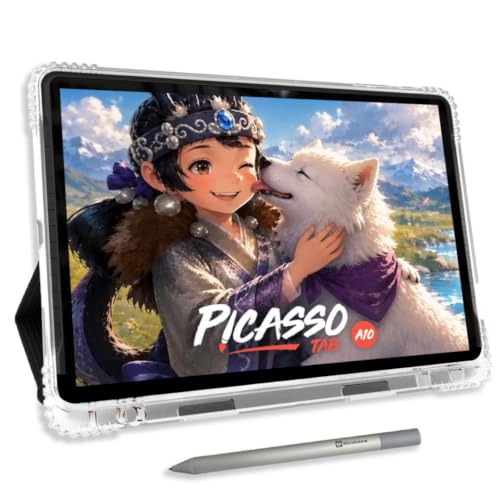
Simbans A10 Graphics Tablets
What We Like
- No computer needed, standalone operation
- Paper-like laminated display reduces glare
- Lifetime VIP tutorials included for beginners
- 6 bonus items with app upgrades
Trade-offs
- 10" screen is smaller than many desktop tablets
- 4096 pressure levels are standard, not high-end
The Simbans A10 is a standalone drawing tablet that runs everything on the device, so you don’t need a computer or any cables. Its octa-core processor and 6GB of RAM keep drawing apps responsive during everyday use, while the 10″ laminated display reduces glare and parallax for a more natural drawing feel. For beginners who want to learn without dealing with drivers or a separate PC, this is a self-contained studio that fits in a bag.
The trade-off is that 4096 pressure levels are standard for this type of standalone tablet, but some tethered models offer higher sensitivity. The 10″ screen is compact, which makes it highly portable but may feel small for detailed work compared to larger desktop tablets. Still, if portability and independence matter more than absolute pen precision, the A10 delivers a complete, beginner-friendly package that skips the computer entirely.
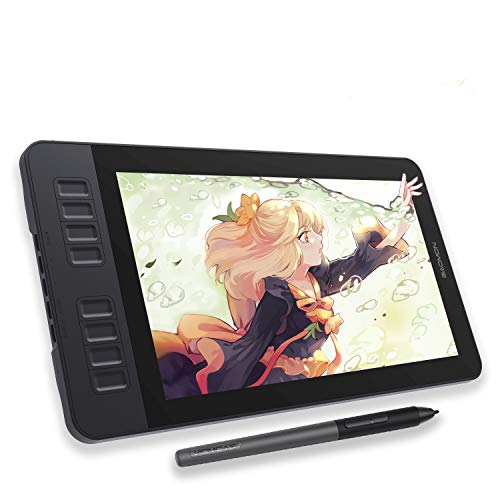
GAOMON PD1161 Drawing Tablet
What We Like
- Battery-free stylus with 8192 pressure levels
- Anti-glare matte screen for paper-like feel
- 8 programmable shortcut keys plus 2 pen buttons
- Full HD 11.6-inch IPS display
Trade-offs
- Requires connection to a computer to function
- 72% NTSC color gamut is less vibrant than some rivals
An 11.6-inch full HD IPS screen with a pre-installed matte film gives you a paper-like drawing surface that cuts glare and reflection, so you can focus on your strokes without fighting shiny hotspots. The battery-free stylus offers 8192 pressure levels and tilt support, which means you get natural line variation and shading from the start, no charging required. This is a great entry point for artists who want the direct feel of drawing on a display without spending heavily, especially if you’re moving from a pad-style tablet to a screen for the first time.
The screen size is a practical consideration: at 11.6 inches, it’s a compact display that works well on a desk without taking up too much space. The 72% NTSC (100% sRGB) color gamut is solid for most illustration and design work, though professionals needing a wider color range might prefer a larger model. That said, the eight programmable shortcut keys and two pen buttons help speed up your workflow, and the included accessories like the drawing glove and replacement nibs mean you’re ready to create right away.
Product photos
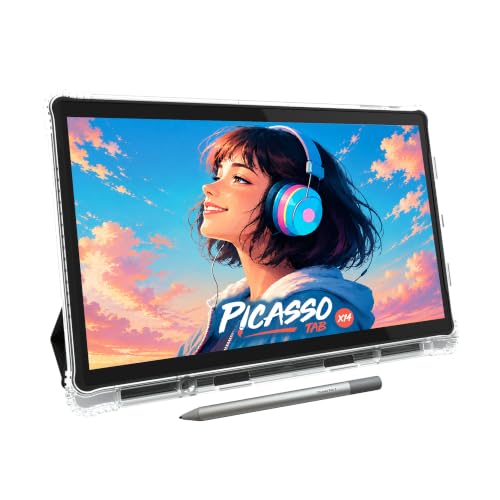
PicassoTab X14 Standalone Drawing Tablet
What We Like
- 14-inch laminated paper-like display
- No computer needed, standalone design
- Octa-core CPU with 6GB RAM
- Includes value bonus accessories
Trade-offs
- At 5.1 lb, heavier than tethered tablets
- 4096 pen levels lower than some rivals
- Only 6GB RAM for heavy multitasking
A 14-inch laminated display that cuts glare and parallax means you get a true paper-like feel without the haze that plagues cheaper screens. The tablet runs on an octa-core processor with 6GB of RAM and 128GB of storage, which is enough to handle drawing apps and multitasking smoothly. It comes preloaded with five apps for drawing, painting, animation, tutorials, and guides, and the included case, glove, adapter, and screen protector add real value immediately.
Weight is a notable difference: at 5.1 pounds, this is noticeably heavier than a tethered tablet like the HUION Kamvas 13 Gen 3, which weighs only 2.0 pounds but needs a PC.
Product photos
How We Evaluated Graphics Tablets For Artists
Our research began with a close look at the technical specs that define drawing performance: pressure levels, screen resolution, color gamut, and lag. We compared each tablet’s active drawing area and weight to understand how it fits into different studio setups and travel routines.
We prioritized three criteria above all others. Pen accuracy and pressure sensitivity must feel natural for detailed line work and shading. Display quality, including color accuracy and lamination, directly affects how your final art looks. Build and connectivity matter for long sessions and reliable workflow.
Because this evaluation relies on manufacturer documentation, verified owner feedback patterns, and comparisons across expert sources, it helps identify the real-world strengths and trade-offs of each model.
What To Look For In Graphics Tablets For Artists
Choosing the right tablet comes down to how you work and where you draw. A few key specs will guide you to a model that feels like an extension of your hand.
Focus on pressure sensitivity, screen quality, and whether you need a standalone device. A tablet with 8192 or more pressure levels and a laminated display will give you the most natural drawing feel.
Pressure Sensitivity and Pen Performance
The number of pressure levels determines how finely the tablet detects changes in stylus pressure. Higher counts, like 16384 or 8192 levels, allow for smoother transitions between thin and thick strokes. Also look for a battery-free stylus, which eliminates the need to charge the pen and keeps the weight balanced.
Display Quality and Color Accuracy
A laminated screen eliminates the gap between the glass and the display, reducing parallax so your pen tip meets the cursor exactly where you expect. Color gamut, measured in sRGB or NTSC percentages, affects how vivid your artwork appears. Factory color calibration ensures the screen matches standard color profiles out of the box.
Form Factor and Connectivity
Decide whether you need a standalone tablet with built-in processing or a tethered model that connects to a computer. Screen size ranges from 10 inches to 16 inches, with larger screens offering more drawing space at the cost of portability. Weight and included stands also affect how comfortable the tablet is for long sessions.
- Check the active drawing area, not just the overall screen size
- Verify the stylus is battery-free and includes replacement nibs
- Confirm the connection type matches your computer’s ports
- Look for shortcut keys or dials that speed up your workflow
- Read about the warranty and return policy before buying
A tablet with 8192 pressure levels and a fully laminated display is the sweet spot for most artists.
Graphics Tablets For Artists Compared
The table below compares each of the seven graphics tablets across the key specs that matter most for digital art.
| Product | Screen Size | Pressure Sensitivity | Weight |
|---|---|---|---|
| HUION Kamvas 13 Gen 3 Drawing Tablet | 13.3 inches | 16384 levels | 2.0 pounds |
| XPPen Artist 13.3 Pro V2 Drawing Tablet | 13.3 inches | 16384 | 4.4 pounds |
| Wacom Cintiq 16 Drawing Tablet | 16 inches | 8192 levels | 4.5 pounds |
| Wacom Intuos Pro Medium Drawing Tablet | N/A | 8192 | 0.9 pounds |
| Simbans A10 Graphics Tablets | 10" | 4096 | 3.3 pounds |
| GAOMON PD1161 Drawing Tablet | 11.6 inches | 8192 | 1.9 pounds |
| PicassoTab X14 Standalone Drawing Tablet | 14 inches | 4096 | 5.1 pounds |
Frequently Asked Questions
What pressure sensitivity level do I need for professional digital art?
Most professional artists work comfortably with 8192 pressure levels. The highest available is 16384, found on the HUION Kamvas 13 Gen 3, which offers extremely fine control for delicate line work and shading. Both levels provide smooth, natural stroke variation.
Should I get a standalone tablet or one that connects to a computer?
Standalone tablets like the Simbans A10 and PicassoTab X14 work without a computer, making them ideal for travel and sketching on the go. Tethered tablets offer higher pressure sensitivity and better color accuracy but require a laptop or desktop to function.
What is the difference between a pen display and a pen tablet?
A pen display has a built-in screen that lets you draw directly on the image, like the Wacom Cintiq 16 or HUION Kamvas 13 Gen 3. A pen tablet, such as the Wacom Intuos Pro Medium, has no screen and requires you to look at a separate monitor while drawing on the tablet surface.
How important is color gamut for a drawing tablet?
Color gamut determines how many colors the screen can display. A wider gamut, like 123% sRGB on the XPPen Artist 13.3 Pro V2, produces more vivid and accurate hues. For artists working in print or detailed illustration, a wide gamut and factory calibration are valuable.
What screen size is best for a graphics tablet?
A 13 to 16-inch screen provides a good balance of drawing space and portability. Smaller 10-inch tablets are more portable but may feel cramped for detailed work. Larger screens offer more room for gestures and tool palettes but add weight and require more desk space.
The Bottom Line
For most digital artists, the HUION Kamvas 13 Gen 3 Drawing Tablet offers the best combination of high pressure sensitivity, factory color calibration, and portable design. It is the strongest choice for illustrators who want a reliable pen display that travels well.
If you need the widest color gamut for vivid artwork, the XPPen Artist 13.3 Pro V2 delivers with 123% sRGB and a parallax-free laminated screen. Budget-conscious artists should look at the GAOMON PD1161 for a solid pen display at an affordable price point.
The single most important factor when choosing a graphics tablet is how natural the pen feels in your hand. Focus on pressure sensitivity and screen quality first, and everything else will follow.
