
10 Best Portable Art Tablets in 2026
This post contains affiliate links. As an Amazon Associate, we earn from qualifying purchases.
For artists who need a studio that fits in a backpack, the Wacom MovinkPad 11 is the best overall portable art tablet, winning on its featherlight 1.3-pound build and paper-like etched glass screen. The Huion Kamvas Pad 12 takes best display quality for color-critical work, while the XP-Pen Magic Drawing Pad offers the highest pressure sensitivity yet. This guide helps you choose from 10 portable art tablets, whether you need a standalone device or a compact computer-connected display.
The real challenge with portable art tablets is balancing screen quality, pressure sensitivity, battery life, and weight without sacrificing the drawing feel that makes digital art natural. A tablet that is too heavy defeats the purpose of portability, while one with poor screen glare can make outdoor sketching frustrating. We have focused on the specs and trade-offs that matter most when you are working away from a desk.
This guide is research-based, drawing on manufacturer specifications, expert round-ups, and patterns in owner feedback to evaluate each model. We break down the key criteria for choosing a portable art tablet and answer the most common buyer questions to help you find the right creative companion.
Top 10 Portable Art Tablets in the Market
Certain content that appears on this site comes from Amazon. This content is provided "as is" and is subject to change or removal at any time.
The Best Portable Art Tablets, Reviewed
Wacom MovinkPad 11

What We Like
- All-in-one Android 14 tablet
- Paper-like matte etched glass screen
- Battery-free Pro Pen 3 with 8,192 levels
- Weighs only 1.3 pounds
Trade-offs
- 128GB storage fills fast with heavy apps
- No computer needed limits software compatibility
An 11.45-inch Android 14 tablet that needs no computer means you can sketch anywhere a notebook fits, and at 1.3 pounds it truly disappears into a bag. The matte etched glass screen gives a paper-like feel that cuts glare and fingerprints, so you stay focused on the drawing instead of fighting reflections. The battery-free Pro Pen 3 delivers 8,192 pressure levels with three programmable buttons. Replacement nibs stored in the barrel keep you ready the moment an idea hits without hunting for a charger or cable.
Compared to the XP-Pen Magic Drawing Pad, which also has 8GB of RAM but offers 256GB of storage, the Wacom gives you less room for media files. However, its instant-launch Wacom Canvas app and refined pen feel make it a more focused sketchbook for artists who want to draw rather than manage files.
Product photos
XP-Pen Magic Drawing Pad
What We Like
- Industry-first 16K pressure sensitivity
- Paper-like AG-etched screen
- Expandable storage up to 1TB
Trade-offs
- Android 14 ecosystem limits desktop software
- No built-in stand or kickstand
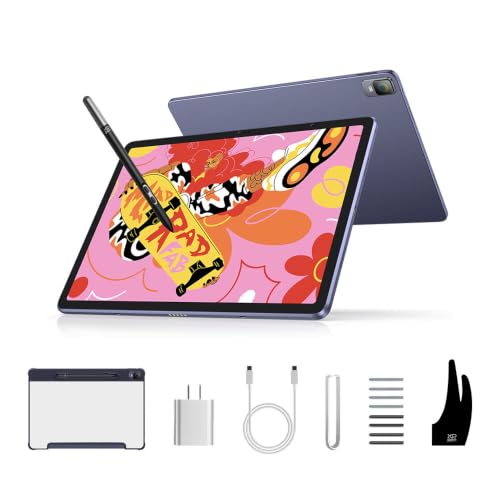
16384 levels of pressure sensitivity is the highest you’ll find on any standalone drawing tablet right now, and it means every tiny change in how hard you press translates into a perfectly graded line. That makes this pad a natural fit for illustrators who work with delicate shading, fine hatching, or anything that demands hyper-nuanced control.
The trade-off is that you’re working inside Android 14, not a full desktop operating system, so heavy-duty software like Photoshop or Clip Studio Paint’s desktop version won’t run natively. The Wacom MovinkPad 11 runs the same OS and weighs the same 1.3 pounds, but it offers only 128GB of storage and doesn’t match the XP-Pen’s pressure resolution. If your art lives inside mobile apps and you want the finest possible line control on a portable canvas, this tablet delivers that precision better than anything else in the guide.
Product photos
Huion Kamvas Pad 12
What We Like
- 2K+ 90Hz screen with 236 PPI
- 16K pressure and ±60° tilt
- 99% sRGB with ΔE<1.8 calibration
- Paper-like Canvas Glass 3.0 surface
Trade-offs
- At 1.5 lbs, slightly heavier than some standalone tablets
- Android 16 limits access to some desktop-only art software
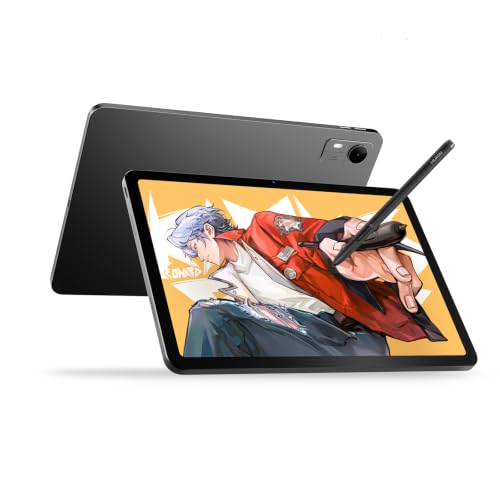
The 16,384 pressure levels and ±60° tilt capture fine shading and light strokes, while the nano-etched Canvas Glass 3.0 creates a paper-like texture that reduces glare. This is the tablet for artists who prioritize visual fidelity and responsive, natural drawing feel above all else.
Portability is the compromise here: at 1.5 pounds, it’s a bit heavier than the XP-Pen Magic Drawing Pad (1.3 lbs), though still slim enough for a backpack. And while Android 16 gives full access to mobile drawing apps like Clip Studio Paint and ibisPaint X, it won’t run full desktop software like Photoshop or Illustrator. If you want a standalone tablet that puts display quality first and don’t mind the slight weight premium, this is the pick for crisp, color-accurate work on the go.
Product photos
XP-Pen Artist 12 3rd Gen
What We Like
- 1.58 lb with dual X-Dial wheels
- AG etched glass reduces 85% glare
- 16K pressure with 60-degree tilt
- Single USB-C cable connectivity
Trade-offs
- Requires a computer to function
- 1920×1080 resolution limits fine detail work
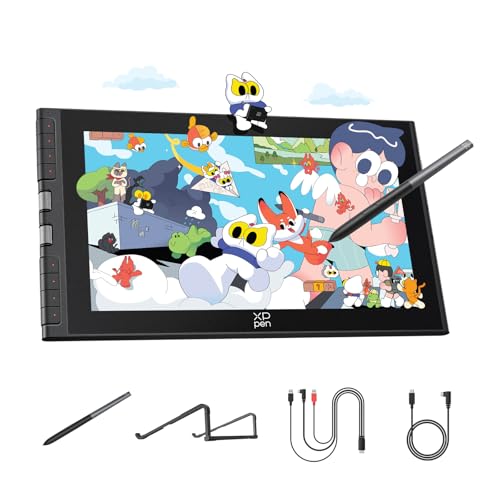
At just 1.58 pounds with an 11.9-inch screen, this pen display is built for artists who want to sketch anywhere without hauling a heavy rig. The dual X-Dial wheels let you adjust brush size and zoom instantly, saving time when you’re working in a café or between classes. The AG etched glass cuts glare by 85% and provides a paper-like texture, so your eyes stay fresh even during long sessions. With 16,384 pressure levels and a magnetic pen that attaches to the tablet, it’s a thoughtful kit for illustrators and students who value portability over raw screen real estate.
This is a pen display that needs a computer or compatible device to run, it’s not a standalone tablet. The 1920×1080 resolution handles sketching and photo editing well, though retouching ultra-high-res files might feel cramped on an 11.9-inch screen. Factory-calibrated 99% sRGB color accuracy and a single USB-C cable keep the setup tidy for artists and students working across multiple platforms.
Wacom One 14

What We Like
- Laminated 14-inch Full HD display
- Battery-free pen with responsive pressure sensitivity
- 98% sRGB color accuracy for vivid art
- Includes software trials and training courses
Trade-offs
- Requires a computer to function
- HDMI adapter and power kit sold separately for some setups
A 14-inch laminated IPS Full HD screen with 98% sRGB color accuracy gives you a big, bright canvas that shows your colors true to life, so your digital paintings look as rich as you intended. The battery-free pen responds to every light line and bold stroke without needing a charge, which means no interruptions when you’re in a creative flow. The package includes software trials and Skillshare courses to help you learn without spending extra right away. It is a thoughtful setup for anyone who wants a reliable introduction to digital art on a screen that feels like paper.
This tablet requires a computer to function, so it’s strictly a desk-bound tool for Windows, Mac, or Chromebook users. If your device relies on HDMI, you’ll need to buy a separate adapter and power kit to get the display working. That extra purchase is a real consideration, but for a beginner learning at a desk, the Wacom One 14 provides a reliable way to start creating digital art.
Product photos
Huion Kamvas Slate 11

What We Like
- Weighs only 1.1 pounds for easy portability
- 8000mAh battery supports all-day use
- Full-laminated anti-glare screen reduces eye strain
- Pre-installed drawing app and Android 14
Trade-offs
- 10.95-inch screen is smaller than some standalone models
- 4096 pressure levels are lower than newer competitors
Weighing 1.1 pounds, this tablet is light enough to carry in a bag without noticing it. The 8000mAh battery supports all-day use, so you can draw or take notes without hunting for an outlet. The full-laminated anti-glare screen cuts reflections and keeps the stylus tip close to the image, which reduces eye strain during long sessions. With a pre-installed drawing app and Android 14, you can start creating right out of the box, no computer needed.
The 10.95-inch screen is smaller than the 12.2-inch canvas on the XP-Pen Magic Drawing Pad, so if you prefer a larger drawing area, that extra space may matter. The 4096 pressure levels are fewer than the 16384 levels on the XP-Pen, which some artists may notice for very fine line control. But if your priority is a lightweight, portable tablet with long battery life for sketching and note-taking on the go, this model delivers.
Product photos
Simbans A10 Portable Art Tablet
What We Like
- Standalone tablet, no computer needed
- Paper-like laminated screen reduces glare
- Lifetime VIP tutorials for beginners
- Expandable storage up to 1TB
Trade-offs
- At 3.3 lb, noticeably heavier than competitors
- At 3.3 lb, heavier than many portable standalone tablets
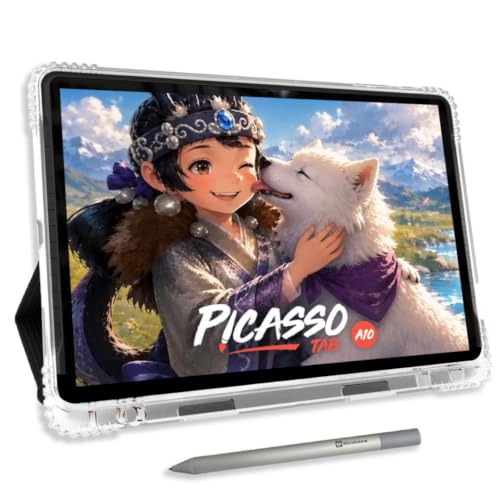
A 10-inch laminated display with a laminated finish with a paper-like finish means you can draw with the same natural feel as a sketchbook, even under bright lights. The Simbans A10 is a standalone tablet, so there is no need to tether it to a laptop or desktop, everything runs directly on the device. That octa-core processor and 6GB of RAM keep drawing apps moving smoothly, and the included lifetime VIP tutorials make this an especially strong fit for someone just starting their digital art journey. For the price, you get a complete kit with six bonus items that cover the essentials from the start.
The trade-off for that budget-friendly package is weight and pen sensitivity. At 3.3 pounds, the A10 is noticeably heavier than many portable alternatives, so it feels less like a sketchpad and more like a small laptop in your bag. And while 4096 pressure levels are perfectly usable, some standalone tablets in this guide offer higher levels for finer control over line weight. If you are a beginner who values included tutorials and a full accessory bundle over the lightest possible carry, this is a smart place to start.
PicassoTab X11 Standalone Drawing Tablet
What We Like
- Laminated 2K screen reduces glare and parallax
- Expandable storage up to 1TB
- Lifetime VIP upgrade for Artixo tutorials app
Trade-offs
- 6GB RAM is less than some competing standalone tablets
- No included stylus charging cable in the box
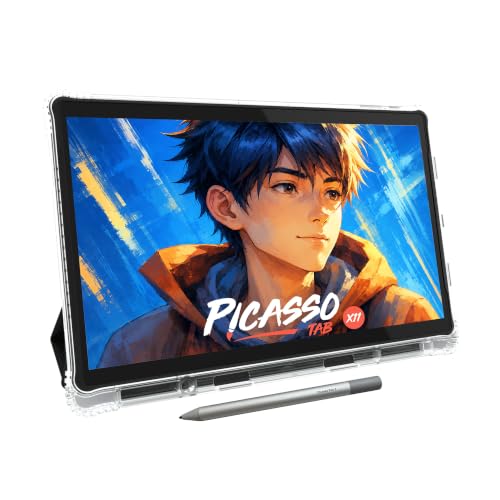
The laminated 11-inch 2K display on the PicassoTab X11 cuts down glare and parallax so your pen tip meets the line exactly where you expect it, which matters when you are learning to control pressure and angle. The octa-core processor and 6GB of RAM keep drawing apps running smoothly, and the included case, glove, and screen protector mean you can start immediately without hunting for extras.
A lower 6GB of RAM compared to the Wacom MovinkPad 11’s 8GB means the X11 may slow down sooner if you plan to run multiple heavy apps or large layered files. Base storage of 128GB is enough for a solid library of sketches and lessons, but artists who save high-resolution work will appreciate the expandable slot that accepts up to 1TB. For a beginner who wants a self-contained setup with built-in learning tools and a screen that feels like paper, this tablet delivers exactly what it promises without overwhelming you with complexity.
GAOMON S620 Graphics Drawing Tablet
What We Like
- Battery-free stylus never needs charging
- Weighs only 0.6 pounds for true portability
- 8192 pressure levels for natural line control
- 4 customizable express keys speed up workflow
Trade-offs
- Not compatible with iPad or iPhone
- Requires a computer to function
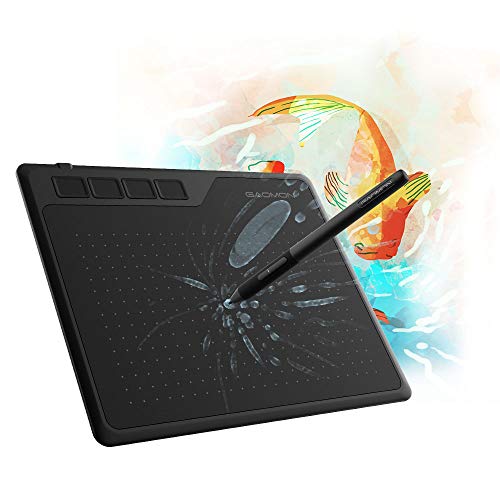
At 0.6 pounds and with a 6.5 x 4 inch active area, this tablet slips into any laptop bag without adding noticeable weight. The battery-free stylus means you never hunt for a charger or worry about a dead pen mid-sketch, while 8192 pressure levels give you fine control for natural, expressive lines. It works for beginners, students, or traveling creators who want a reliable drawing tool for digital art, note-taking, or Osu gaming.
This model requires a computer to function, so you work while looking at your computer monitor rather than directly on the drawing surface. That takes some hand-eye coordination to get used to, and unlike the XP-Pen Magic Drawing Pad, this model cannot run apps on its own, it must stay tethered to a Windows or macOS computer. For someone who wants a lightweight way to start digital drawing or keep a sketch tool on the go, this setup works well. If you need a device that does not require a computer, the standalone tablets in this guide serve that purpose.
Frunsi T8 Standalone Drawing Tablet
What We Like
- 20-hour battery for all-day sketching
- Pre-installed apps and tutorials for beginners
- Expandable storage up to 256GB
- Runs Android 13 with favorite art apps
Trade-offs
- 1200×800 resolution is lower than some competitors
- 8-inch screen is small for detailed work
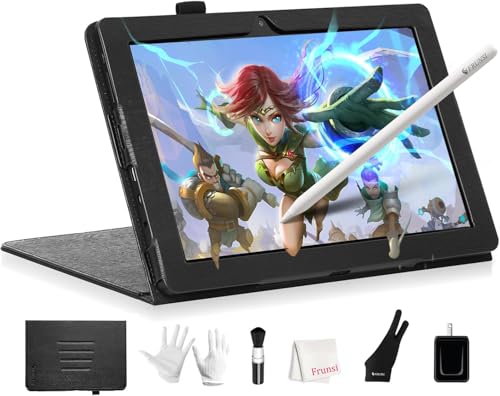
The trade-off is screen size and resolution. At 1200×800 pixels on an 8-inch display, the T8 offers less screen real estate than larger competitors, which may matter for detailed linework. The 4GB of RAM is adequate for light use, but running multiple demanding apps at once could be a limitation. For artists who prioritize portability and long battery life over a large canvas, this compact tablet offers a lightweight, self-contained sketching experience.
How We Evaluated Portable Art Tablets
Our evaluation is built on a careful review of published specifications, manufacturer documentation, and patterns reported in expert round-ups and owner communities. We synthesize what is known about each model’s performance, build, and real-world use to give you a clear, honest picture.
We prioritized four criteria that matter most for portable art tablets. First, standalone capability versus computer dependency determines where and how you can create. Second, pressure sensitivity and pen feel directly affect line control and drawing naturalness. Third, display quality, including resolution, color accuracy, and surface texture, dictates how your art looks as you make it. Fourth, weight and battery life define true portability.
A research-led approach has limits: we cannot verify long-term durability or subjective drawing feel from specs alone. We rely on consistent patterns in user reports and expert consensus to identify strengths and weaknesses, but your personal preference for screen texture or pen grip is something only trying the product can confirm.
What To Look For In Portable Art Tablets
Choosing a portable art tablet means weighing standalone freedom against screen quality and pressure sensitivity. The right choice depends on whether you need a self-contained device or a lightweight display for your laptop.
Key buying criteria: Standalone vs. Computer-dependent, pressure sensitivity levels (8K–16K), display resolution and color accuracy, weight and battery life, and screen surface texture for a paper-like feel.
Standalone vs. Computer-Dependent
The biggest fork in the road is whether the tablet runs its own operating system or must connect to a computer. Standalone tablets like the Wacom MovinkPad 11 and Huion Kamvas Pad 12 run Android and let you draw anywhere without a laptop. Computer-dependent models like the XP-Pen Artist 12 3rd Gen and Wacom One 14 are lighter and often cheaper, but they require a USB-C connection to a PC or Mac.
If you want to sketch in a coffee shop or on a plane, go standalone. If you always work near a laptop, a pen display saves money and weight.
Pressure Sensitivity and Pen Technology
Pressure sensitivity determines how finely the tablet registers changes in pen pressure. Most modern tablets offer 8,192 levels, but the XP-Pen Magic Drawing Pad and Huion Kamvas Pad 12 lead with 16K sensitivity for ultra-fine control. Battery-free pens (found on the Wacom MovinkPad 11, XP-Pen Artist 12 3rd Gen, and GAOMON S620) never need charging and feel more like a real pencil. Tilt support (typically ±60 degrees) is important for shading and calligraphic strokes.
Display Quality and Screen Surface
Resolution, color accuracy, and screen texture directly affect your drawing experience. The Huion Kamvas Pad 12 stands out with a 2K+ 90Hz display at 236 PPI and 99% sRGB coverage with factory calibration. A matte etched glass surface, called paper-like, AG-etched, or Canvas Glass, reduces glare and provides resistance that mimics real paper. Avoid glossy screens if you work in bright environments. For color-critical work, look for sRGB coverage above 90% and a ΔE color accuracy rating under 2.
- Check if the tablet has a laminated screen to reduce parallax (the gap between pen tip and cursor).
- Confirm the battery life if you choose a standalone model; look for at least 8 hours of real-world use.
- Verify that the tablet supports your preferred art apps, especially if it runs Android.
- Consider expandable storage if you work with large files; some standalone tablets support microSD cards up to 1TB.
Rule of thumb: A standalone tablet with a paper-like screen and a battery-free pen offers the most natural portable drawing experience.
Portable Art Tablets Compared
The table below compares the key specs and trade-offs of our top 10 portable art tablets to help you see the differences at a glance.
| Product | Screen Size | Pressure Levels | Weight |
|---|---|---|---|
| Wacom MovinkPad 11 | 11.45 inches | 8,192 | 1.3 pounds |
| XP-Pen Magic Drawing Pad | 12.2 inches | 16384 | 1.3 pounds |
| Huion Kamvas Pad 12 | 12.2 inches | 16,384 | 1.5 pounds |
| XP-Pen Artist 12 3rd Gen | 11.9 inches | 16,384 | 1.58 lb |
| Wacom One 14 | 14 inches IPS Full HD | N/A | 1.7 pounds |
| Huion Kamvas Slate 11 | 10.95 inches | N/A | 1.1 pounds |
| Simbans A10 Portable Art Tablet | 10" laminated paper-like | 4096 | 3.3 pounds |
| PicassoTab X11 Standalone Drawing Tablet | 11" 2K Laminated | 4096 | N/A |
| GAOMON S620 Graphics Drawing Tablet | 6.5×4 | 8192 | 0.6 pounds |
| Frunsi T8 Standalone Drawing Tablet | 8 inches | N/A | N/A |
Frequently Asked Questions
What is the difference between a standalone art tablet and a pen display?
A standalone art tablet runs its own operating system (typically Android) and does not need a computer to function. You can draw, save files, and even browse the web directly on the device. A pen display, on the other hand, is a monitor with a digitizer that must be connected to a computer to work. It offers better performance for desktop software but limits where you can create.
How important is pressure sensitivity for digital art?
Pressure sensitivity directly affects how naturally your strokes respond to the force of your hand. Higher sensitivity (8,192 levels or more) allows for finer control between light sketches and bold lines. Most artists find 8,192 levels sufficient, but professionals doing detailed shading or calligraphy may benefit from the 16K sensitivity found on the XP-Pen Magic Drawing Pad and Huion Kamvas Pad 12.
Can I use a portable art tablet without a computer?
Yes, if you choose a standalone model. Tablets like the Wacom MovinkPad 11, Huion Kamvas Pad 12, and Simbans A10 run Android and come with pre-installed drawing apps. They let you sketch, paint, and save files directly on the device. Computer-dependent models like the Wacom One 14 and XP-Pen Artist 12 3rd Gen require a USB-C connection to a laptop or desktop.
What screen size should I look for in a portable art tablet?
Screen size is a trade-off between portability and drawing space. Smaller screens (8 to 11 inches) are lighter and fit easily in a bag, but they can feel cramped for detailed work. Larger screens (12 to 14 inches) offer more canvas area but add weight. The Huion Kamvas Pad 12 offers a 12-inch display, while the Frunsi T8 has an 8-inch screen for maximum portability.
Do all portable art tablets come with a stylus?
Most portable art tablets include a stylus in the box, but the type varies. Many models, including the Wacom MovinkPad 11 and GAOMON S620, include a battery-free pen that never needs charging. Others may include a rechargeable stylus. Always check the product listing to confirm what is included, as some budget models may require a separate purchase.
The Bottom Line
The Wacom MovinkPad 11 is our best overall pick for artists who want a lightweight, paper-feel standalone tablet with a premium battery-free pen. It is ideal for on-the-go sketching and note-taking, though its 128GB storage fills fast with heavy apps. If you need expandable storage and the highest pressure sensitivity, the XP-Pen Magic Drawing Pad is a strong alternative.
For budget-conscious beginners, the Simbans A10 offers a complete standalone package with lifetime tutorials, though it is heavier than competitors. The GAOMON S620 is the most affordable ultra-portable option for those who always work with a computer. Artists who prioritize screen quality for color-critical work should look at the Huion Kamvas Pad 12.
The single most important factor is deciding whether you need a standalone tablet or a computer-connected pen display. That choice determines where and how you can create, and it narrows your options to the models that truly fit your workflow.
