
10 Best Projectors For Artists in 2026
This post contains affiliate links. As an Amazon Associate, we earn from qualifying purchases.
For artists who need to scale up sketches, project reference images, or trace complex compositions onto canvas or walls, the Hisense C3 Triple Color RGB Laser Projector is the best overall choice. Its RGB laser delivers exceptionally wide and accurate color for faithful image reproduction. For dedicated tracing work in a studio, the Artograph Flare 100 offers a built-in monopod arm and native 1080p resolution, while the Caydo M1C fits in a palm for on-the-go sketching.
The challenge with projectors for artists isn’t just brightness, it’s color fidelity, resolution for fine detail, and the ability to position the image exactly where you need it. A home theater projector might look great on a screen but fail to render subtle gradients in a painting reference. We built this guide by comparing specifications, manufacturer data, and patterns in owner feedback across ten models, focusing on the features that matter most in a studio or sketching environment. You’ll get clear recommendations for color work, tracing, portability, and bright-room use.
Top 10 Projectors For Artists in the Market
Certain content that appears on this site comes from Amazon. This content is provided "as is" and is subject to change or removal at any time.
The Best Projectors For Artists, Reviewed
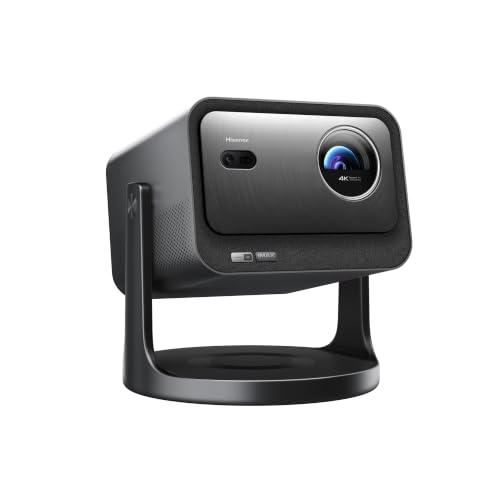
Hisense C3 Triple Color RGB Laser Projector
What We Like
- RGB laser for wide, accurate color
- 4K resolution with intelligent frame interpolation
- 360° horizontal and 135° vertical gimbal
- Auto keystone and auto focus
Trade-offs
- Weighs 11.7 pounds, not portable for frequent travel
- No native 1080p resolution for budget-conscious buyers
The color accuracy hits a Delta E of 0.9 or less, which means what you see on the screen matches the original source closely enough for reference work or canvas tracing. The 2500 ANSI lumen output stays bright even in a lit room, so you don’t have to black out the windows. A 360-degree horizontal and 135-degree vertical gimbal lets you aim the image at a ceiling, a tilted easel, or a wall without extra mounts. Auto keystone and auto focus adjust the picture the moment you set it down, so you can move your projection surface often without fiddling with dials.
The trade-off is weight. At 11.7 pounds, this isn’t a grab-and-go projector you’d toss in a backpack like the Caydo M1C. That said, the C3’s JBL-tuned audio and built-in VIDAA OS with Netflix and YouTube also make it a capable home theater projector, so it pulls double duty as a movie machine when you’re not working. For someone who wants one projector that handles both reference projection and evening entertainment without sacrificing color fidelity, this covers both roles.
BenQ HT2050A 1080P Home Theater Projector

What We Like
- 96% Rec. 709 factory color calibration
- 16ms low input lag for responsive gaming
- 2200 lumens brightness
Trade-offs
- 1080p native resolution, not 4K
- No built-in smart platform or streaming apps
A 96% Rec. 709 color accuracy calibration means this projector reproduces colors closely matching the standard used in film and video production, so what you see on screen stays true to the source material. With 2200 lumens of brightness, it delivers a clear image in typical indoor lighting, and the 16ms input lag keeps it responsive for gaming or interactive use. It suits anyone who wants reliable color fidelity in a home theater projector that can also handle casual gaming.
You are working at 1080p, not 4K, which means fine text or detailed digital content may not appear as sharp as on a 4K model. There is also no built-in smart platform, so you will need an external streaming device or laptop to feed it content. For the buyer who values color accuracy and low input lag, this is a focused, no-nonsense tool.
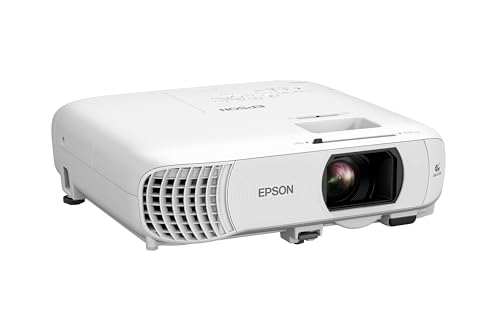
Epson Home Cinema 980 3LCD Projector
What We Like
- 4000 lumens for bright rooms
- 3LCD avoids rainbow artifacts
- Built-in speaker for quick setup
Trade-offs
- 1080p native, not 4K resolution
- 6.8 lb is heavier than portable art projectors
With 4000 lumens of brightness, this projector delivers clear and crisp images even in rooms with ambient light, so you don’t have to darken the space completely for movie nights or sports viewing. The 3LCD technology displays 100% of the RGB color signal for every frame, avoiding the rainbow artifacts that can occur with some other display types, which helps maintain color accuracy for any content. It is a straightforward home theater projector that works well in shared or daytime living areas where you want a bright, reliable picture without needing to black out the windows.
It is also heavier than portable projectors like the Caydo M1C, so it is less practical for carrying to different rooms or tucking into a small bag. For someone who prioritizes brightness and color accuracy over portability and ultra-high resolution, though, this Epson delivers where it counts.
BenQ X3100i True 4K 4LED Gaming Projector

What We Like
- 100% DCI-P3 color gamut coverage
- True 4K UHD resolution
- 3300 ANSI lumens for lit rooms
- Ultra-low 4.2ms input lag
Trade-offs
- Large footprint at 15.7 x 15.3 x 13.3 inches
- No built-in streaming apps beyond Android TV.
3300 ANSI lumens means this projector stays bright and punchy even in a room with some ambient light, which is handy for any setup where you can’t black out the windows. The 100% DCI-P3 color gamut covers a wide range of reds, greens, and blues, so images look vivid and saturated. True 4K resolution delivers sharp detail for any content, and the 4.2ms response time keeps motion smooth during fast-paced scenes.
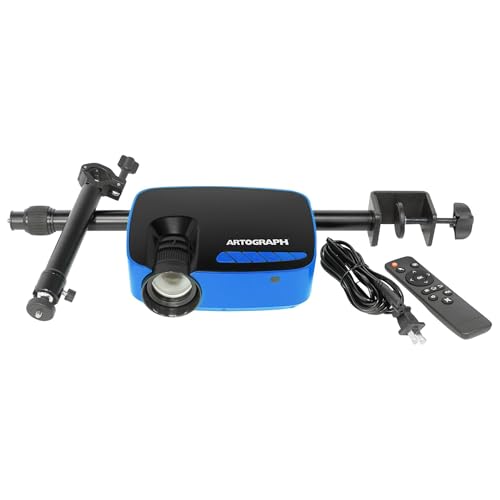
Artograph Flare 100 Digital Art Projector
What We Like
- Adjustable monopod arm for varied angles
- Native 1080p resolution for detailed projection
- Five built-in art grids for accurate placement
- WiFi and HDMI connectivity for multiple sources
Trade-offs
- 300 lumens is dim for bright rooms
- Manual focus and keystone require adjustment
A native 1080p resolution means you can trace fine lines and intricate details without losing sharpness, which is exactly what you need when transferring a sketch onto canvas or wall. The adjustable monopod arm lets you aim the image at any height or angle, so you can work on a table, an easel, or even a ceiling without crawling around. Those five built-in art grids are a real timesaver: they help you line up your reference perfectly for scaling up a portrait or mapping out a mural. This projector is built for the artist who wants a straightforward, dedicated tool for tracing and drawing, not for home theater or bright-room use.
Brightness is the main limitation here: at 300 lumens, you’ll want to dim the lights to see your projection clearly. That is fine for a studio or a nighttime session, but it struggles in a sunlit room where a model like the BenQ HT2050A with 2200 lumens would hold its own. The manual focus and keystone correction are simple enough, but they do require a moment of fiddling each time you move the projector. If your priority is crisp, accurate image transfer for drawing and you can control your lighting, the Flare 100 delivers exactly that without extra frills you would not use.
Caydo M1C Art Projector

What We Like
- Palm-size, fits in a bag
- Built-in drawing app with 4 modes
- 2.5-hour cordless battery
- Supports 4K video playback
Trade-offs
- 110 ANSI lumens limits use to dark rooms
- No native 1080p resolution listed
This projector measures 4.7 inches across and weighs 2.0 pounds, making it small enough to carry in a bag. The built-in drawing app includes four creative modes. Gridify, Sketchify, Comicize, and Monochromize, along with zoom and rotate tools, so you can adjust your reference image without needing a separate device. For artists who want a portable tool for tracing on walls, easels, or even cookies, this is a compact option in the guide.
Brightness is the main limitation here: 110 ANSI lumens is fine in a dim room but will wash out in daylight or a brightly lit studio, so you’ll want to work at dusk or pull the curtains. Compared to the Artograph Inspire 2000, which also targets artists, the Caydo M1C trades a bit of image punch for a truly pocketable size and a rechargeable battery that frees you from outlets. If your art happens mostly at a dedicated indoor desk, a higher-lumen model may serve you better; if you roam, this one fits the journey.
Product photos
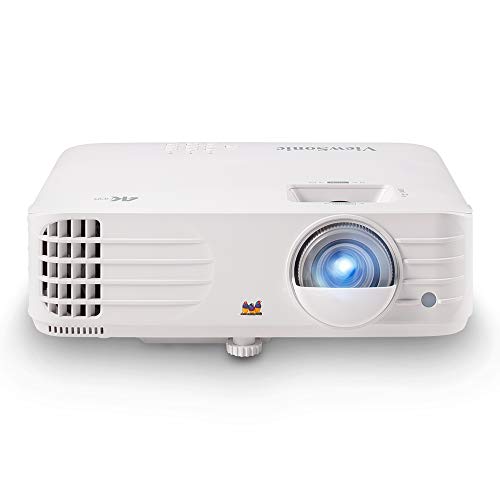
ViewSonic PX701-4K UHD Projector
What We Like
- True 4K UHD resolution for sharp detail
- 240Hz refresh rate and 4.2ms input lag
- 3200 ANSI lumens works with ambient light
- Auto keystone and four-corner adjustment
Trade-offs
- No built-in art grids or drawing app
- Weighs 6.2 lb, requires stable mount or table
- 1.1x optical zoom limits placement flexibility
A 240Hz refresh rate and 4.2ms input lag mean this projector delivers exceptionally smooth, responsive motion for fast-paced gaming, while true 4K UHD resolution keeps edges crisp and text readable. With 3200 ANSI lumens, it holds up well in rooms with some ambient light, so you can game or stream without blackout curtains. This makes the PX701-4K a strong fit for gamers who want big-screen responsiveness and clarity without wrestling with manual alignment.
This projector is built for gaming and home theater, not for art tracing or projection drawing. It lacks the built-in art grids, drawing apps, and lightweight portability of dedicated art projectors like the Caydo M1C. Its 6.2-pound body and 1.1x optical zoom mean you will need a stable surface or ceiling mount and have less flexibility to resize an image without moving the unit. If your primary need is projecting reference images for sketching or painting, a specialized art projector will serve you better. But if you want a gaming projector that also handles movies and streaming with strong performance, this is a capable choice.
Product photos
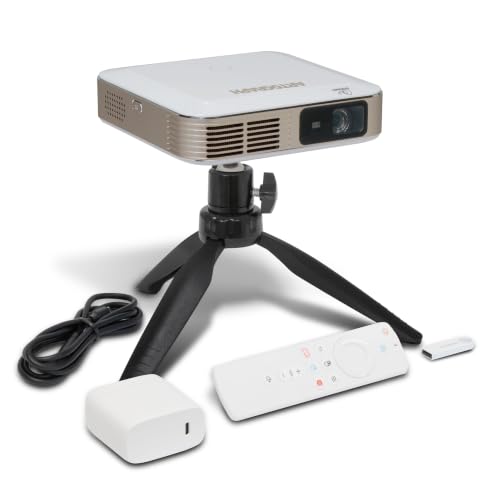
Artograph Inspire 2000 Digital Art Projector
What We Like
- 96 built-in art grids in 32 patterns
- Auto focus and keystone correction
- WiFi 6 and Bluetooth 5.4
- Cordless operation up to 3 hours
Trade-offs
- 230 ANSI lumens limits use to dark rooms
- Small 5.2-inch cube sits low without stand
Ninety-six built-in art grids across 32 unique patterns in three colors make this a precision tool for artists who need accurate scaling and transfer work. That means you can quickly overlay a grid on any reference image to enlarge or reduce it by hand, without guessing proportions. The three color options let you pick a grid that contrasts well with your source material, so lines stay visible on light or dark sketches. Reviewers note this system saves significant time compared to drawing grids manually, especially for murals or detailed portraits where even slight misalignment can throw off the whole composition. It is a practical feature that directly supports the core task of transferring an image to a larger surface.
Brightness is the main limitation here. At 230 ANSI lumens, the image will wash out in anything but a dim room, so this projector is best used after dark or with curtains drawn. Its 5.2-inch cube is easy to pack, but it sits low on a table without a stand, and the battery tops out at three hours, meaning you will need to recharge for longer workdays. Compared to the Caydo M1C, which supports 4K input and has an 8000mAh battery in a slightly smaller body, the Artograph offers more grid patterns and color choices, useful if you rely on precise scaling rather than maximum brightness.
Product photos
Caydo P3 Art Projector

What We Like
- 360° swivel base for any surface
- Auto focus under 3 seconds
- Exclusive drawing app with 4 modes
- Dual-band WiFi 6 & Bluetooth 5.4
Trade-offs
- Battery not included, must be plugged in
- 400 lumens dim for large rooms
- No 4K native resolution
A 360° rotatable stand built into the base means you can project onto walls, tilted easels, chalkboards, or even ceilings without buying extra gear, just twist and lock. The 400 ANSI lumens deliver crisp, vivid images even during the day, and the auto focus adjusts clarity in under three seconds, so you spend less time fiddling and more time drawing. For artists who work in tight spaces or switch between surfaces constantly, this flexibility makes the Caydo P3 a natural fit for tracing, murals, or large-scale sketches.
Brightness is the main limitation here: 400 lumens works well in dim rooms or with controlled light, but it won’t compete with the 2500 lumens of a laser projector like the Hisense C3 in a bright studio. You also need a wall outlet since no battery is included, which limits portability. If your priority is a lightweight, rotation-friendly projector for close-up tracing and you don’t need cinema-level brightness, the P3 delivers exactly that focus.
Product photos
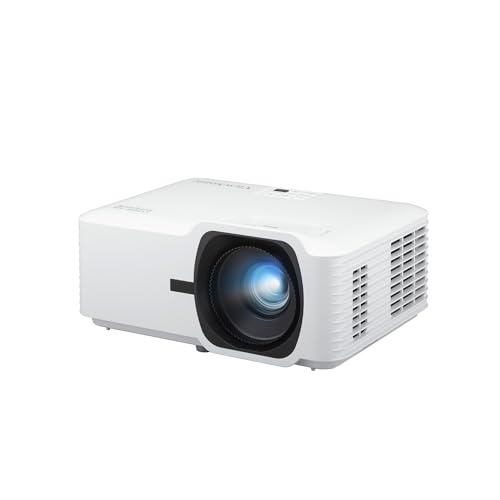
ViewSonic LS740HD 1080P Laser Projector
What We Like
- 5500 ANSI lumens for bright rooms
- Laser source lasts 30,000 hours
- Flexible 360° and portrait projection
- 1.3x optical zoom for sizing
Trade-offs
- 1080p resolution, not 4K like some rivals
- 15W speaker is limited for immersive audio
A 5500-lumen laser engine means this projector can hold a crisp, vivid image even with the studio lights on. For boardrooms, classrooms, and lecture halls, that brightness is the difference between fighting glare and seeing every line clearly. The 30,000-hour laser source also means years of daily use without replacing a bulb. It suits business and education users who need a reliable workhorse for bright, flexible setups, not a dim specialty projector that demands a dark cave.
If you project highly detailed content or need pixel-perfect accuracy for intricate presentations, the higher resolution of that pick may be worth the extra cost. But for most meeting and classroom use, especially in a bright room, the ViewSonic’s raw brightness and durable laser light source make it a practical, no-fuss tool.
Product photos
How We Evaluated Projectors For Artists
This evaluation is based on manufacturer specifications, expert round-ups, and patterns in owner feedback. The analysis focuses on the features that directly affect an artist’s workflow, color accuracy, resolution, brightness, and placement flexibility.
The four criteria that mattered most were color reproduction (gamut coverage and calibration), resolution for fine detail (from native 1080p to true 4K), and brightness in lumens (critical for seeing your work in a lit studio versus a dark room). Physical design, size, weight, mounting options, and built-in tools like art grids, also played a big role. We considered trade-offs like auto-focus, keystone correction, and connectivity to ensure each pick fits a real artist’s space and budget.
An honest limit of a research-led evaluation is that we cannot speak to long-term reliability or real-world color drift. We prioritized models with consistent owner satisfaction around image quality and ease of use. We also flag where a projector’s brightness or resolution may fall short for specific tasks like mural work or digital reference projection.
What To Look For In Projectors For Artists
Choosing a projector for art means balancing image quality with the physical demands of your workspace. The right one lets you see every pencil line and paint stroke clearly, without fighting with shadows or distorted shapes.
Look for a projector with at least 1080p native resolution for clear detail, a color gamut of 96% Rec. 709 or higher for accurate reference images, and a brightness level that matches your studio lighting, 300 lumens for dark rooms, 2000+ for rooms with ambient light.
Color Accuracy & Gamut
For projecting reference photos, paintings, or digital sketches, color accuracy is non-negotiable. A projector with a wide color gamut, like 100% DCI-P3 or 96% Rec. 709, will show you the true hues in your source material, so you don’t end up mixing paint to match a washed-out projection. Laser and LED light sources generally offer better color consistency than traditional lamps, and factory-calibrated models save you the trouble of manual adjustment.
Resolution & Detail
Native resolution determines how sharp your projected image will be, especially for fine line work or detailed textures. True 4K UHD (3840 x 2160) projects the crispest lines for digital art references, while native 1080p is still excellent for most tracing and sketching tasks. Be cautious of projectors that claim 4K but only accept a 4K signal while displaying at a lower native resolution, this can soften fine details.
Brightness & Room Lighting
Brightness is measured in lumens, and the right number depends entirely on your workspace. For a dark studio or evening sketching, a few hundred lumens is sufficient. For a room with windows or overhead lights, you’ll need at least two thousand lumens to maintain visibility. If you plan to project onto dark or textured surfaces like canvas or brick, higher brightness helps the image stay readable.
Placement, Portability & Built-In Tools
How you position the projector matters as much as the image it produces. Look for a model with a flexible stand or gimbal, 360° rotation and vertical tilt let you project onto walls, easels, ceilings, or floors without complex rigging. Auto keystone and auto focus save time during setup, while built-in art grids help you scale and align your composition. For artists who move between studio, classroom, or outdoor locations, weight under 3 pounds and battery power are key considerations.
- Measure your typical projection distance and check the projector’s throw ratio to ensure it fits your room size.
- For tracing, a projector with a monopod arm or swivel base lets you angle the image directly over your drawing surface.
- If you work on large murals, prioritize high brightness and 360° rotation over portability.
- Choose a model with WiFi and screen mirroring if you frequently project from a phone or tablet.
- For cordless use in the field, verify the battery life matches your session length.
A good rule of thumb: match the projector’s brightness to your room, its resolution to your reference detail, and its physical design to your most common surface.
Projectors For Artists Compared
The table below compares all ten projectors side by side, highlighting the key specs and trade-offs that matter for art projection.
| Product | Resolution | Brightness | Weight |
|---|---|---|---|
| Hisense C3 Triple Color RGB Laser Projector | 4K UHD | 2500 ANSI Lumens | 11.7 pounds |
| BenQ HT2050A 1080P Home Theater Projector | 1080p | 2200 Lumens | 8.0 pounds |
| Epson Home Cinema 980 3LCD Projector | 1080p | 4000 lumens | 6.8 pounds |
| BenQ X3100i True 4K 4LED Gaming Projector | True 4K UHD | 3300 ANSI Lumens | N/A |
| Artograph Flare 100 Digital Art Projector | 1920 × 1080 native | 300 lumens | 1.7 pounds |
| Caydo M1C Art Projector | 4K Support | N/A | 2.0 pounds |
| ViewSonic PX701-4K UHD Projector | 3840x2160p (True 4K UHD) | 3200 ANSI lumens | 6.2 pounds |
| Artograph Inspire 2000 Digital Art Projector | Full HD 1920 x 1080 | 230 ANSI lumens | 0.0 pounds |
| Caydo P3 Art Projector | Native 1080P | 400 ANSI lumens | 2.9 pounds |
| ViewSonic LS740HD 1080P Laser Projector | 1920 x 1080 | 5500 ANSI lumens | 6.6 pounds |
Frequently Asked Questions
What projector specs matter most for tracing artwork?
For tracing, native resolution and placement flexibility are critical. A 1080p native projector will show crisp lines, while a model with a 360° swivel base or adjustable arm lets you angle the image directly onto your drawing surface. Brightness matters less for tracing since you typically work in a dim room, but auto keystone and auto focus save time during repositioning.
Can I use a home theater projector for art projection?
Yes, if it has good color accuracy and resolution. The Hisense C3 RGB laser projector, for example, works well for both reference projection and movie watching because of its wide color gamut and 4K resolution. However, home theater projectors often lack built-in art grids or flexible stands, so you may need a separate mount or tripod for overhead projection.
How many lumens do I need for a bright art studio?
For a studio with ambient light from windows or overhead fixtures, you’ll want at least 2000 lumens to keep the image visible. The Epson Home Cinema 980 offers 4000 lumens and uses 3LCD technology to avoid rainbow artifacts, making it a strong choice for daytime use. In a dark room, 200-400 lumens is usually sufficient for clear projection.
What is the difference between native 4K and 4K-compatible projectors?
A native 4K projector has a physical display panel that renders 3840 x 2160 pixels, delivering true sharpness for fine detail. A 4K-compatible or “4K-supported” projector accepts a 4K signal but displays it at a lower native resolution, which can soften fine lines and text. For detailed art reference, a native 4K model like the ViewSonic PX701-4K is preferable.
Do I need a projector with built-in art grids?
Built-in art grids are helpful if you regularly scale or transfer compositions, as they let you align your projection without external tools. The Artograph Inspire 2000 includes 96 grid patterns in 32 styles, while the Caydo P3 and M1C offer drawing apps with grid modes. If you prefer to use physical rulers or alignment marks, a projector without grids will still work fine.
The Bottom Line
For the artist who needs one projector that handles both color-accurate reference projection and home theater use, the Hisense C3 Triple Color RGB Laser Projector is our best overall pick. Its RGB laser delivers wide, true-to-life color, and the 360° gimbal makes it easy to position the image on any surface, wall, easel, or ceiling. It’s best for a permanent studio where weight isn’t a concern.
If your primary need is tracing and drawing in a controlled-light studio, the Artograph Flare 100 offers a dedicated monopod arm and native 1080p resolution at a more accessible price point. For artists who need to work in bright rooms, the Epson Home Cinema 980 provides 4000 lumens and rainbow-free 3LCD projection. And if portability is everything, the palm-sized Caydo M1C runs on battery and fits in a bag.
The single most important factor in choosing a projector for art is matching its brightness and color accuracy to the lighting conditions and surfaces you work with most. Get that right, and the rest, resolution, placement, built-in tools, will fall into place.
